Opening and Closing
NOTE: It is your responsibility to ensure windows are closed
after locking the vehicle.
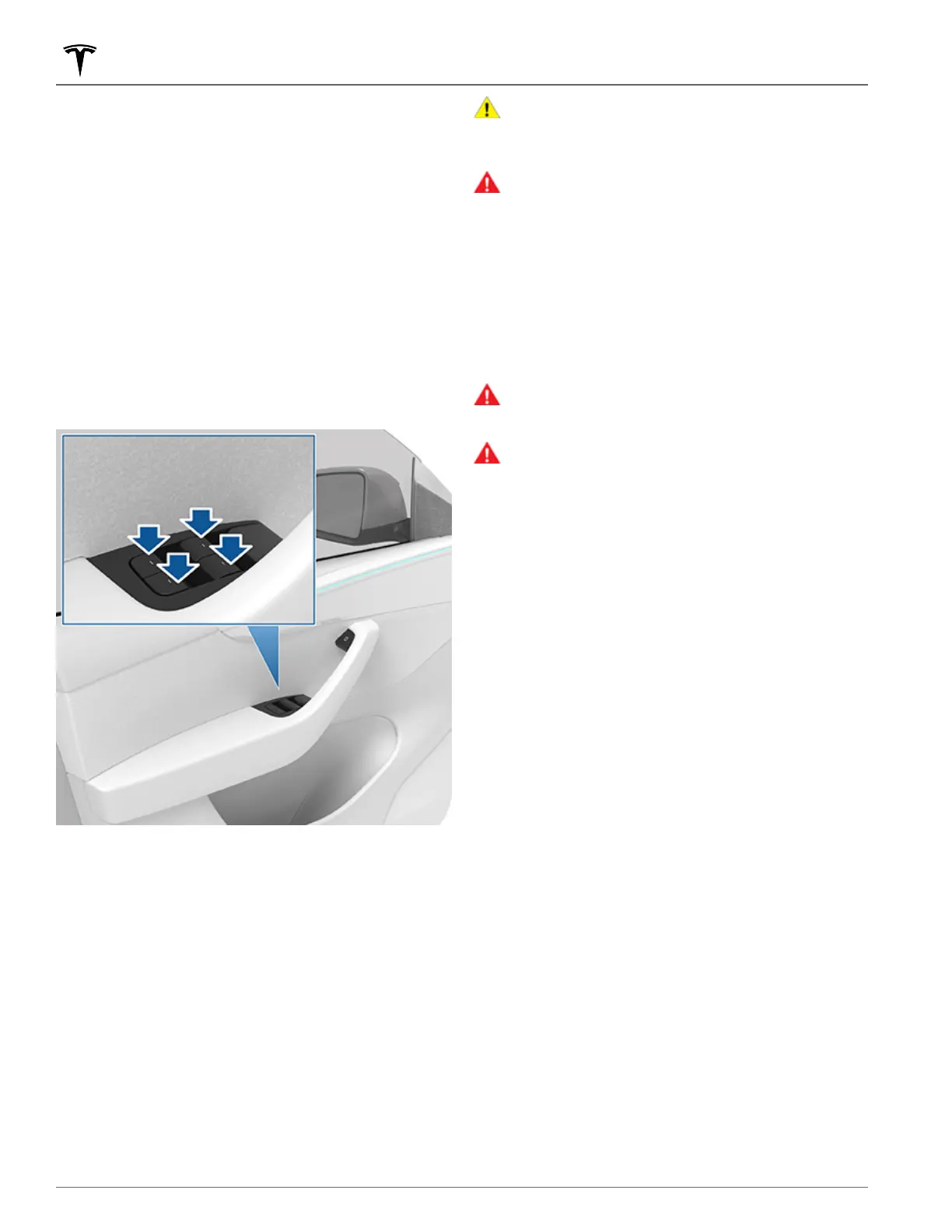
Press down on a switch to lower the associated window.
Window switches operate at two levels:
•
To lower a window fully, press the switch all the way down
and immediately release.
•
To lower a window partially, press the switch gently and
release when the window is where you want it.
NOTE: If a window is fully lowered and you open the
associated door, the window rises slightly. Likewise, if you
fully lower a window while the door is already open, it stops
slightly above the edge of the door. To fully lower a window
while the door is open, press the switch again.
Similarly, pull a switch to raise the associated window:
• To raise a window fully, pull the switch all the way up and
immediately release.
•
To raise a window partially, pull the switch gently and
release when the window is where you want it.
If a window is left open unintentionally, Model Y can send a
notification to the mobile app (touch Controls > Locks > Car
Left Open Notification, then choose Doors & Windows).
You can also enable Close Windows on Lock by touching
Controls > Locks > Close Windows on Lock. When enabled,
your vehicle automatically closes the windows when Model Y
locks.
NOTE: See Cold Weather Best Practices on page 140 for
information on preparing windows for cold weather.
CAUTION:
To avoid damage, windows automatically
lower slightly when you open or close a door. If you
manually raise a window when the door is open, ensure
it is slightly lowered before closing the door.
WARNING:
Before closing a window, it is the driver’s
responsibility to ensure that all occupants, especially
children, do not have any body parts extended through
the window’s opening. Failure to do so can cause
serious injury.
Locking Rear Windows
To prevent passengers from using the rear window switches,
touch Controls > Locks > Window Lock. To unlock the rear
windows, touch
Window Lock again.
WARNING: To ensure safety, it is recommended that
you lock the rear window switches whenever children
are seated in the rear seats.
WARNING: Never leave children unattended in Model
Y.
Calibrating Windows
In the unlikely event that a window behaves unexpectedly
(touches the bright molding, fails to open or close properly,
goes down more than normal when the door opens, etc.), you
can calibrate it to potentially fix the issue.
To calibrate a window:
1. Close the door with the affected window.
2. Sit in the driver's seat and close the driver door.
3. Using the window's switch on the driver's door, raise the
affected window until it stalls.
4.
Using the window's switch on the driver's door, lower the
affected window until it stalls.
5. Repeat step 3 and raise the affected window until it stalls.
The window should now be calibrated. If the issue continues
after attempting the calibration procedure a couple times,
contact Tesla.
UV Index Rating
The roof, windshields, and windows in Model Y are excellent
at protecting you from UV (ultraviolet) rays. The glass
components score less than 2 on the UV Index scale. Review
your region’s UV Index specifications for more information.
You are still responsible for taking the necessary precautions
for sun protection.
Windows
28 MODEL Y Owner's Manual















 To Next Page