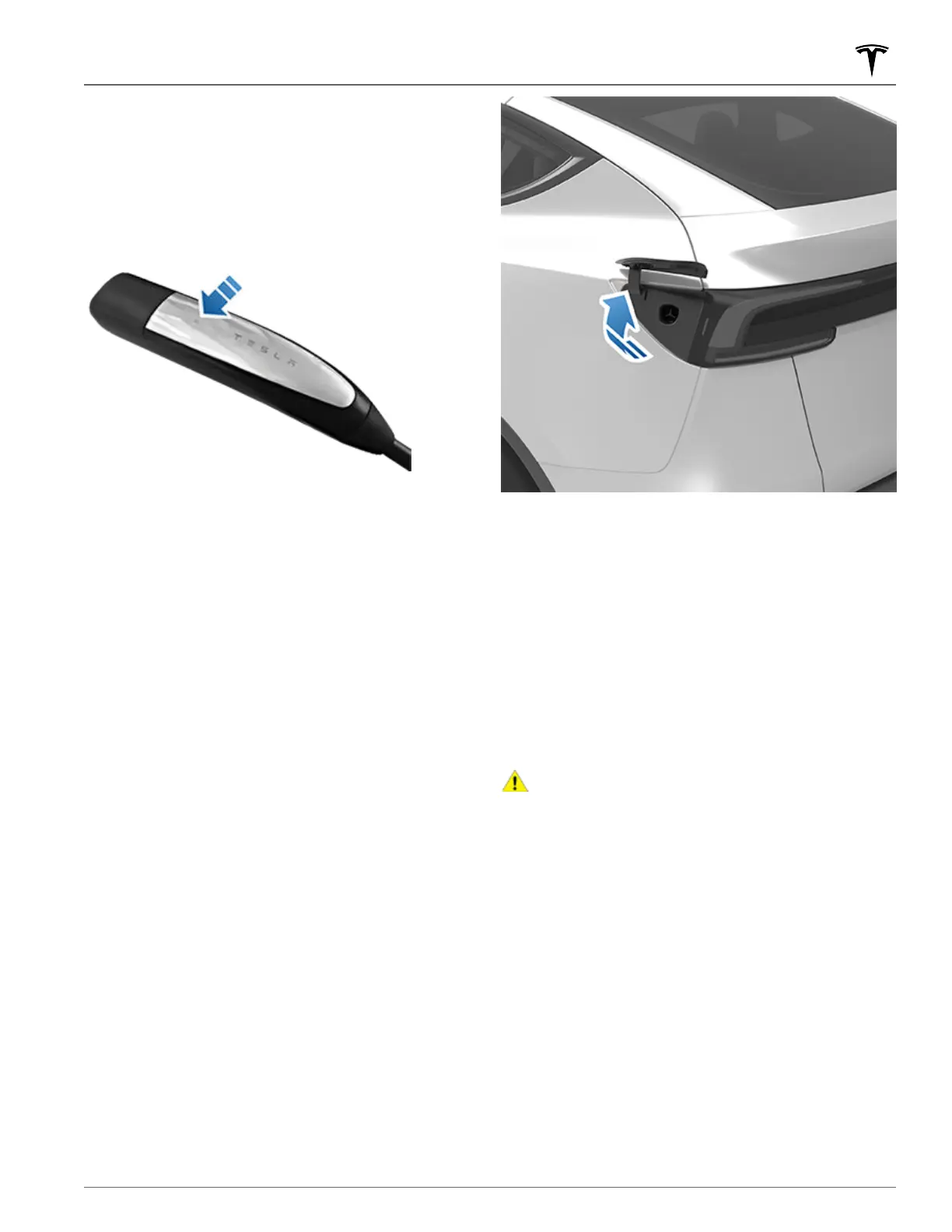
Opening the Charge Port
The charge port is located on the left side of Model Y, behind
a door that is part of the rear tail light assembly. Park
Model Y
to ensure that the charge cable easily reaches the charge
port.
With Model Y in Park, press and release the button on the
Tesla charge cable to open the charge port door.
You can also open the charge port door using any of these
methods:
• On the touchscreen, touch Controls and touch the Charge
Port icon (lightning bolt).
• On the touchscreen, navigate to Controls > Charging >
Open Charge Port.
• Press the bottom of the charge port door when Model Y is
unlocked and an authenticated phone is nearby.
• On the key fob accessory (sold separately), hold down the
rear trunk button for 1-2 seconds.
•
Press the button on the charge cable to open the charge
port door.
• Use voice commands to open the charge port door (see
Voice Commands on page 17). You can also use voice
commands to close the charge port door, and begin or
stop charging.
NOTE: The following image is provided for demonstration
purposes only. Depending on market region and date of
manufacture, your charge port may be slightly different.
NOTE: The Tesla "T" lights up when you open the charge port
door. If you do not insert a charge cable into the charge port
within a few minutes after opening the charge port door, the
charge port door closes. If this happens, use the touchscreen
to open the charge port door again.
NOTE: In extremely cold weather or icy conditions, it is
possible that your charge port latch may freeze in place.
Some vehicles are equipped with a charge port inlet heater
that turns on when you turn on the rear defrost in cold
weather conditions. You can also thaw ice on the charge port
latch by enabling preconditioning using the mobile app. To
prevent this from occurring, use the Schedule settings (also
available on both the charging and climate control screens),
to set a time when you want your vehicle to be ready to drive
(see Scheduled Precondition and Charge on page 165).
CAUTION: Do not try to force the charge port door
open.
Plugging In
If desired, use the touchscreen to change the charge limit
and the charging current (see Charge Settings on page 161).
To charge at a public charging station, plug the appropriate
adapter into the vehicle's charging port, and then connect
the station's charging connector to the adapter. The most
commonly used adapter(s) for each market region are
provided. Depending on the charging equipment you are
using, you may need to start and stop charging using a
control on the charging equipment.
If you are using the Mobile Connector, plug into the power
outlet before plugging in Model Y.
Align the connector to the charge port and insert fully. When
the connector is properly inserted, charging begins
automatically after
Model Y:
Charging Instructions
159Charging and Energy Consumption














 To Next Page