HYDRAULIC PULLER-TENSIONER PT1250
Manual: MI-PT1250-050-01-IT Date: 06.11.2017 Author: AT Page: 27 of 69
5.5.1 WORKING AREA and MACHINE ALARMS
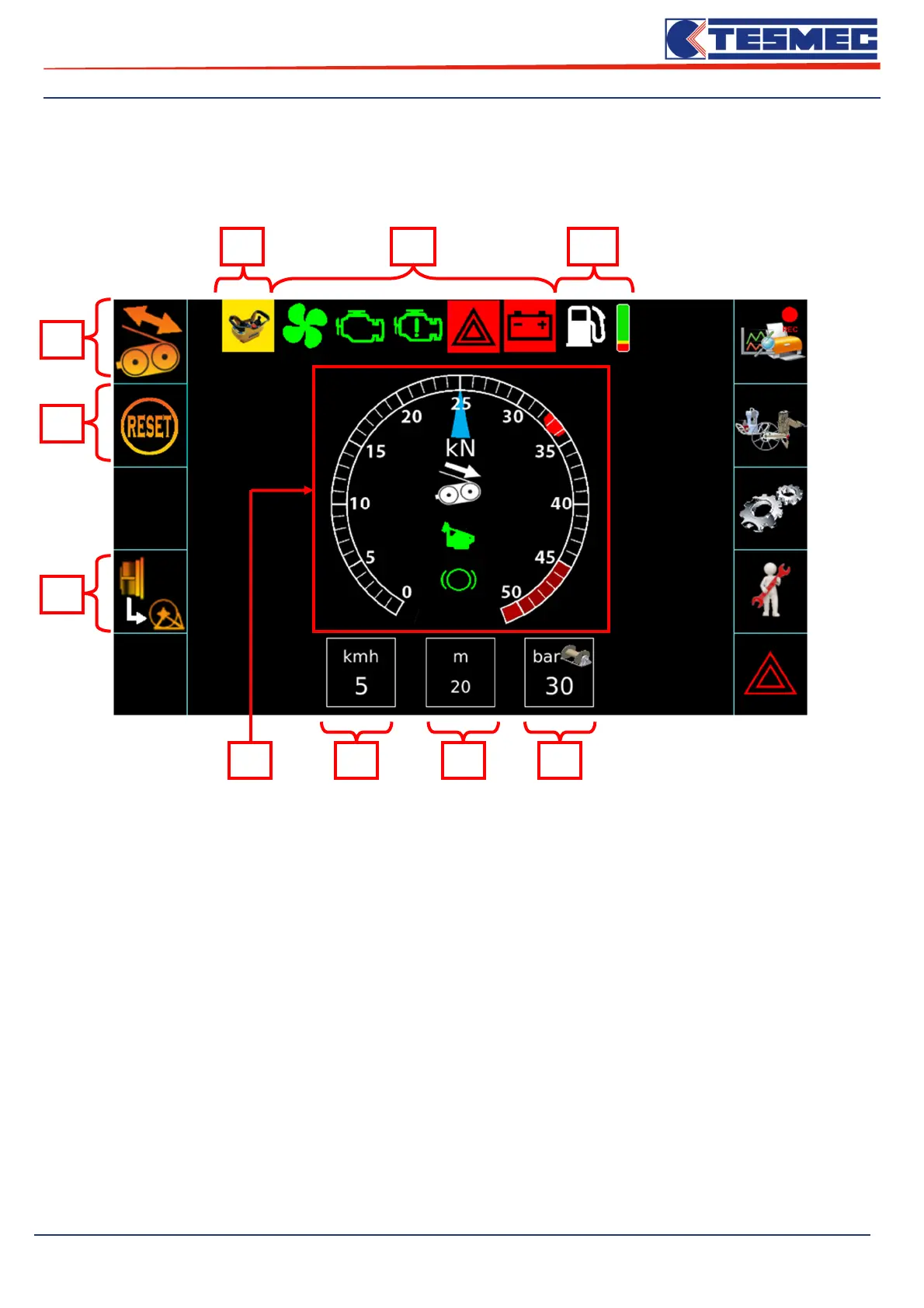
This menu is the main part of the machine control panel and contains the characteristic work values and
the main engine and machine alarms.
Listed below are the main controls of the main work screen.
1- Virtual Dynamometer: Displays the pull set and the actual shooting on the machine, depending on
the choice of configuration work by the operator.
The machine can work in the following configurations:
- Puller
- Puller on fine braking
- Tensioner
- Tensioner on fine braking
The dynamometer scale will change automatically as a function of the bull-wheels rotation, if the
speed is greater than 0, will be displayed while the set (through the pos.5 button) if the machine is
stopped.
On the following page, shows four configurations of the crane scale can take.
10 9 8
6
5
7
2 3 4 1



 To Next Page