HYDRAULIC PULLER-TENSIONER PT1250
Manual: MI-PT1250-050-01-IT Date: 06.11.2017 Author: AT Page: 36 of 69
5.5.2.3 MENU SETTINGS and SUB-MENU SETTINGS
.
As you can see from the image below, the SETTINGS menu it is made up of THREE sub-menu, each of
which is highlighted by the symbol found on the right column of the screen.
It is possible to select each of the sub-menus through the corresponding buttons on the screen 7 " of the
remote control.
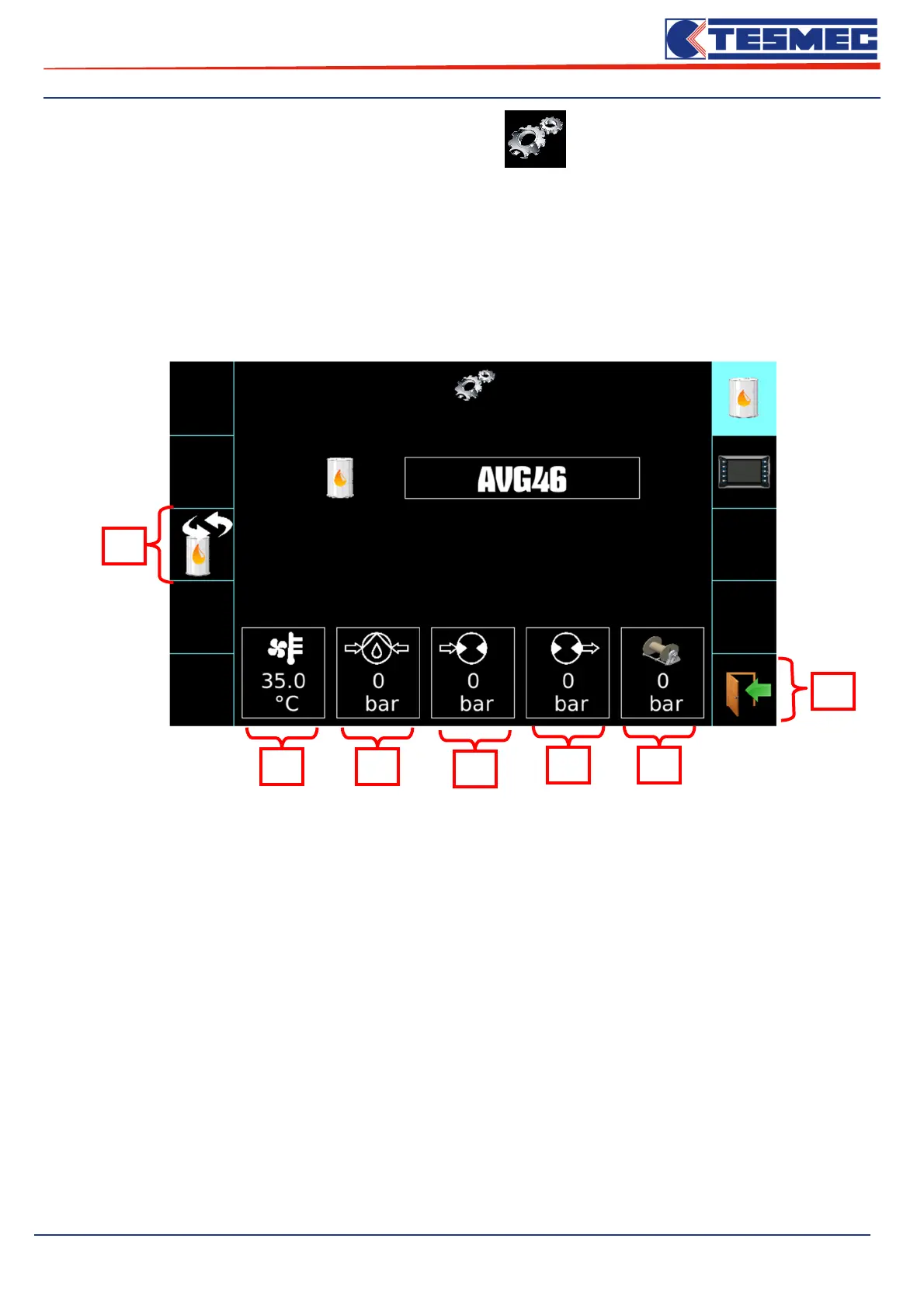
• Oil type selection screen
1- Choosing the Oil Type (from AVG22 to AVG100).
2- Pressure pump value boosting circuit.
3- Hydraulic oil temperature.
4- Pressure at the entrance of the hydraulic engine.
5- Pressure at the exit of the hydraulic engine.
6- Reel elevators circuit pressure
7- Exit from setting menu.
1
2 3
4
5 6
7



 To Next Page