DRAW Instructions 8-15
8308DRAW.DOC TI-83 international English Bob Fedorisko Revised: 02/19/01 12:29 PM Printed: 02/19/01 1:49
PM Page 15 of 20
To erase (turn off) a drawn point on a graph, follow these
steps.
1. Select
2:Pt
.
Off( (point off) from the
DRAW POINTS
menu.
2. Move the cursor to the point you want to erase.
3. Press
Í
to erase the point.
To continue erasing points, repeat steps 2 and 3. To cancel
Pt
.
Off(, press
‘
.
To change (toggle on or off) a point on a graph, follow
these steps.
1. Select
3:Pt
.
Change( (point change) from the
DRAW
POINTS
menu.
2. Move the cursor to the point you want to change.
3. Press
Í
to change the point’s on/off status.
To continue changing points, repeat steps 2 and 3. To
cancel
Pt
.
Change(, press
‘
.
Pt
.
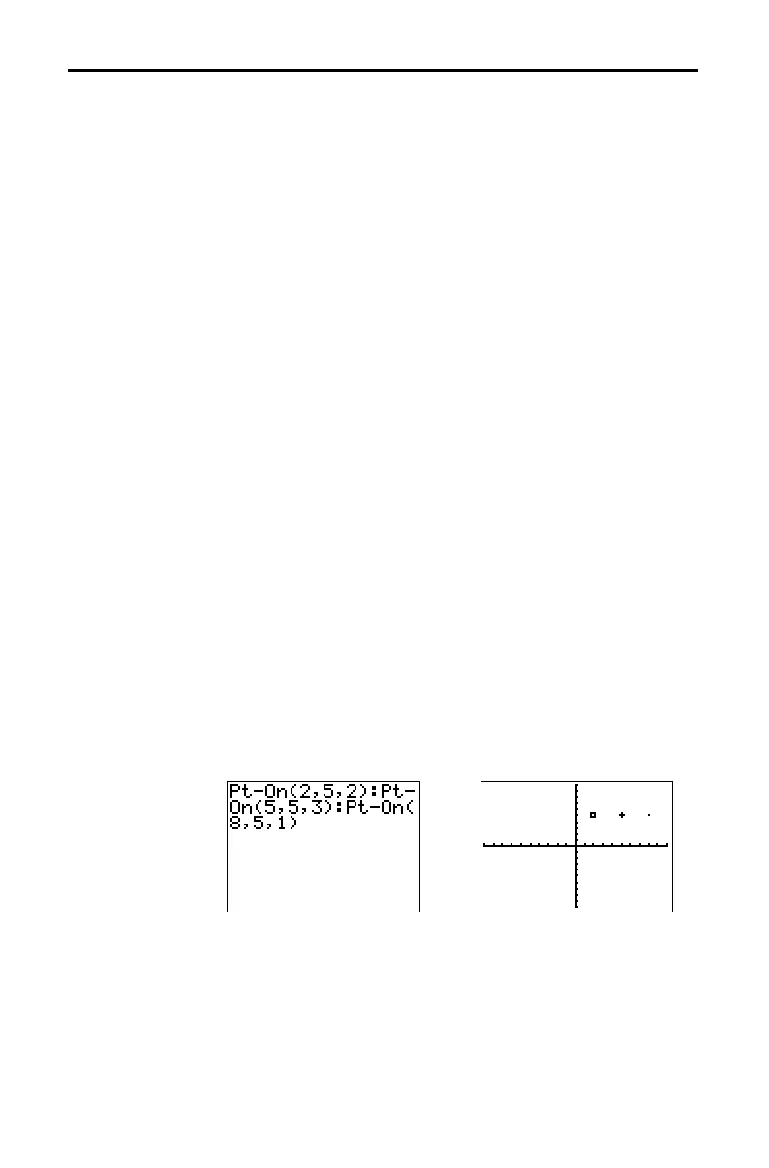
On( (point on) turns on the point at (X=
x
,Y=
y
). Pt
.
Off(
turns the point off. Pt
.
Change( toggles the point on or off.
mark
is optional; it determines the point’s appearance;
specify
1, 2, or 3, where:
1 =
¦
(dot; default) 2 =
›
(box) 3 = + (cross)
Pt
.
On(
x
,
y
[
,
mark
]
)
Pt
.
Off(
x
,
y
[
,
mark
]
)
Pt
.
Change(
x
,
y
)
Note:
If you specified
mark
to turn on a point with
Pt
.
On(
, you must
specify
mark
when you turn off the point with
Pt
.
Off(
.
Pt
.
Change(
does not have the
mark
option.
Erasing Points
with Pt-Off(
Changing Points
with Pt-Change(
Drawing Points
from the Home
Screen or a
Program



 To Next Page
 Loading...













