Lists 11-9
8311LIST.DOC TI-83 international English Bob Fedorisko Revised: 02/19/01 1:21 PM Printed: 02/19/01 1:37 PM
Page 9 of 18
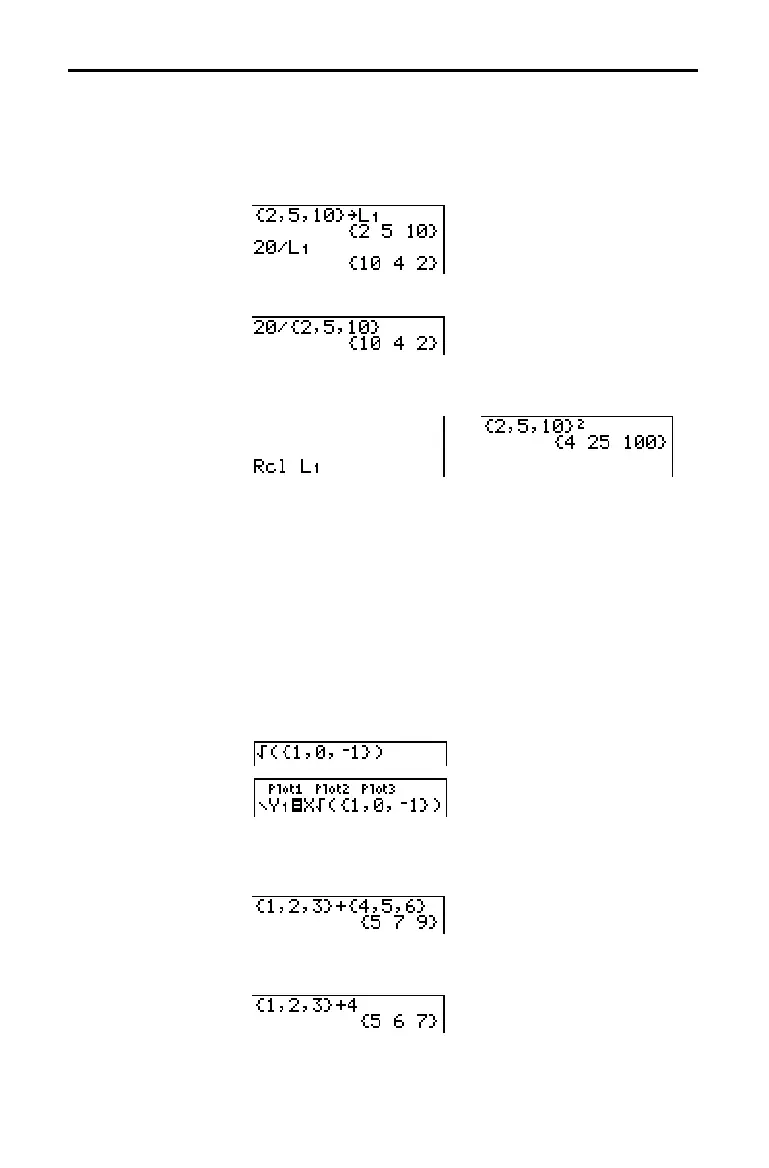
You can use lists in an expression in any of three ways.
When you press
Í
, any expression is evaluated for
each list element, and a list is displayed.
•
Use
L
1
–L
6
or any user-created list name in an expression.
•
Enter the list elements directly (step 1 on page 11
.
3).
•
Use
y
[
RCL
] to recall the contents of the list into an
expression at the cursor location (Chapter 1).
&
Note:
You must paste user-created list names to the
Rcl
prompt by
selecting them from the
LIST NAMES
menu. You cannot enter them
directly using
Ù
.
You can use a list to input several values for some math
functions. Other chapters and Appendix A specify whether
a list is valid. The function is evaluated for each list
element, and a list is displayed.
•
When you use a list with a function, the function must
be valid for every element in the list. In graphing, an
invalid element, such as
L
1
in
‡
({1,0,
L
1})
, is ignored.
This returns an error.
This graphs
X
ä
‡
(1)
and
X
ä
‡
(0)
,
but skips
X
ä
‡
(
L
1)
.
•
When you use two lists with a two-argument function,
the dimension of each list must be the same. The
function is evaluated for corresponding elements.
•
When you use a list and a value with a two-argument
function, the value is used with each element in the list.
Using Lists in Expressions
Using a List in an
Expression
Using Lists with
Math Functions



 To Next Page
 Loading...













