Data/Matrix Editor 503
Note: For stat calculations, columns must have the same length.
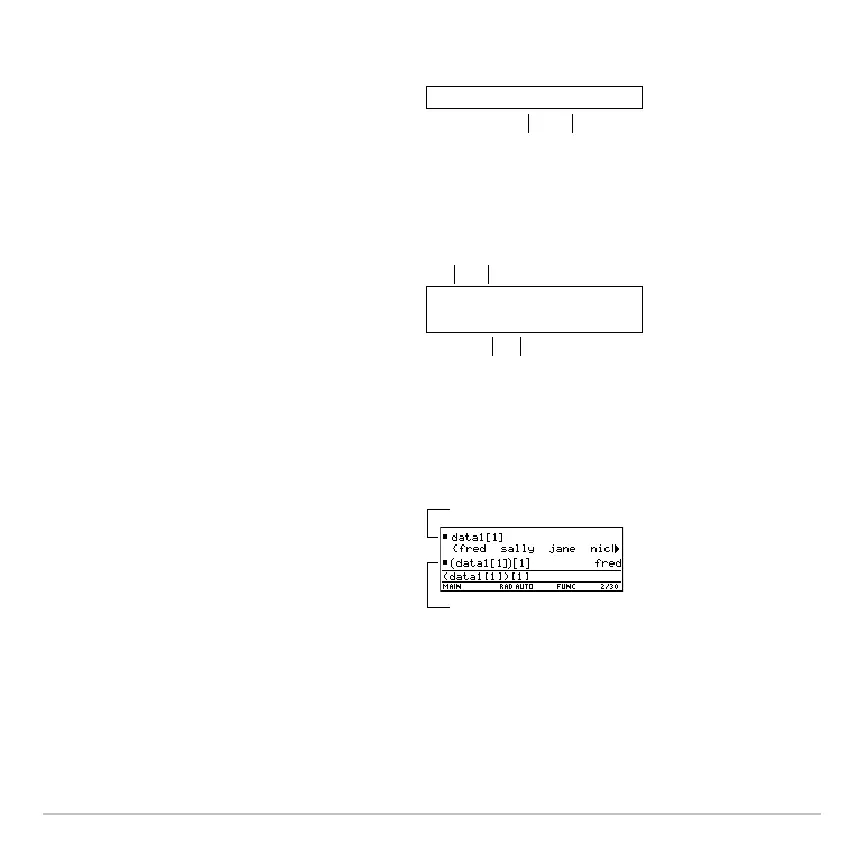
From the Home screen or a program, you
can use the
NewData command to create
a data variable that consists of existing
lists.
Ê
Name of data variable to create
Ë Names of existing list
Although you cannot directly display a
data variable on the Home screen, you
can display a specified column or
element.
Ê
Name of data variable
Ë Column number
Ì Column number
Í Element number in the column
For example:
Ê
Displays column 1 of the variable data1.
Ë Displays element 1 in column 1 of the
variable data1.
NewData data1,list1,list2
ÊË
data1[1]
(data1[1])[1]
ÌÍ
Ë














 To Next Page