Data/Matrix Editor 523
2. Press ƒ and select 2:Save Copy As.
4. Press ¸ (after typing in an input box such as Variable, you must press ¸
twice).
To Copy a Data Column to a List
A data variable can have mulNotele columns, but a list variable can have only one
column. Therefore, when copying from a data variable to a list, you must select the
column that you want to copy.
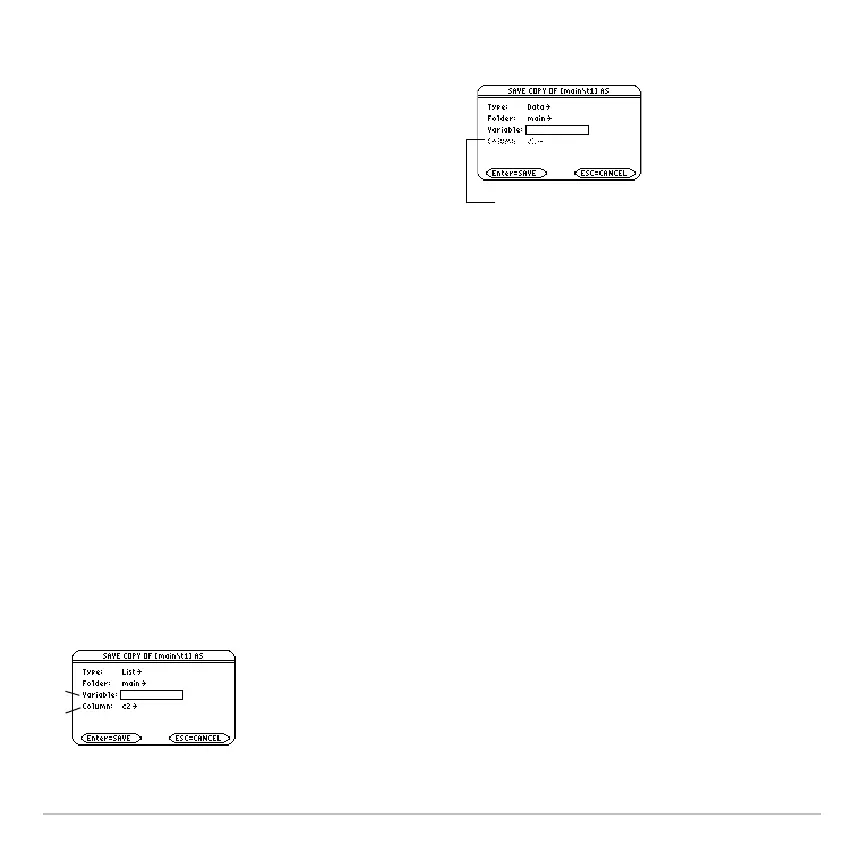
3. In the dialog box:
• Select the
Type and Folder for the
copy.
• Type a variable name for the copy.
• When available, select the column to
copy from.
Note: If you type the name of an existing
variable, its contents will be replaced.
Ê
Column is dimmed unless you copy a data column to a list. The
column information is not used for other types of copies.
Ê List variable to copy to.
Ë Data column that will be copied to the
list. By default, this shows the column that
contains the cursor.
Ê
Ê
Ë














 To Next Page