EX-TRAFIRE
®
125HD 6 Setting up the power supply
EN - 17
6.5 Connecting the cutting torch
Switch off the power supply.
6.6 Connecting the CNC interface
The CNC interface is on the rear of the EX-TRAFIRE
®
125HD. Control signals
can be transmitted via the CNC interface. The signal types can be found in
the table. The control elements are located on the control panel. The
connections are on the front and rear of the EX-TRAFIRE
®
125HD.
4.1 Assembly and use on page EN-10
Risk of material damage if used without TCS Latch with Key
Assembly
The TCS Latch with Key Assembly is important for the proper working of
the machine. If used without, the EX-TRAFIRE
®
125HD may be irreparably
damaged.
• Do not use the EX-TRAFIRE
®
125HD without the TCS Latch with Key
assembly installed and properly secured.
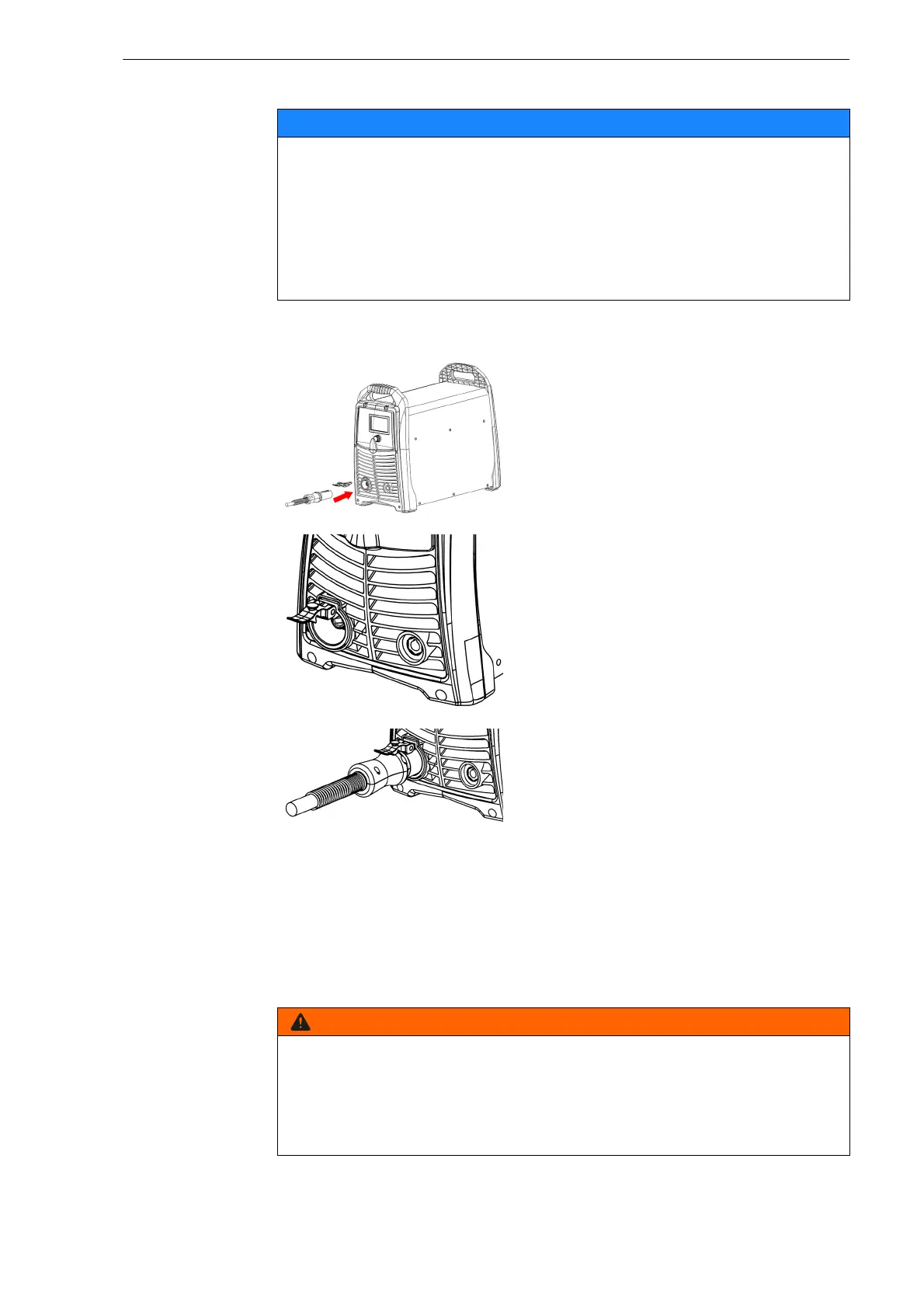
1 Insert the TCS Latch with Key
Assembly into the TCS socket.
The TCS Latch with Key Assembly
must sit firmly in the TCS socket.
2 Push the cutting torch into the TCS
and ensure the Latch with Key
Assembly locks in place.
Electric shock due to live parts
Live parts are exposed when the housing is open. This can result in fatal
electric shock.
• Set the <POWER> switch to <OFF> and disconnect the input power
plug before opening the housing.



 To Next Page