EasyManua.ls Logo

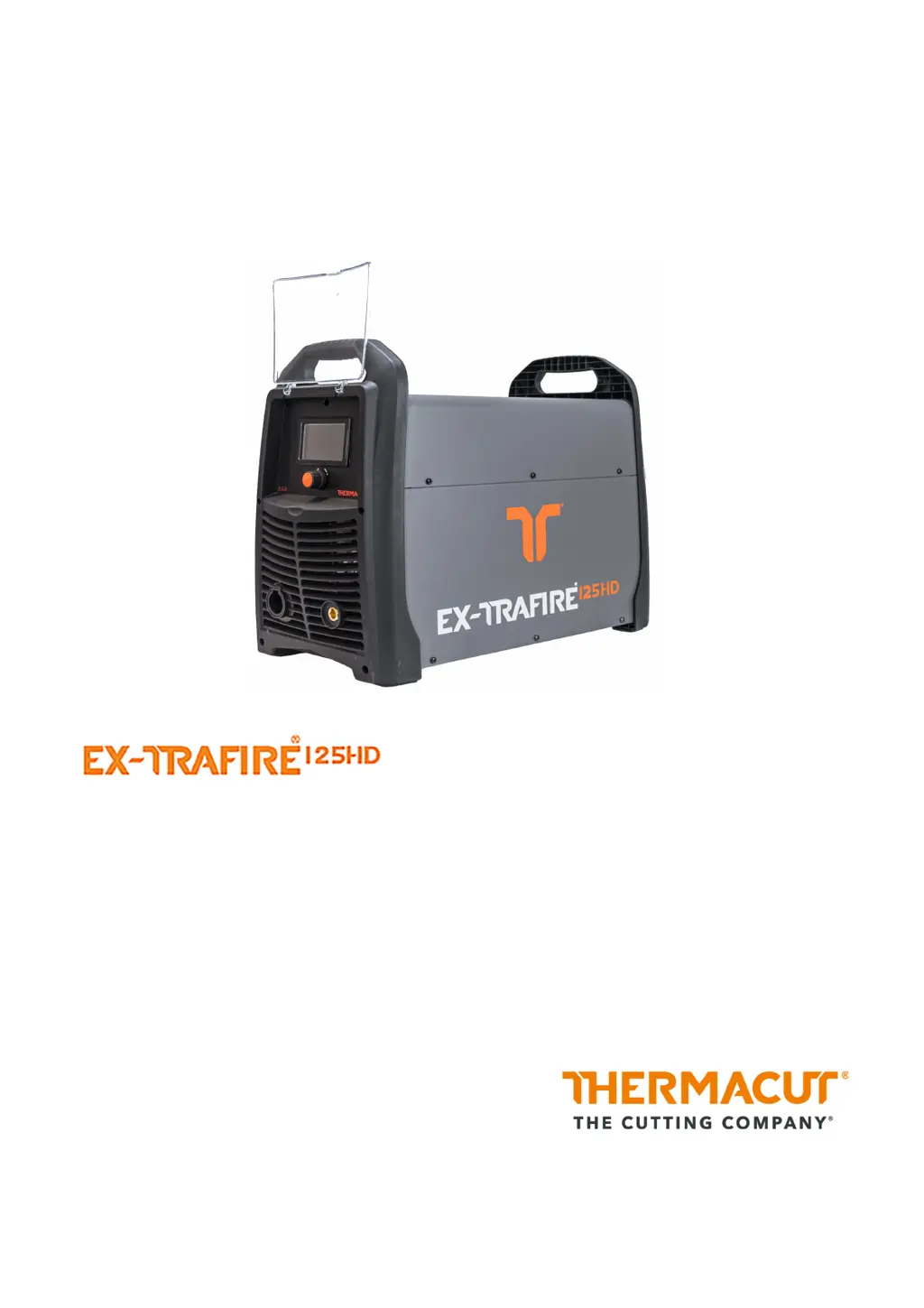
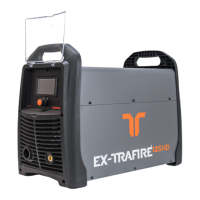
THERMACUT EX-TRAFIRE 125HD - User Manual

THERMACUT EX-TRAFIRE 125HD
68 pages
Print Icon
To Next Page IconTo Next Page
Loading...
Plasma Cutting System
Operating Instructions – EX-6-902-001/N-21611 – CE
Revision 1, 15
th
June, 2023

Table of Contents

Questions and Answers

  • E
    Emily MartinezSep 9, 2025
    What causes excess current in THERMACUT Welding System?
    • A
      Anne FritzSep 9, 2025
      If there is excess current, specifically inverter overcurrent, have the output diodes, main transformer, and IGBT on the inverter board checked by an authorized professional.
  • D
    David HopkinsAug 23, 2025
    What to do if the output current is too low on my THERMACUT Welding System?
    • B
      brendataylorAug 23, 2025
      If the output current on your THERMACUT Welding System is too low and cannot be controlled, check the following: * Ensure that all cable connections are correctly installed. * Remove any contamination or oxidation from the workpiece and the work lead clamp. Attach the work lead clamp to the workpiece to allow maximum electrical conduction. * Decrease the distance between the cutting torch and the workpiece. * Verify the correct input voltage according to the identification plate and inspect/replace consumables if needed.
  • S
    Sarah KirbyAug 25, 2025
    Why won't the arc ignite on my THERMACUT Welding System?
    • A
      Andrew AdkinsAug 26, 2025
      If the arc does not ignite when the torch trigger is pressed or the CNC start signal is on, verify the proper cutting torch is connected. Also, ensure that consumables are installed correctly, and if necessary, reinstall or replace them. Make sure you are using Thermacut® original consumables. Check that the retaining cap is correctly installed, reinstall correctly and tighten, if needed.
  • N
    Nathaniel DavisAug 27, 2025
    Why is there no transfer between pilot arc and workpiece on my THERMACUT Welding System?
    • R
      Rodney LeeAug 27, 2025
      If there's no transfer between the pilot arc and the workpiece, it may be due to: * Poor contact between the work lead clamp and the workpiece. Remove any contamination and/or oxidation from both, and ensure the clamp is attached for maximum electrical conduction. * Excessive distance between the cutting torch and the workpiece. Decrease this distance. * A defective work lead. Have it checked and replaced by an authorized professional if necessary.
  • C
    cruzmichaelAug 28, 2025
    What to do if the LCD doesn't illuminate on my THERMACUT EX-TRAFIRE 125HD Welding System?
    • P
      Paula WallsAug 28, 2025
      If the LCD does not illuminate when the switch is set to ON, check the following: * Ensure there is adequate input power voltage. * Verify the power cable is securely connected to the socket. * If the above steps do not resolve the issue, the switch may be defective and needs replacement by an authorized professional.
  • B
    bgrahamAug 29, 2025
    Why is my THERMACUT EX-TRAFIRE 125HD overheating?
    • W
      wilsonryanAug 29, 2025
      If your THERMACUT Welding System is experiencing excess temperature, the following could be the cause: * A defective fan. Make sure the fan is running freely and replace the fan or fan motor if needed. * Exceeding the duty cycle. Switch off the EX-TRAFIRE®125HD and allow it to cool down, and avoid exceeding the duty cycle in the future. * Defective components. Contact service or your retailer for assistance.
  • B
    bbrownSep 18, 2025
    What causes data recording failure on THERMACUT EX-TRAFIRE 125HD Welding System?
    • B
      Benjamin RoblesSep 18, 2025
      If data recording failed, check the cable. Replace the CAN and BUS PCB. Replace the control PCB.
  • G
    Gary RomeroSep 22, 2025
    What to do if there is a missing phase in my THERMACUT EX-TRAFIRE 125HD Welding System?
    • T
      thompsonemilySep 22, 2025
      Have the issue checked by Thermacut® or a qualified electrician.
  • J
    John CoxSep 7, 2025
    What happens if I press the torch trigger too early on my THERMACUT EX-TRAFIRE 125HD Welding System?
    • M
      Melissa JenkinsSep 7, 2025
      If the torch trigger is pressed before starting or during initialization, verify that the trigger is not pressed when the power supply is switched on, and during initialization.
  • G
    Gregory AbbottSep 4, 2025
    What to do if gas doesn't flow in my THERMACUT EX-TRAFIRE 125HD?
    • A
      Anthony Griffin Jr.Sep 5, 2025
      If gas does not flow when the torch trigger is pressed or the CNC start signal is switched on, this may be caused by a defective gas valve or missing power supply. In this case, contact your retailer for assistance.

Summary

Product Identification

Marking

Product marking and compliance information.

Identification plate

Details of the machine's identification plate.

Signs and symbols used

Explanation of symbols used in the manual.

Safety Guidelines

Classification of the warnings

Categorization and explanation of warning signals.

Designated use

Specifies the intended purpose and operational limits.

Obligations of the operator

Responsibilities and qualifications for operating personnel.

Warning and notice signs

Identifies warning and notice signs on the product.

Product-specific safety instructions

Specific safety guidelines related to the product's use.

Safety instructions for the electrical power supply

Guidelines for safe electrical connections and usage.

Safety instructions for plasma cutting

Safety precautions specific to the plasma cutting process.

Personal protective equipment

Requirements for protective gear during operation.

Emergency information

Procedures to follow in case of an emergency.

Scope of delivery

Goods-in inspection

Procedures for checking delivered items.

Claim process

Steps to follow if goods are damaged.

Returns

Guidelines for returning the product.

Product description

Assembly and use

Instructions for setting up and initial operation.

Technical data

Specifications and technical parameters of the power supply.

Technical data for cutting torches

Technical specifications for specific cutting torches.

Transport and positioning

Setting up the power supply

Connecting to the gas supply

Procedure for connecting the gas hose.

Connecting the work lead

How to connect the work lead cable.

Connecting the power supply cable

Instructions for connecting the main power cable.

Connecting the input power plug

Detailed steps for connecting the input power plug.

Connection to a generator (optional)

How to connect to an external generator.

Connecting the cutting torch

Procedure for attaching the cutting torch.

Connecting the CNC interface

Instructions for connecting the CNC interface.

Setting the DIP switches

Configuration of DIP switches for the CNC interface.

Enabling the external DC coil

Connecting an external DC coil.

Enabling the external AC coil

Connecting an external AC coil.

Enabling the industrially insulated module

Connecting an industrially insulated module.

Installing consumables for torches

Steps for installing torch consumables.

Aligning machine cutting torch

How to align the machine cutting torch.

Operation of the power supply

LCD description

Explanation of the device's LCD display elements.

Setting the parameters

How to adjust operational parameters via the LCD.

Selecting the cutting mode

Procedures for choosing different cutting modes.

Connecting the work lead clamp

Correct method for attaching the work lead clamp.

Powering on the machine

Steps to start up the cutting unit.

Manual cutting process

Detailed steps for performing manual plasma cutting.

Manual grid cutting and gouging process

Procedures for grid cutting and gouging.

Cutting

Specific instructions and tips for the cutting operation.

Piercing

Steps for the piercing operation.

Gouging

Techniques and parameters for gouging.

Table for material removal

Material removal data for specific torch.

Stopping the cutting process

How to safely stop the cutting operation.

Disconnecting the unit

Maintenance and cleaning

Maintenance and cleaning intervals

Schedule for routine maintenance tasks.

Parts inspection

Details for inspecting various consumable parts.

Faults and troubleshooting

Fault messages in the display

List of error codes and troubleshooting steps.

General faults

General troubleshooting guide for common faults.

Disassembly

Disposal

Disposal of materials

How to dispose of metallic and plastic materials.

Disposal of consumables

Procedures for disposing of consumables and cleaning agents.

Packaging

Information about product packaging and recyclability.

Warranty

Block diagram

Accessories

Hand cutting torch unit

Consumables for hand cutting torch

Consumables for 45-65 A

Specific consumables for 45-65 A hand cutting.

Ordering information

Part numbers for ordering consumables.

Consumables for 85-125 A

Consumables for the hand cutting torch (85-125 A).

Machine cutting torch unit

Machine cutting torch

Information on the machine cutting torch.

Short machine cutting torch

Information on the short machine cutting torch.

Consumables for machine cutting torch

Consumables for standard machine cutting torch 45-65 A

Specific consumables for 45-65 A machine cutting.

Consumables for standard machine cutting torch 85-125 A

Consumables for 85-125 A machine cutting.

Consumables for SmoothLine machine cutting torch

Consumables for SmoothLine machine cutting.

Ordering information

Part numbers for SmoothLine consumables.

Cutting tables for mechanical cutting

45 A cutting, shielded, with compressed air

Cutting parameters for 45 A shielded operation.

65 A cutting, shielded, with compressed air

Cutting parameters for 65 A shielded operation.

85 A cutting, shielded, with compressed air

Cutting parameters for 85 A shielded operation.

85 A cutting, shielded, with compressed air (Detailed)

Detailed cutting parameters for 85 A operation.

105 A cutting, shielded, with compressed air

Cutting parameters for 105 A shielded operation.

105 A cutting, shielded, with compressed air (Detailed)

Detailed cutting parameters for 105 A operation.

125 A cutting, shielded, with compressed air

Cutting parameters for 125 A shielded operation.

125 A cutting, shielded, with compressed air (Detailed)

Detailed cutting parameters for 125 A operation.

30-45 A cutting, SmoothLine, shielded

Parameters for 30-45 A SmoothLine cutting.

30-45 A cutting, SmoothLine, shielded (Detailed)

Detailed parameters for 30-45 A SmoothLine cutting.

Contact Information

EUROPE

European contact details.

ASIA

Asian contact details.

KAZAKHSTAN

Kazakhstan contact details.

Revision history

THERMACUT EX-TRAFIRE 125HD Specifications

General IconGeneral
BrandTHERMACUT
ModelEX-TRAFIRE 125HD
CategoryWelding System
LanguageEnglish

Related product manuals