EasyManua.ls Logo

THERMACUT EX-TRAFIRE 105HD - User Manual

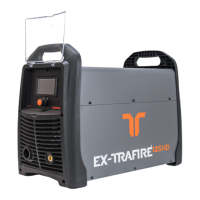
THERMACUT EX-TRAFIRE 105HD
72 pages
Print Icon
To Next Page IconTo Next Page
Loading...
Plasma Cutting System
Operating Instructions – EX-5-902-007/N-23446 – CSA
Revision 4, 31
st
January, 2024

Table of Contents

Questions and Answers

  • N
    Nicholas JonesSep 3, 2025
    What causes excess temperature in THERMACUT EX-TRAFIRE 105HD and how to fix it?
    • N
      Nathan MontgomerySep 4, 2025
      Excess temperature in your THERMACUT Welding System can be caused by several factors. Ensure the fan is running freely, and if not, consider replacing the fan or fan motor. Allow the power supply to cool down if the duty cycle has been exceeded, and avoid exceeding it in the future. Verify sufficient space around the power supply for ventilation. If components are defective, contact service or your retailer.
  • L
    lperezAug 25, 2025
    What to do if gas pressure is low in THERMACUT EX-TRAFIRE 105HD Welding System?
    • A
      Angel DavisAug 25, 2025
      If your THERMACUT Welding System shows a gas inlet pressure below 5 bar/72.5 psi leading to insufficient plasma gas flow, check the inlet gas pressure, ensuring it is between 85 – 125 psi. Also, verify the gas pressure and flow, and make sure the gas settings are correct.
  • L
    Luke WarnerAug 25, 2025
    Why is there no transfer between pilot arc and workpiece in my THERMACUT EX-TRAFIRE 105HD?
    • K
      Kenneth HoodAug 26, 2025
      If there is no transfer between the pilot arc and the workpiece when using your THERMACUT Welding System, it could be due to poor contact between the work lead clamp and the workpiece. Remove any contamination or oxidation from both to ensure maximum electrical conduction. Also, check that the distance between the cutting torch and workpiece isn't too great. Finally, have the work lead checked by a professional, and replace it if necessary.
  • M
    Michelle RichardsSep 10, 2025
    What causes a THERMACUT Welding System pilot arc to ignite with difficulty and switch off?
    • C
      Caroline MontoyaSep 12, 2025
      If the pilot arc on your THERMACUT Welding System ignites with difficulty and then switches off, consider these causes: * Defective consumables: Check the consumables and replace them if necessary. * Faulty gas flow: Check gas flow settings.
  • D
    Daniel DuranSep 17, 2025
    What does error code H04 mean on THERMACUT Power Supply?
    • P
      Patrick PhillipsSep 18, 2025
      If the THERMACUT Power Supply displays error code H04, it indicates a missing nozzle or electrode. Check that the consumable is seated correctly and, if necessary, mount it correctly or replace it.
  • B
    Bianca WhiteSep 7, 2025
    What to do if there is no data communication at the BUS in THERMACUT EX-TRAFIRE 105HD?
    • J
      Julie RamirezSep 7, 2025
      Check the cable. If the issue persists, replace the CAN and BUS PCB. If problems continue, have the control PCB replaced by a certified electrician or trained personnel.
  • P
    Patrick WoodwardAug 31, 2025
    What to do if arc does not ignite when torch trigger is pressed or CNC start signal is on in my THERMACUT EX-TRAFIRE 105HD Welding System?
    • J
      James WrightAug 31, 2025
      First, ensure the proper cutting torch is connected. Then, check if the consumables are correctly installed; reinstall or replace them if needed. Also, verify that the retaining cap is correctly installed, reinstalling and tightening if necessary. Finally, ensure you're using Thermacut® original consumables.
  • G
    Gina CrossSep 23, 2025
    What does error code H15 mean on THERMACUT Power Supply?
    • M
      Mrs. Madison Reyes PhDSep 23, 2025
      If the THERMACUT Power Supply displays error code H15, there is no data communication at the BUS. Check the cable, and if necessary, replace the CAN and BUS PCB or the control PCB.
  • A
    April RamirezSep 13, 2025
    What to do if gas does not flow when torch trigger is pressed on THERMACUT Power Supply?
    • B
      Brett BrownSep 14, 2025
      If the THERMACUT Power Supply shows no gas flow when the torch trigger is pressed, the gas valve may be defective or lacking power. Contact your retailer for assistance.
  • G
    gutierrezcharlesAug 28, 2025
    What causes output current control issues in THERMACUT EX-TRAFIRE 105HD Welding System?
    • F
      Franklin MckeeAug 28, 2025
      If the output current cannot be controlled on your THERMACUT Welding System, ensure that all cable connections are correctly secured. Attach the work lead clamp to the workpiece in order to allow maximum electrical conduction.

Summary

Identification

Labeling

Describes product labeling.

Identification Plate

Details the machine's identification plate.

Signs and Symbols Used

Explains symbols and warning classifications.

Classification of Warnings

Details warning categories (Danger, Warning, Caution, Notice).

Safety

Designated Use and Operator Obligations

Defines intended use and operator responsibilities.

Product and Electrical Safety

Safety for product, electrical supply and signs.

Plasma Cutting and PPE Safety

Safety for cutting, PPE, and emergency procedures.

Scope of Delivery

Inspection, Claims, and Returns

Procedures for handling received goods.

Product Description

Assembly and Use

Describes control elements and connections.

Technical Data

Provides detailed technical specifications for single-phase.

Technical Data for Cutting Torches

Specs for specific cutting torches.

Torch Dimensions FHT-EX 105 TTH

Dimensions of a specific torch model.

Torch Dimensions FHT-EX 105 TTM

Dimensions of another torch model.

Torch Dimensions FHT-EX 105 TTSM

Dimensions of a third torch model.

Transport and Positioning

Risk of Injury from Improper Transport

Safety warnings about transport and installation.

Risk of Material Damage from Improper Transport

Warnings about material damage from transport.

Setting up the Power Supply

Connecting Gas Supply

How to connect the gas supply.

Connecting Work Lead

How to connect the work lead.

Connecting Power Supply Cable

Details on connecting the power cable.

Connecting Single-Phase Machine

Specifics for single-phase connection.

Connecting Three-Phase Machine

Specifics for three-phase connection.

Connecting Input Power Plug

How to connect the input power plug.

Generator Connection (Optional)

How to connect to a generator.

Connecting the Cutting Torch

Procedure for connecting the torch.

TCS Latch Assembly Notice

Specific notice about the TCS Latch.

Installing Cutting Torch Gear Rack

Steps for installing the gear rack.

Installing Torch Consumables

Instructions for installing torch consumables.

Electric Shock Warning: Live Parts

Safety warning for live parts.

Operation of the Power Supply

Plasma Arc Ignition Safety

Safety warning about ignition.

Cutting Safety

Safety warning during cutting.

Burn Risk from Flying Sparks

Caution about burns.

Duty Cycle Exceedance Notice

Notice about duty cycle.

LCD Description

Explains the LCD display elements.

Input Plug Unplugging Notice

Notice about unplugging.

Output Current Switching Notice

Notice about current switching.

Setting Parameters via LCD

How to set parameters on the LCD.

Selecting Cutting Mode

How to select cutting modes.

Connecting Work Lead for Operation

How to connect the work lead for operation.

Powering On the Machine

Steps to power on the machine.

Manual Cutting Process

Steps for manual cutting.

Manual Grid Cutting and Gouging

Steps for grid cutting/gouging.

Cutting - Edge Start Procedure

Procedure for edge start cutting.

Piercing Procedure

Procedure for piercing.

Gouging Procedure

Procedure for gouging.

Gouging Parameters Table

Gouging parameters table.

Stopping the Cutting Process

Procedure for stopping cutting.

Decommissioning

Maintenance and Cleaning

Electric Shock Warning: Missing Grounding

Safety warning about grounding.

Electric Shock Warning: Live Parts

Safety warning about live parts.

Electric Shock Warning: Defective Cables

Safety warning about defective cables.

Fire Hazard Caution: Contamination

Caution about fire hazard.

Maintenance and Cleaning Intervals

Schedule for maintenance.

Parts Inspection Guide

Inspection guide for consumables.

Faults and Troubleshooting

Electric Shock Warning: Live Parts (Troubleshooting)

Safety warning for live parts during troubleshooting.

Display Fault Messages

Lists error codes and troubleshooting.

General Faults Table

Lists general faults and troubleshooting.

Disassembly

Electric Shock Warning: Live Parts (Disassembly)

Safety warning for live parts during disassembly.

Disposal

Disposal of Materials

How to dispose of materials.

Disposal of Consumables

How to dispose of consumables.

Packaging Disposal

Information on packaging disposal.

Warranty

Block Diagram

Accessories

FHT-EX 105 TTH Hand Cutting Torch Unit

FHT-EX 105 TTH Consumables for Hand Cutting Torch

FHT-EX 105 TTM Machine Cutting Torch Unit

Machine Cutting Torch Without Gear Rack

Details of this torch unit.

Short Machine Cutting Torch

Details of this torch unit.

FHT-EX 105 TTM Consumables for Machine Cutting Torch

Cut Charts for Mechanized Cutting

85 A Cutting, Shielded, with Compressed Air

Introductory text for 85A chart.

100-105 A Cutting, Shielded, with Compressed Air

Introductory text for 100-105A chart.

40-45 A Cutting, SmoothLine, Shielded, with Compressed Air

Introductory text for 40-45A SmoothLine chart.

Appendix

Connecting the Optional CNC Interface

How to connect the CNC interface.

CNC Interface Signal and Pin Assignment

CNC interface pin assignments.

Setting Voltage Divider DIP Switches

How to set DIP switches.

Enabling External DC Coil

How to enable DC coil.

Enabling External AC Coil

How to enable AC coil.

Enabling Industrially Insulated Module

How to enable insulated module.

THERMACUT EX-TRAFIRE 105HD Specifications

General IconGeneral
Output Current Range20 - 105 A
Insulation ClassH
Max Cutting Thickness32mm (1-1/4")
Protection ClassIP23
Cutting Capacity (Mild Steel)32 mm
Severance Cut (Mild Steel)40 mm
Cutting Capacity (Stainless Steel)25 mm
Air Pressure5.5 bar

Related product manuals