EN - 24
7 Operation of the power supply EX-TRAFIRE
®
125HD
7.1 LCD description
7.1.1 Setting the parameters
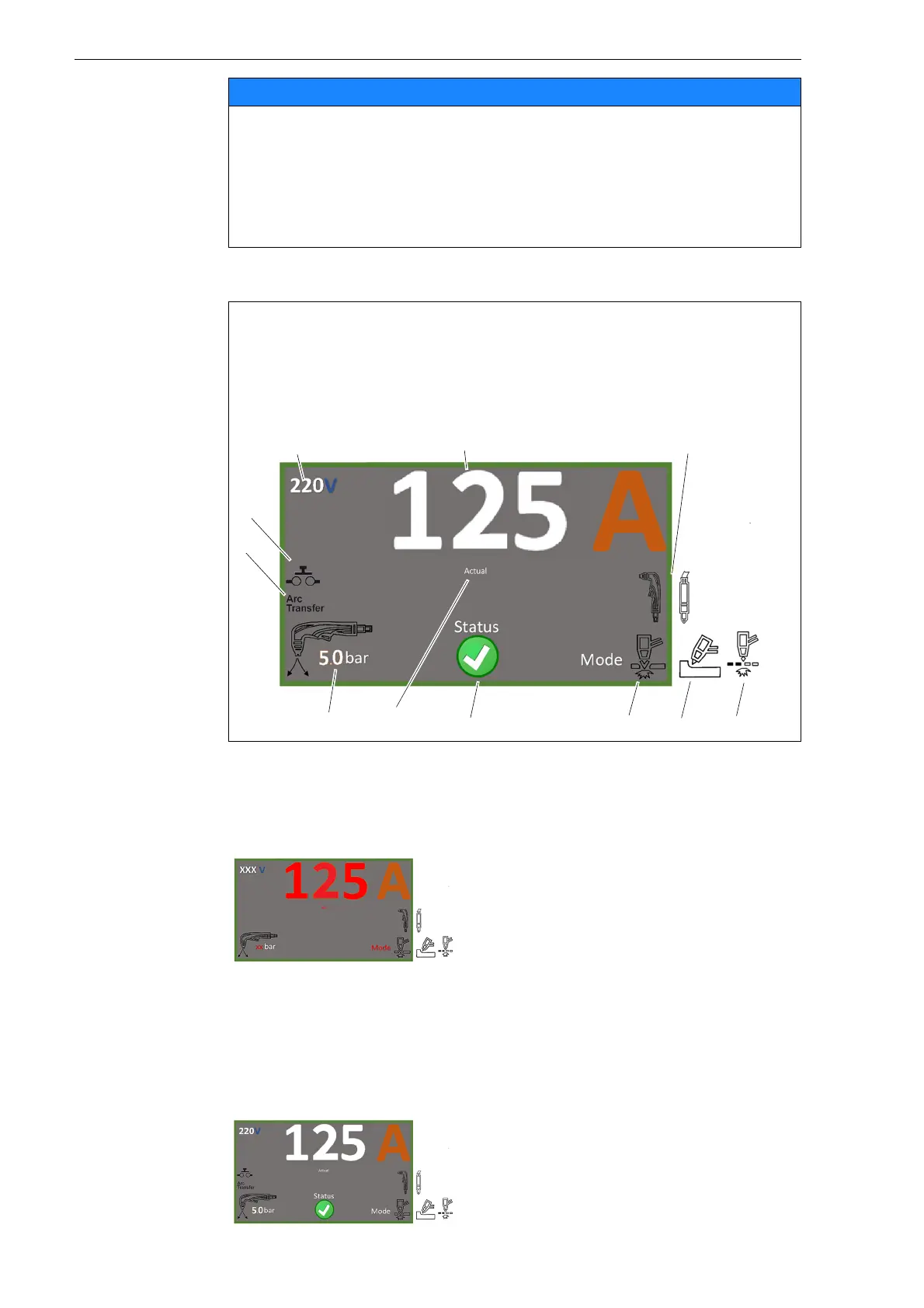
The LCD menu is used to set the output current (amps), cutting modes, and
pressure in bar, MPa, or psi.
Material damage due to switching the output current strength
during operation
If the output current strength is switched during operation, the unit may
be damaged.
• Set the output current strength before starting operation and do not
switch it during the cutting process.
A Cutting voltage
B Output current
C Torch type
D Grid cutting
E Gouging/Marking
F Cutting
G Status
H All cutting parameters
set
I Air pressure
J Transfer signal
K Indicates activation of
the torch trigger or
pins 3, 4 in the CNC
connection.
1 Press the multi-function button for
one second.
The adjustable values as well as the
word “Set” flash in red.
2 Press the multi-function button briefly
to switch between the values.
3 Turn the multi-function button to the
left or right to increase or decrease
the values.
4 Press the multi-function button briefly
to accept the set values.
Once all values are set, they are
displayed in white and the word
“Status” appears.



 To Next Page