POWERMASTER 500, 500P, 350, 350P
7-2
March 17, 2006
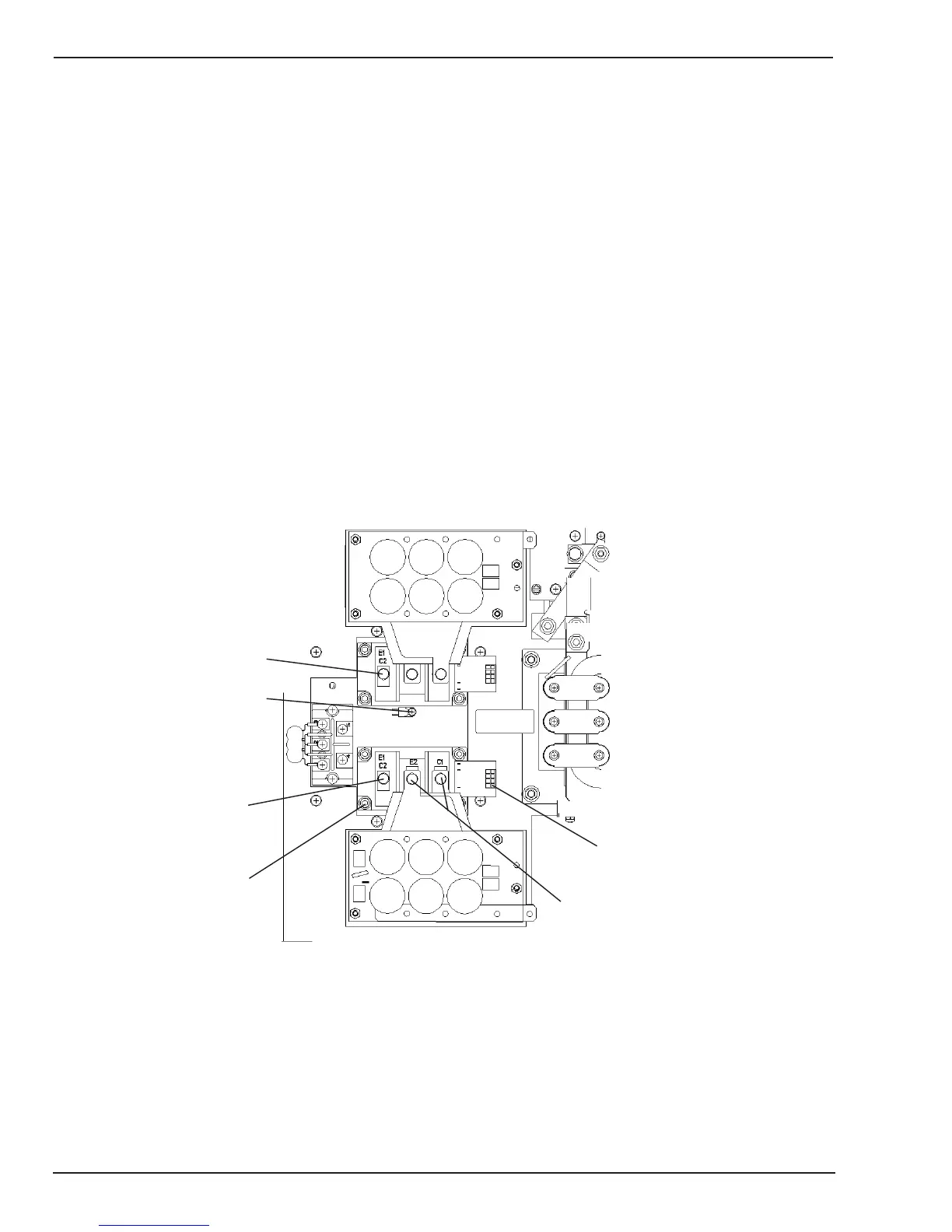
7.02 IGBT Module Replacement:
The following procedure can be used to replace one of the
IGBT modules. The IGBT can be replaced without remov-
ing the capacitor boards, if the capacitor boards are still
ok.
Step 1: Remove the screws holding the transformer
leads to the IGBT modules. Remove the transformer
leads from both modules so they can be positioned
out of the way.
Step 2: Remove the thermostat so it can be posi-
tioned out of the way.
Step 3: Disconnect the gate drive connector from the
IGBT module being replaced.
Step 4: Remove the four mounting screws holding
the IGBT to the heatsink.
Step 5: Remove the two screws connecting the ca-
pacitor boards to the IGBT. Remove the brass spacer
from underneath the capacitor board lead.
Step 6: Slide the IGBT up or down to clear the bus
bars on the capacitor boards, and remove the IGBT.
Step 7: Clean the area of the heatsink where the IGBT
mounts. This area must be free of contaminations
which would prevent the IGBT from mounting flush
to the heatsink.
Step 8: Apply a thin layer of thermal compound to the
back of the new IGBT module.
Step 9: Slide the new IGBT back in place.
Step 10: Reassemble in reverse order of removal.
TORQUE MOUNTING SCREWS TO 35 IN-LBS, AND
TERMINAL SCREWS TO 27 IN-LBS.
Step 1
Step 1
Step 2
Step 3
Step 4
Step 5
Art # A-07543
Figure 7-2: IGBT Replacement



 To Next Page