18
.....Additional setup menus within the FLOW submenu
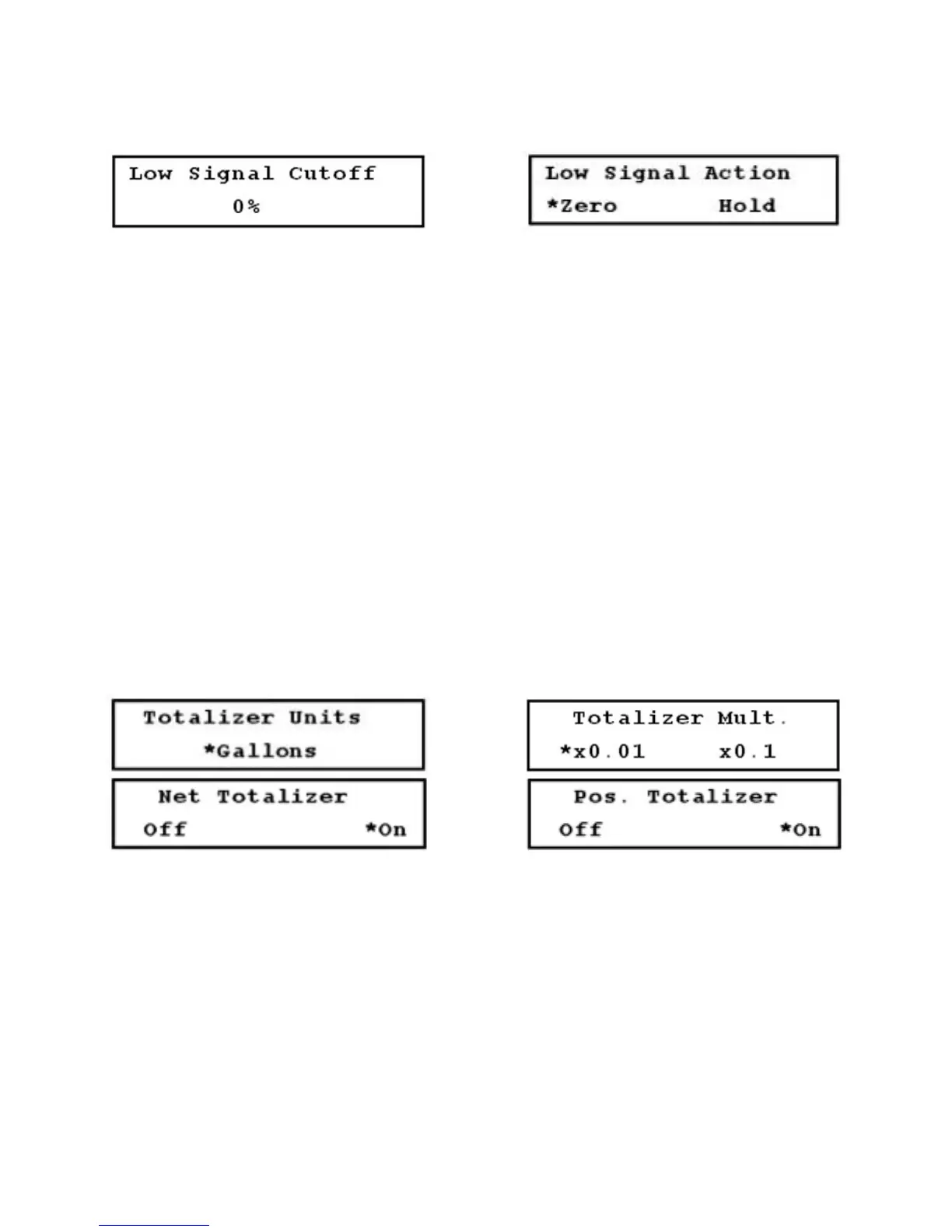
FIGURES 3.10-F (LEFT) & 3.10-G (RIGHT)
3.11 Additional Setup Menus Within the TOTAL Submenu
*Not included in the Quick Setup configuration
1. Totalizer Units setup menu (36): The flow unit selected for the totalizer display may be different from
the flow unit selected for the flow rate display (Figure 3.11-A, below).
2. Totalizer Multiplier setup menu (37): The totalizer value can be displayed with one of several multiplier
values. For example, 700 liters can be displayed as 700 if the selected multiplier value is X1, or it can
be displayed as 7 if selected multiplier value is X100 (Figure 3.11-B, below).
3. Net Totalizer setup menu (38): Use this menu to enable or disable the net totalizer. The net totalizer
provides the difference between the positive and negative flow values. For example, if there are 1000
gallons of flow in the negative direction and 3000 gallons of flow in the positive direction, the net
totalizer indicates 2000 gallons of net flow (Figure 3.11-C, below).
4. Positive Totalizer setup menu (39): Use this menu to enable or disable the positive totalizer. The
positive totalizer tracks the flow that moves in the positive direction, from upstream transducer to
downstream transducer. It is NOT affected by flow in the opposite direction (Figure 3.11-D, below).
FIGURES 3.11-A THROUGH 3.11-D (LEFT TO RIGHT, TOP TO BOTTOM)
5. Negative Totalizer setup menu (40): Use this menu to enable or disable the negative totalizer. The
negative totalizer tracks the flow that moves in the negative direction, from downstream transducer to
upstream transducer. It is NOT affected by flow in the opposite direction (Figure 3.11-E, page 19).
6. Totalizer Reset setup menu (41): Use this menu to reset one or all of the totalizers (Figure 3.11-F,
page 19).











 To Next Page