45
5. EMERGENCY OVERRIDES & MASTER ERASE
Since these 2 procedures allow critical data to be accessed and changed, this page may be re-
moved from the instruction manual to prevent unauthorized use of these features.
5.1 Emergency Overrides
In the event that a user-entered password is forgotten, the following emergency override passwords may
be used: 42 for the system password and 43 for the scale factor password. These override passwords
may not be changed or disabled.
5.2 Performing a Master Erase
This function erases all user-entered data AND data in the data logger. Note all configuration settings and
download the datalog file if a record is desired prior to performing a Master Erase.
1. Turn the flowmeter off and back on again.
2. When the message INITIALIZING... is displayed, press ERASE within 3 seconds.
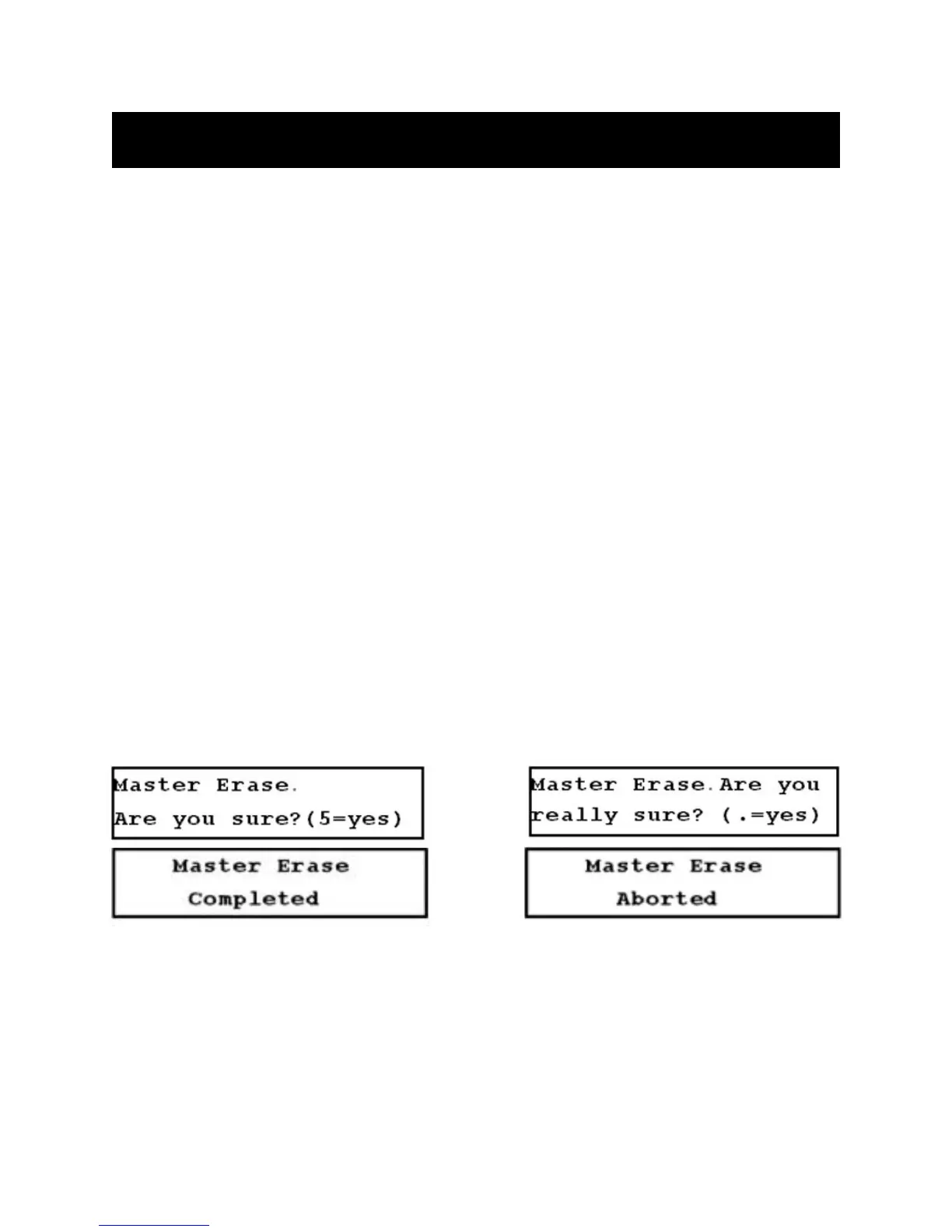
3. The Master Erase screen is displayed (Figure 5-A, below). To continue with the Master Erase, press
the 5 key within 3 seconds, and Figure 5-B (below) is displayed.
4. Press the . (decimal) key within 3 seconds tocontinue.
5. If the Master Erase function is completed, Figure 5-C (below) is displayed. If the function is not
completed, Figure 5-D (below) is displayed.
6. Enter all configuration data.
FIGURES 5.2-A THROUGH 5.2-D (LEFT TO RIGHT, TOP TO BOTTOM)











 To Next Page