28
.....Additional setup menus within the ALARMS submenu
Programming the alarm continued
9. Repeat steps 1-8 for each alarm you want to program.
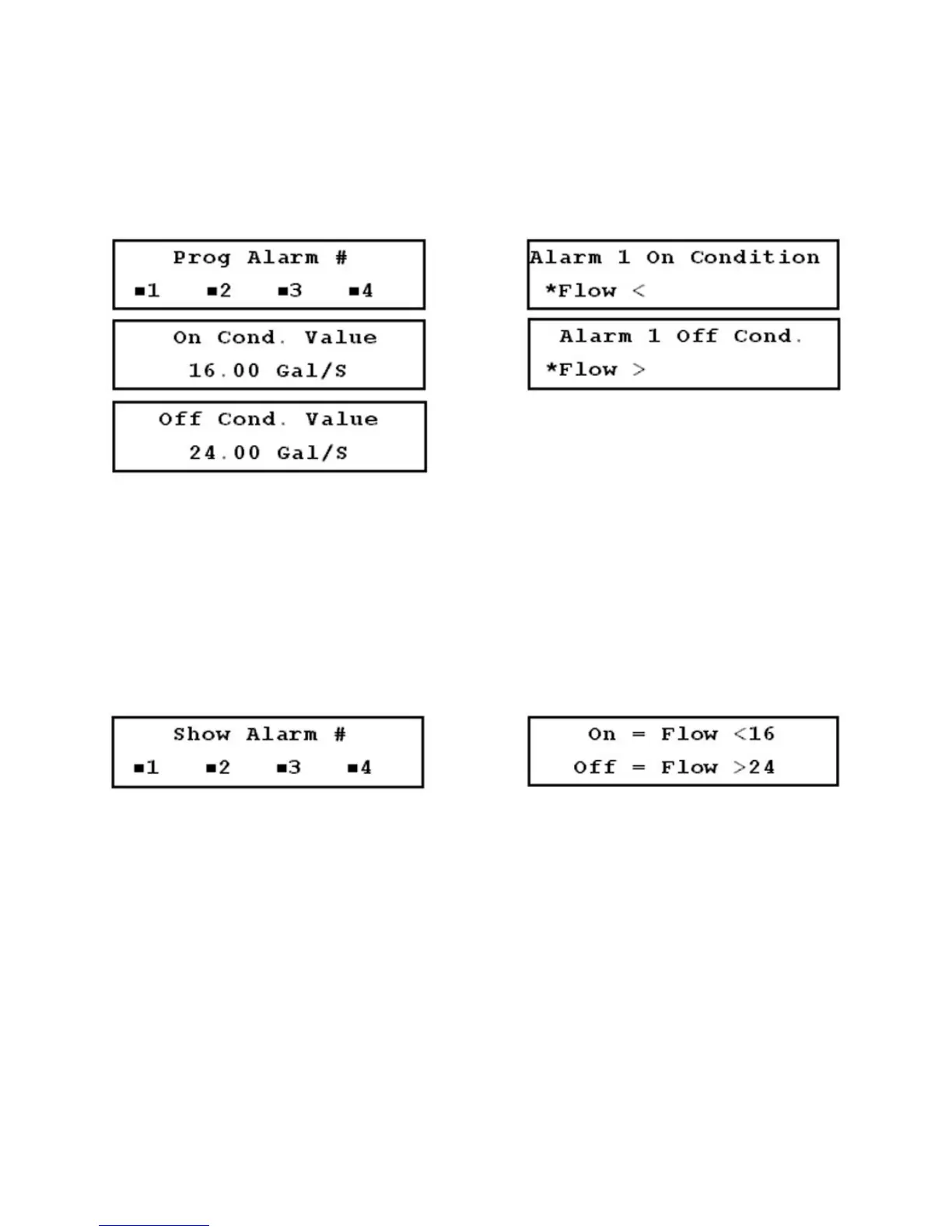
FIGURES 3.15-B THROUGH 3.15-F (LEFT TO RIGHT, TOP TO BOTTOM)
3.15.2 Viewing Alarms
To view the ON/OFF status of the alarms:
1. Access Menu 72 (Figure 3.15-G, below).
2. Select an alarm to view, and the ON and OFF conditions are displayed for the selected alarm
(Figure 3.15-H, below).
FIGURES 3.15-G (LEFT) & 3.15-H (RIGHT)
3.16 Additional Setup Menus Within the DATA LOG Submenu
*Not included in the Quick Setup configuration
The DATA LOG submenu contains the Log Menu (80) and the Log Interval menu (81). The data logger
allows flow data to be continuously recorded at a preset interval. The flowmeter has a single data log file
with approximately 40,000 data points available. When all points are recorded, the data logger records
over the previous data points one at a time in a continuous loop, starting with the oldest data points first.
The logger can be started and stopped manually or can be programmed to run automatically at a future
start and stop time.











 To Next Page