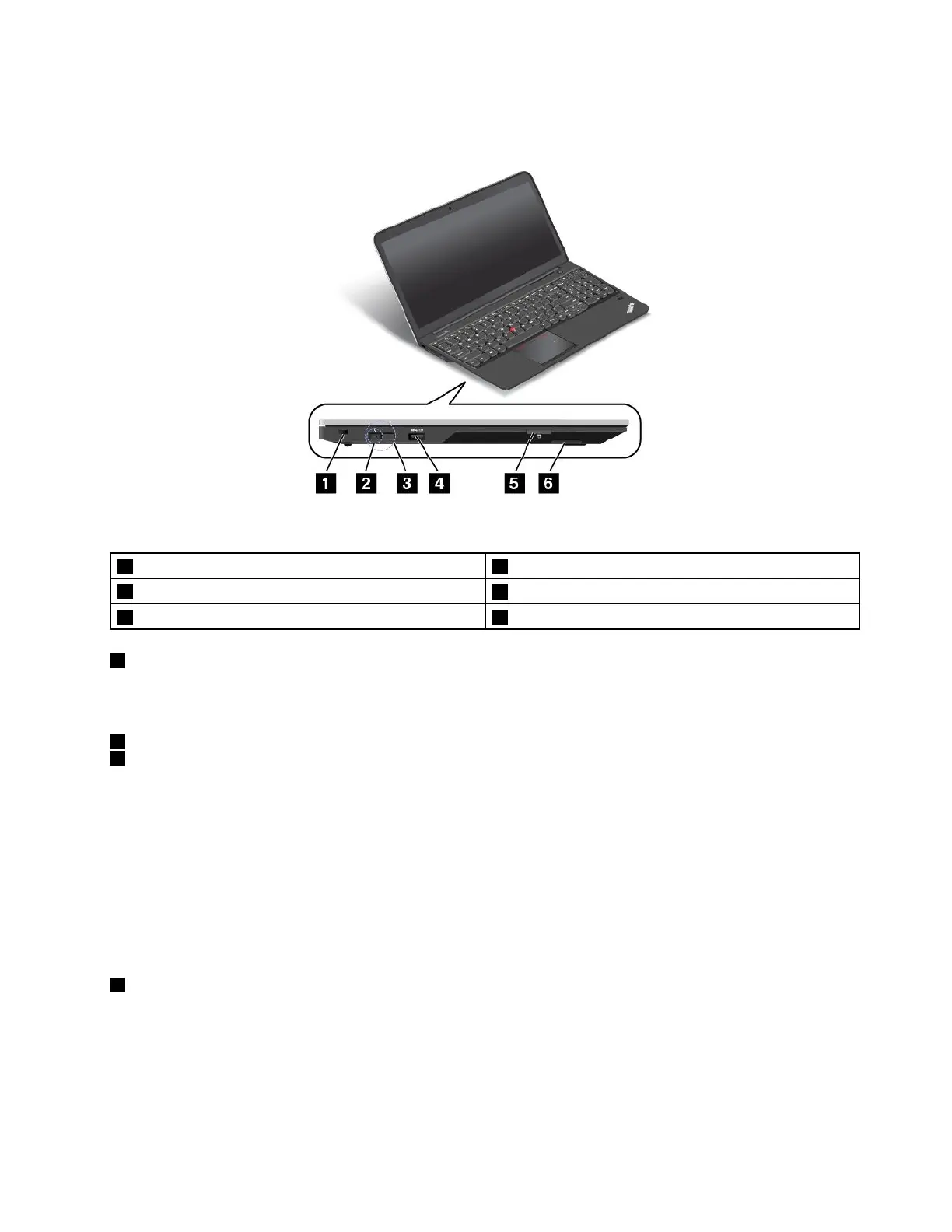
Left-sideview
Figure3.Left-sideview
1Security-lockslot4Always-onUSBconnector(USB3.0connector)
2acpowerconnector
5Mediacardreaderslot
3LenovoOneLinkconnector6Built-instereospeaker(left)
1Security-lockslot
Toprotectyourcomputerfromtheft,purchaseasecuritycablelock,usuallyaKensington-stylecablelock,
thatfitsthissecurity-lockslottolockyourcomputertoastationaryobject.
2acpowerconnector
3LenovoOneLinkconnector
Whentheacpoweradapterisconnectedtotheacpowerconnector,itprovidesacpowertothecomputer
andchargesthebattery.WhenasupportedThinkPadOneLinkDockisconnectedtotheLenovoOneLink
connector,itcannotonlyextendthecomputercapabilitiesbutalsoprovideacpowertothecomputer
andchargethebattery.
TousetheLenovoOneLinkconnector,youneedtoremovetheconnectorcoverfromtheLenovoOneLink
connectorfirst.
Note:Ensurethatyoukeeptheconnectorcover.ReattachittotheLenovoOneLinkconnectorwhen
youarenotusingtheLenovoOneLinkconnector.
4Always-onUSBconnector(USB3.0connector)
Bydefault,theAlways-onUSBconnectorenablesyoutochargesomemobiledigitaldevicesand
smartphoneswhenyourcomputerisinthefollowingsituations:
•Whenyourcomputerisonorinsleepmode
•Whenyourcomputerisinhibernationmodeoristurnedoff,butconnectedtoaspower
Chapter1.Productoverview5



 To Next Page