7System-statusindicator(illuminatedThinkPadlogo)
TheilluminatedThinkPadlogoonthepalmrestfunctionsasasystem-statusindicator.Yourcomputerhas
severalstatusindicators.Forinformationaboutthelocationandmeaningofeachindicator,see“Status
indicators”onpage7
.
ThinkPadpointingdevice
8TrackPointpointingstick
10ThinkPadtrackpad
ThekeyboardcontainstheThinkPadpointingdevice.Pointing,selecting,anddraggingareallpartofasingle
processthatyoucanperformwithoutmovingyourfingersfromatypingposition.Formoreinformation,see
“UsingtheThinkPadpointingdevice”onpage26.
9NFClogo(onsomemodels)
Ifyourcomputercomeswiththenearfieldcommunication(NFC)card,theNFClogoisontheThinkPad
trackpad.FormoreinformationabouttheNFCfeature,see“UsingtheNFCconnection”onpage34.
11Screen(multi-touchscreenonsomemodels)
Dependingonthemodel,yourcomputercomeswithamulti-touchscreen.Formoreinformation,see
“Usingthemulti-touchscreen”onpage21.
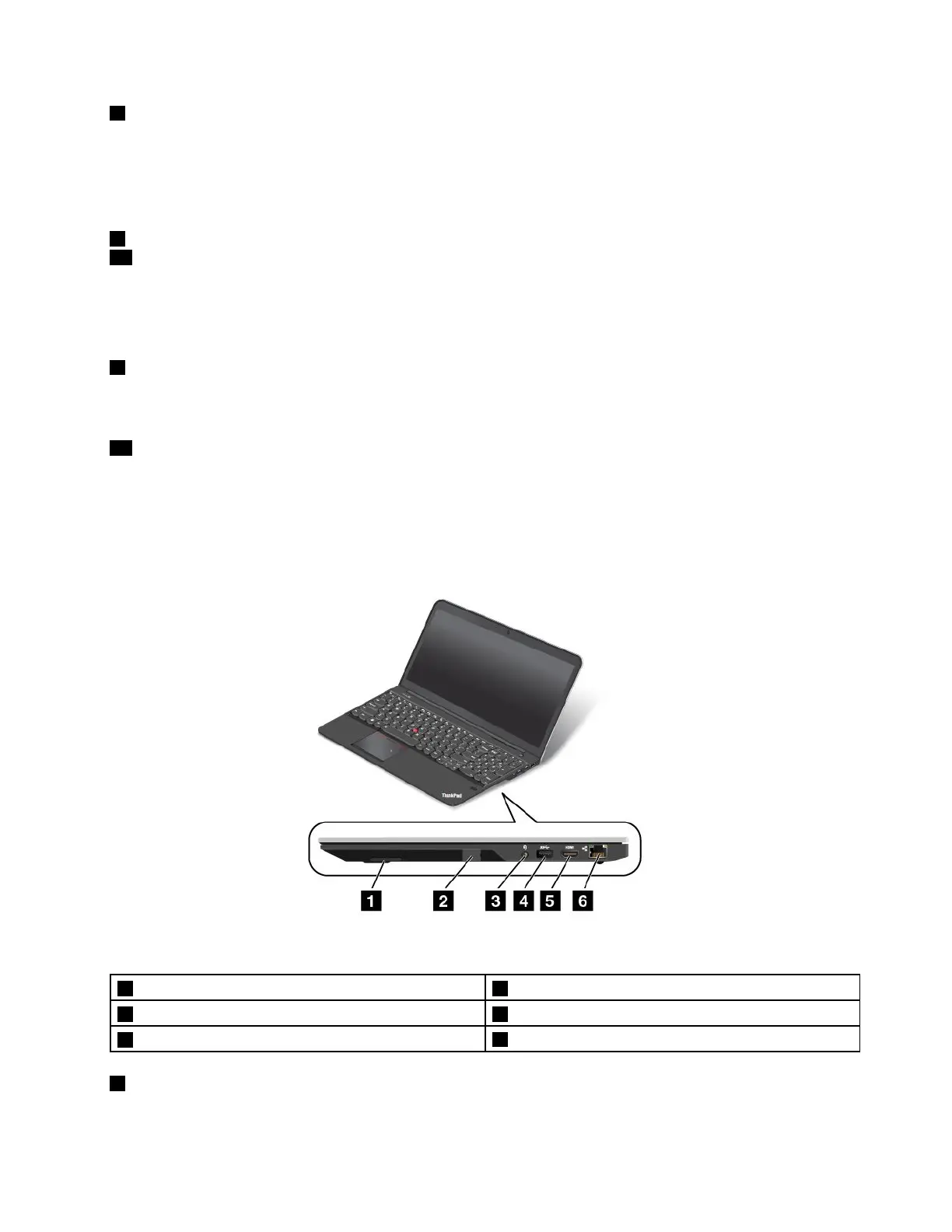
Right-sideview
Figure2.Right-sideview
1Built-instereospeaker(right)4USB3.0connector
2SIMcardslot(onsomemodels)
5HighDefinitionMultimediaInterfaceHDMI™connector
3Comboaudioconnector
6Ethernetconnector
1Built-instereospeaker(right)
Fordetails,seeFunctionkeys.
Chapter1.Productoverview3



 To Next Page