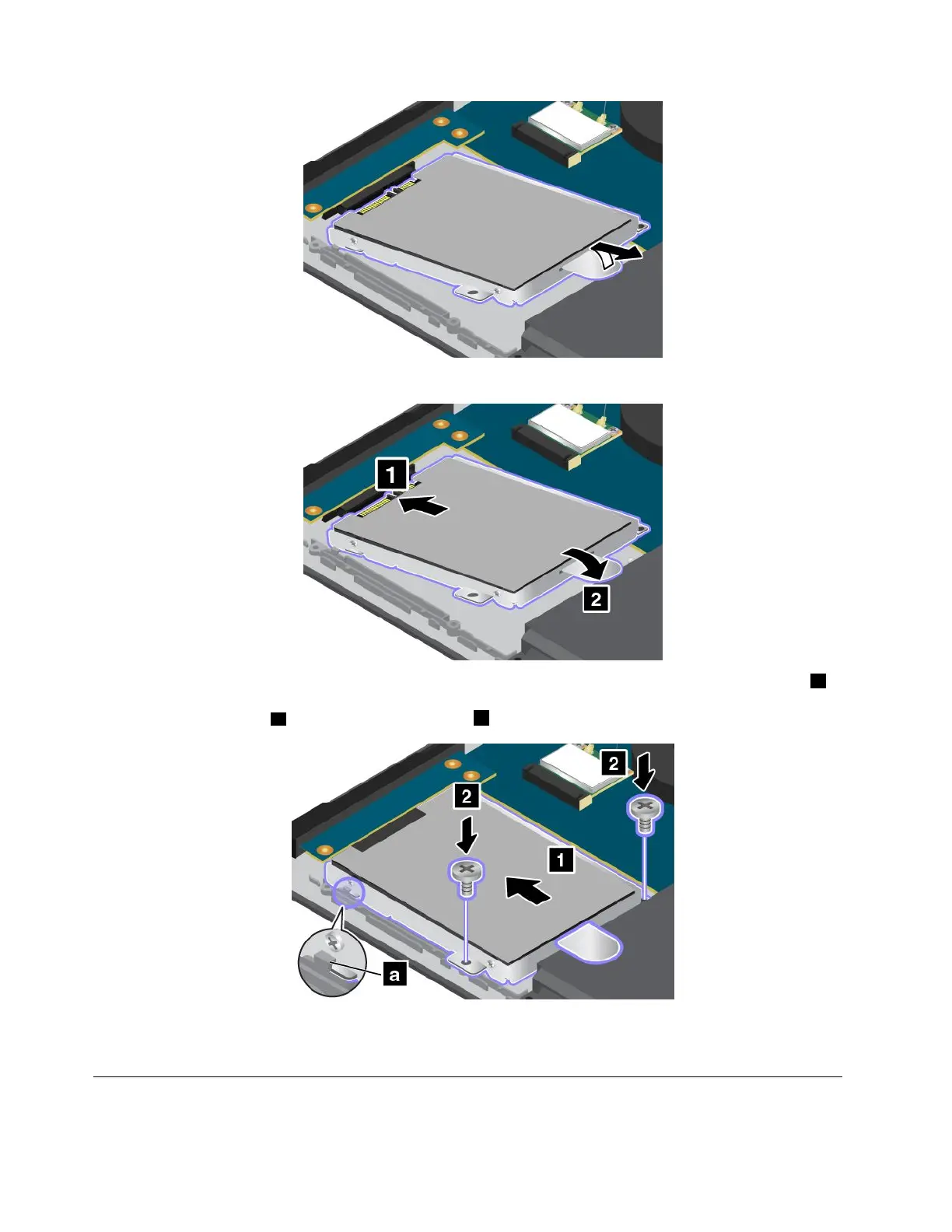
6.Placethenewharddiskdrive,solid-statedrive,orhybriddriveintothedrivebay.
7.Slidetheharddiskdrive,solid-statedrive,orhybriddrivehorizontallyandfirmlyintotheconnector1.
Ensurethattheharddiskdrive,solid-statedrive,orhybriddriveiscorrectlyseatedinthebayand
securedbythehook
a.Thenreinstallthescrews2.
8.Reinstallthebasecoverassembly.See“Replacingthebasecoverassembly”onpage69.
9.Turnthecomputeroveragain.Connecttheacpoweradapterandallcables.
Replacingamemorymodule
Beforeyoustart,printtheseinstructions.
72UserGuide



 To Next Page