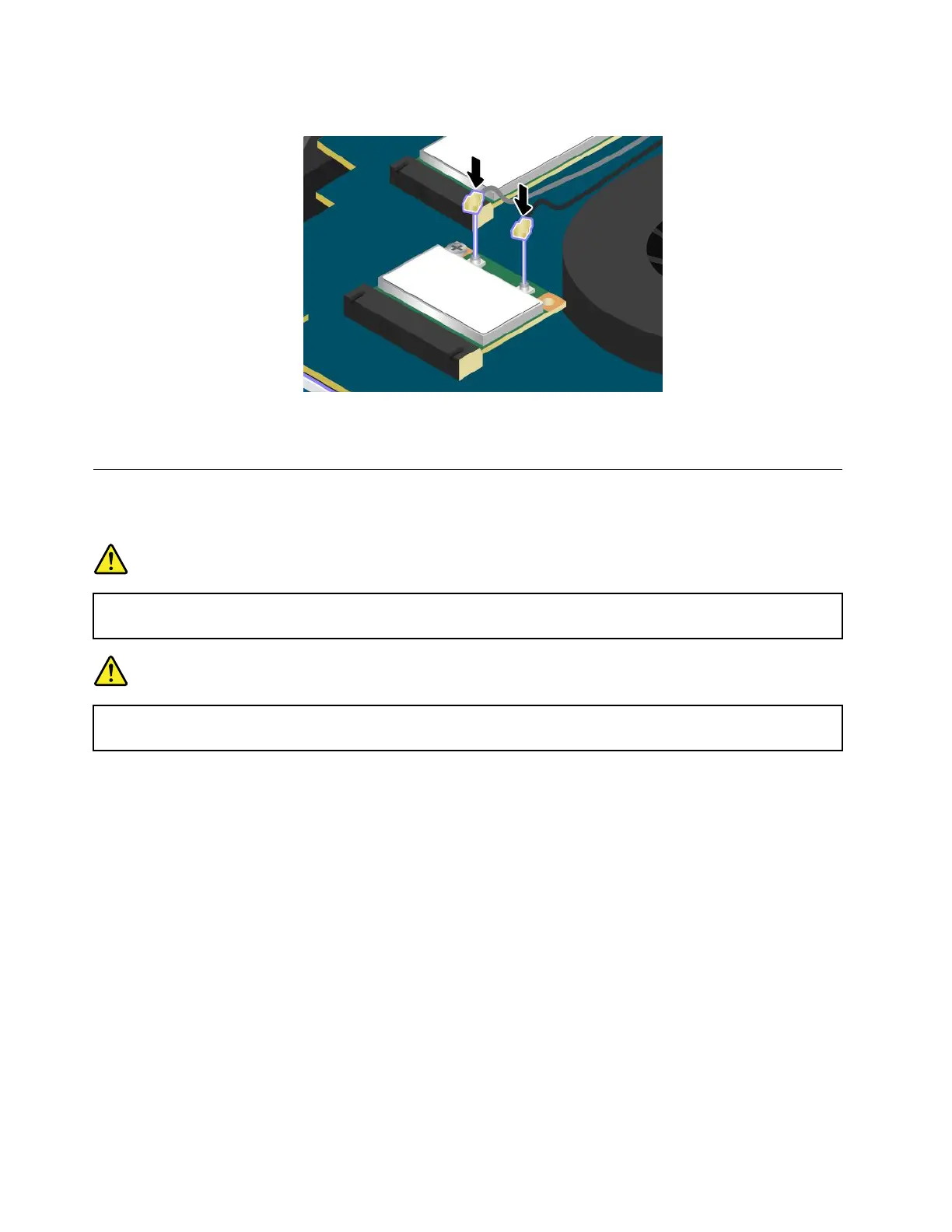
7.Connecttheantennacablestothenewcard.
8.Reinstallthebasecoverassembly.See“Replacingthebasecoverassembly”onpage69.
9.Turnthecomputeroveragain.Connecttheacpoweradapterandallcables.
ReplacingawirelessWANcard
Beforeyoustart,printtheseinstructions.
DANGER
Duringelectricalstorms,donotconnectthecabletoordisconnectitfromthetelephoneoutlet
onthewall.
DANGER
Electriccurrentfrompower,telephone,andcommunicationcablesishazardous.T oavoidshock
hazard,disconnectthecablesbeforeopeningthecoverofthisslot.
Attention:BeforeyoustartinstallingawirelessWANcard,touchametaltableoragroundedmetalobject.
Thisactionreducesanystaticelectricityfromyourbody.Thestaticelectricitycoulddamagethewireless
WANcard.
ToreplacethewirelessWANcard,dothefollowing:
1.Disablethebuilt-inbattery.See“Disablingthebuilt-inbattery”onpage67.
2.Closethecomputerdisplay,andturnthecomputerover.
3.Removethebasecoverassembly.See“Replacingthebasecoverassembly”onpage69.
76UserGuide



 To Next Page