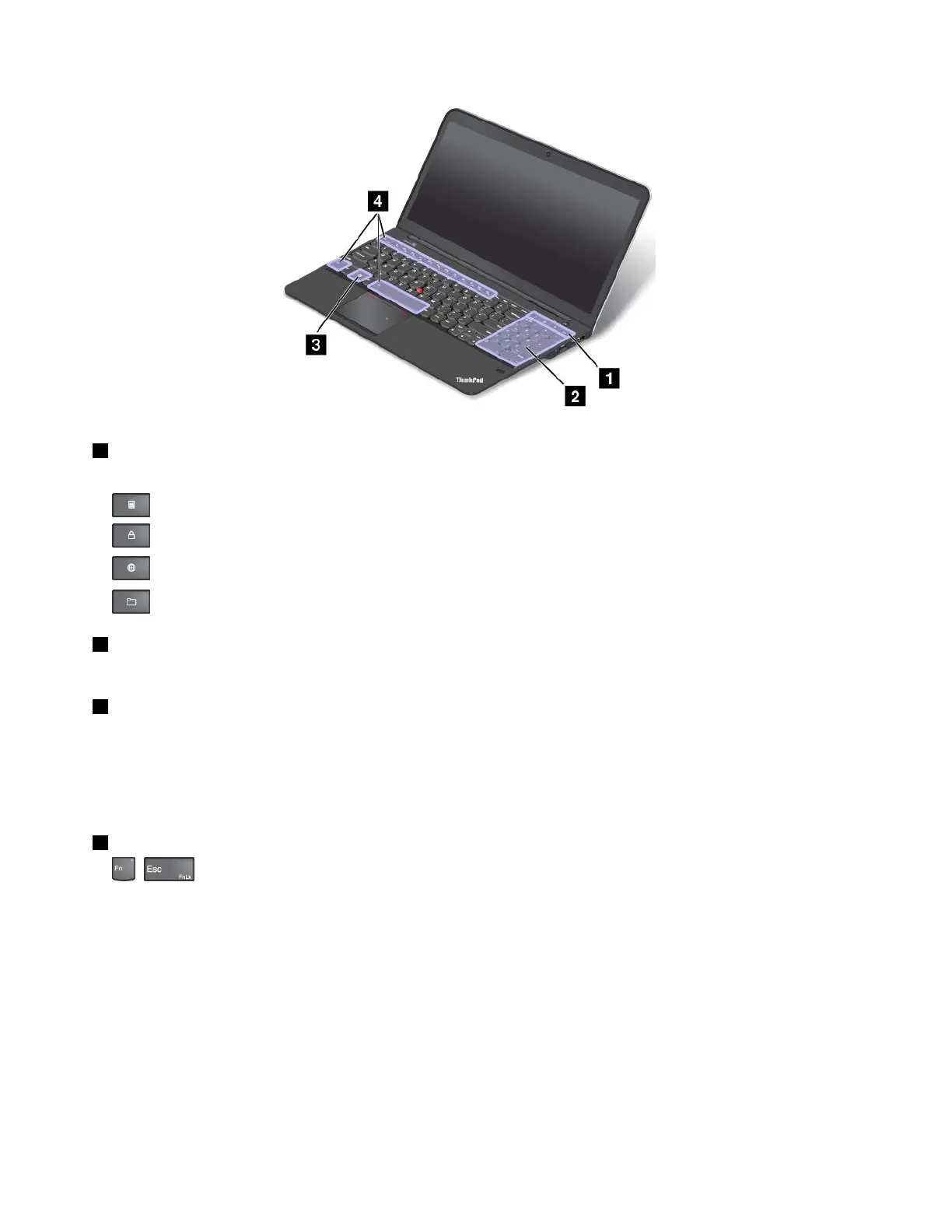
1Additionalshortcutkeys
Yourcomputerhasfouradditionalshortcutkeys:
•:Launchcalculator
•:Lockoperatingsystem
•:OpenthedefaultWebbrowser
•:OpenComputer
2Numerickeypad
Youcanusethisnumerickeypadtoinputnumbersquickly.
3Windowskey
OntheWindows7operatingsystem,presstheWindowskeytoopentheStartmenu.OntheWindows8.1
operatingsystems,presstheWindowskeytoswitchbetweenthecurrentworkspaceandtheStartscreen
ForinformationaboutusingtheWindowskeywithotherkeys,refertothehelpinformationsystemofthe
Windowsoperatingsystem.
4Functionkeys
•+:PressFn+EsctodisableorenabletheFnLockfunction.
WhentheFnLockfunctionisdisabled:TheFnLockindicatorisoff(defaultmode).Toinitiatethe
specialfunctionprintedasanicononeachkey,pressthefunctionkeydirectly.ToinputF1-F12,press
theFnkeyandthecorrespondingfunctionkey.
WhentheFnLockfunctionisenabled:TheFnLockindicatorturnson.ToinputF1-F12,pressthe
functionkeysdirectly.Toinitiatethespecialfunctionprintedasanicononeachkey,presstheFnkey
andthecorrespondingfunctionkey.
Note:Alternatively,youalsocandisableorenabletheFnlockfunctionintheKeyboardPropertieswindow.
TodisableorenabletheFnLockfunctionintheKeyboardPropertieswindow,ratherthanpressing
theFn+Esckeycombination,dothefollowing:
1.GotoControlPanel.ChangetheviewofControlPanelfromCategorytoLargeiconsorSmallicons.
24UserGuide



 To Next Page