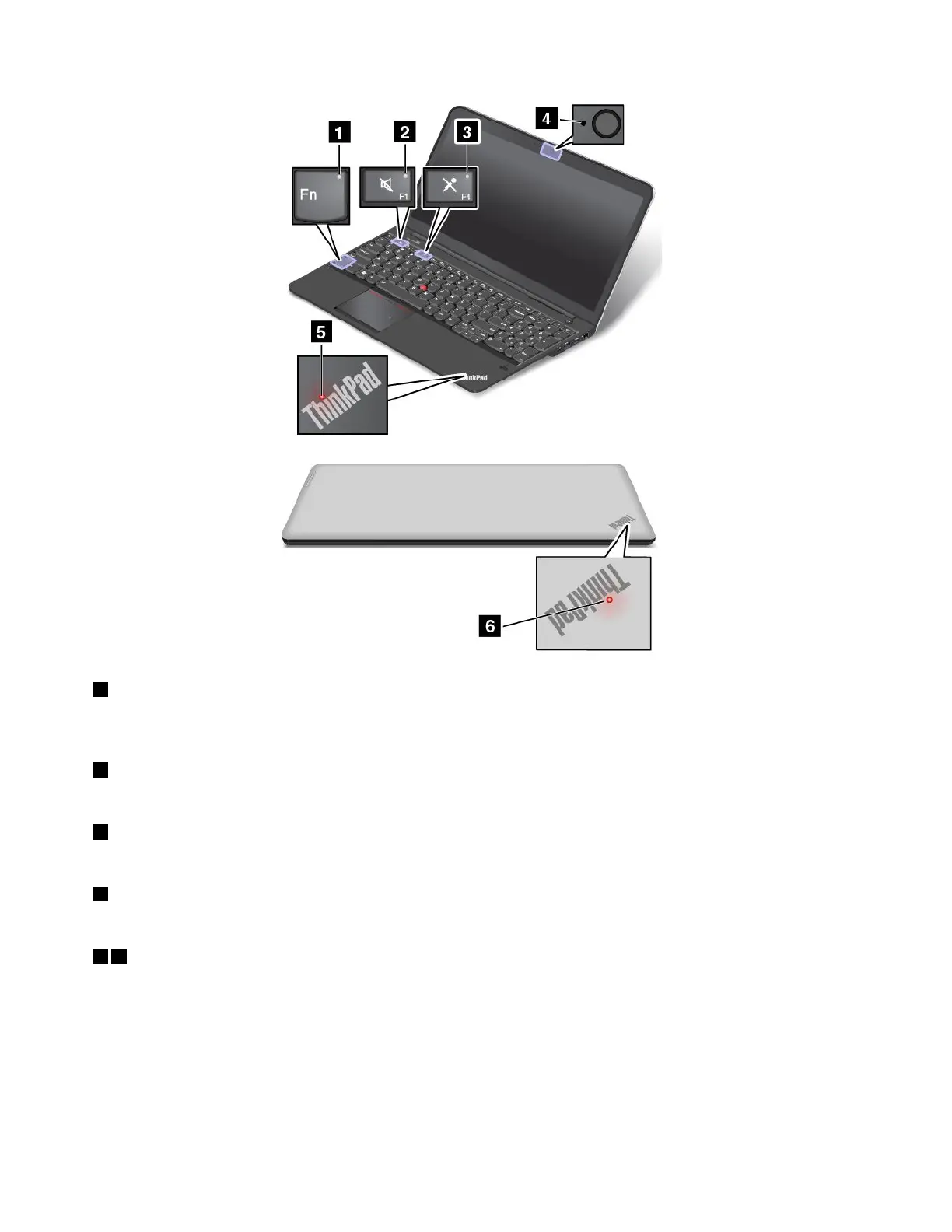
1FnLockindicator
TheFnLockindicatorshowsthestatusoftheFnLockfunction.Formoreinformation,see“Specialkeys”
onpage23
.
2Speakermuteindicator
Whenthespeakermuteindicatorison,thespeakersaremuted.
3Microphonemuteindicator
Whenthemicrophonemuteindicatorison,themicrophonesaremuted.
4camera-statusindicator
Whenthecamera-statusindicatorison,thecameraisinuse.
56System-statusindicators
Theilluminateddots,oneintheThinkPadlogoontheouterlidofyourcomputerandtheotheronthepalm
rest,showthesystemstatusofyourcomputer:
•Blinksforthreetimes:Thecomputerisinitiallyconnectedtopower.
•On:Thecomputerison(innormaluse).
•Blinksslowly:Thecomputerisinsleepmode.
•Blinksfast:Thecomputerisenteringhibernationmode.
8UserGuide



 To Next Page