Touchgesture(touchmodels
only)
Description
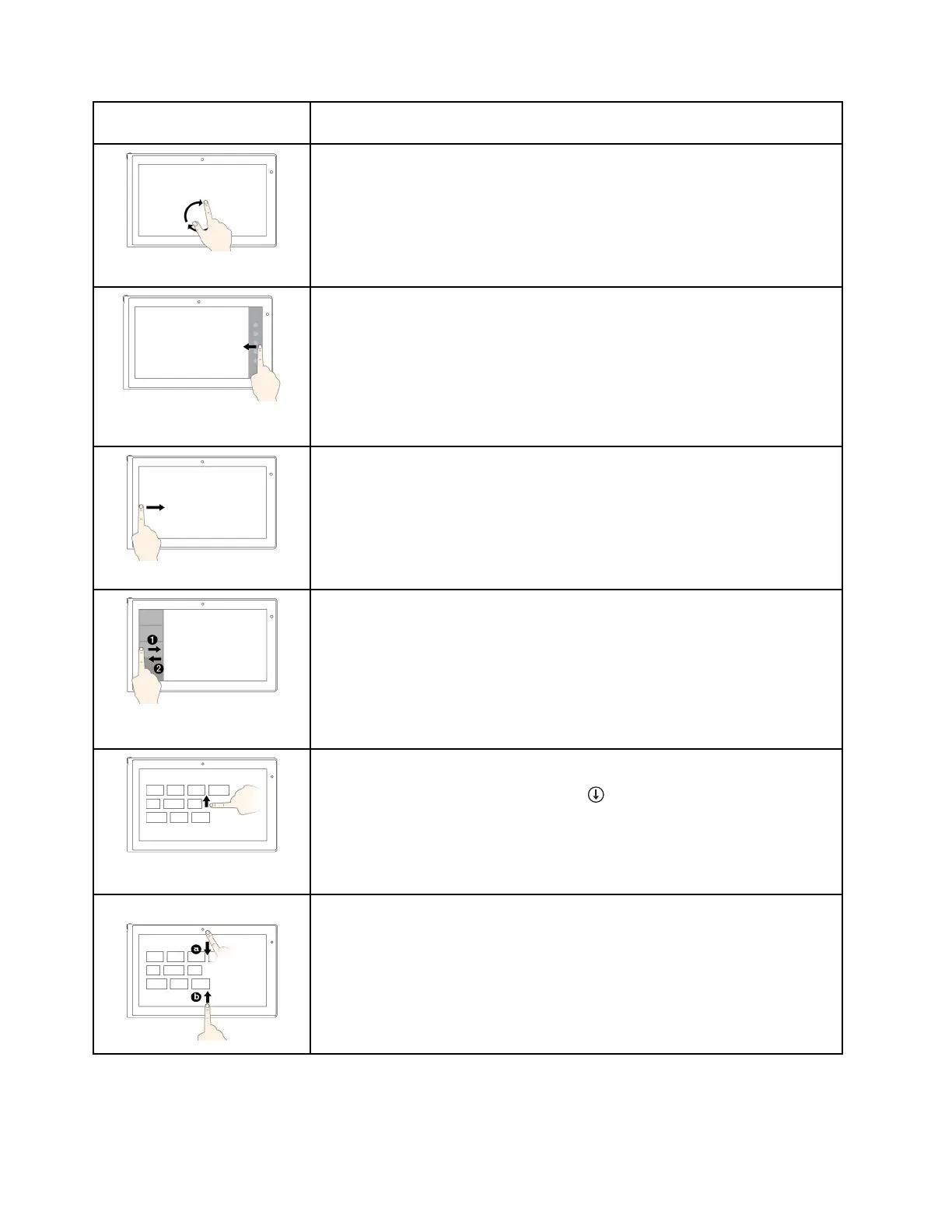
Touch:Puttwoormorefingersonanitemandthenrotateyourfingersclockwise
orcounterclockwise.
Mouseaction:Iftheappsupportsrotation,clicktherotationicon.
Function:Rotateanitem.
Supportedoperatingsystems:Windows7andWindows8.1
Touch:Swipeinfromtherightedge.
Mouseaction:Movethepointertothebottom-rightortop-rightcornerofyour
screen.
Function:Displaythecharmsthatcontainsystemcommands,suchasStart,
Settings,Search,Share,andDevices.
Supportedoperatingsystem:Windows8.1
Touch:Swipeinfromtheleftedge.
Mouseaction:Movethepointertothetop-leftcornerofyourscreen,andthen
click.Keepclickingtocyclethroughtheopenapps.
Function:Cyclethroughandswitchtoopenapps.
Supportedoperatingsystem:Windows8.1
Touch:Swipeinandoutontheleftedge.
Mouseaction:Movethepointertothetop-leftcornerofthescreen,andthen
movethepointerdownwardalongtheleftedge.Tomakeaselection,clickthe
desiredapp.
Function:Viewtherecentlyusedappsorselectanactiveappfromthelist.
Supportedoperatingsystem:Windows8.1
Touch:Swipeuptothetopedge.
Mouseaction:Clickthedownwardarrow()locatednearthebottom-leftcorner
oftheStartscreen.
Function:ViewallappsontheStartscreen.
Supportedoperatingsystem:Windows8.1
Touch:SwipeinfromthetoporbottomedgeoftheStartscreen,tapCustomize,
andthentapthedesiredicon.
Mouseaction:Right-clickablankareaontheStartscreen,clickCustomize,
andthenclickthedesiredicon.
Function:CustomizetilesontheStartscreen,oruninstallanapp.
Supportedoperatingsystem:Windows8.1
22UserGuide



 To Next Page