1.Disablethebuilt-inbattery.See“Disablingthebuilt-inbattery”onpage67.
2.Closethecomputerdisplay,andturnthecomputerover.
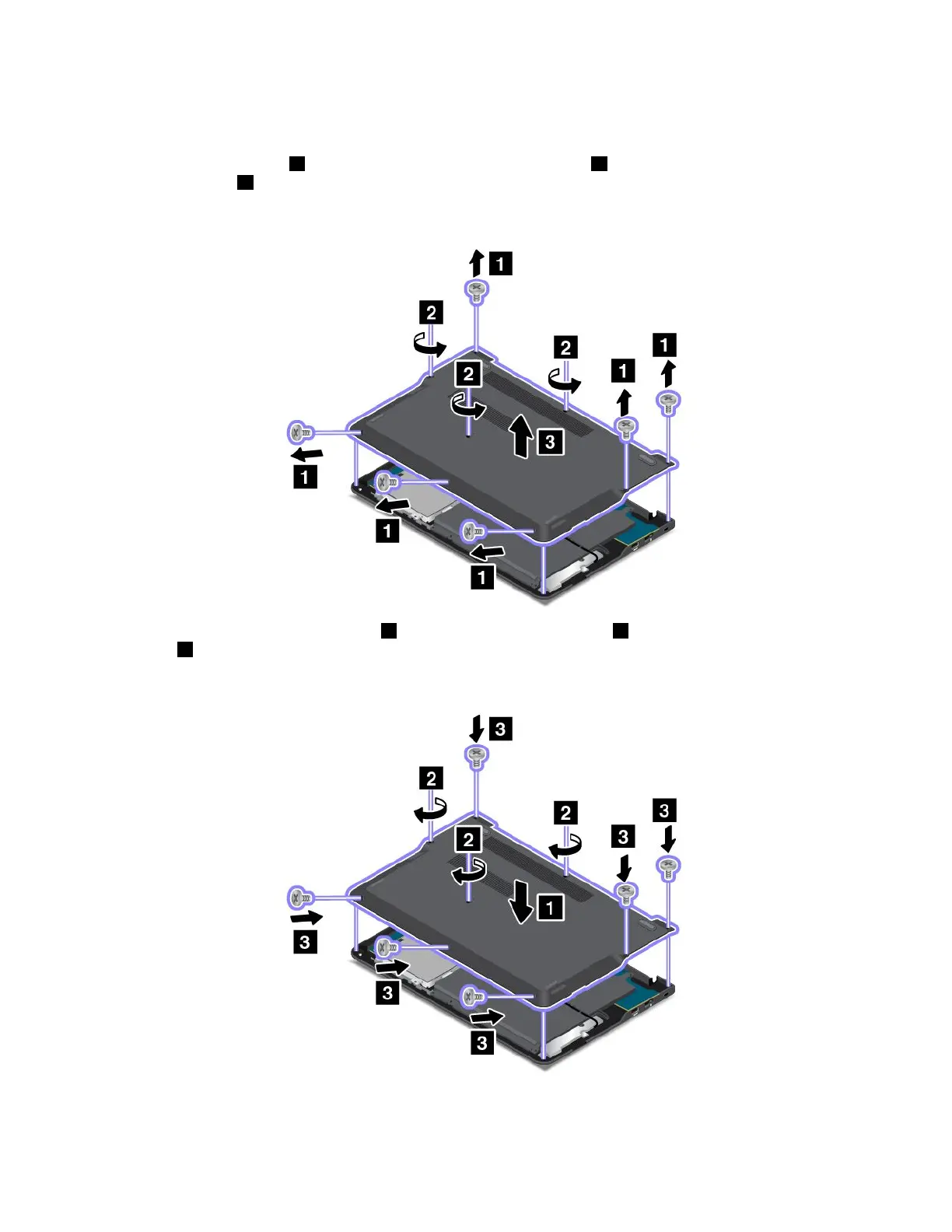
3.Removethesixscrews1,thenloosentheremainingthreescrews2,andthenremovethebase
coverassembly3.
Note:Followthecorrespondingdirectionasshowninthefollowingillustrationtoremoveeachscrew.
4.Installthenewbasecoverassembly1,thentightenthethreescrews2,andtheninstallthesix
screws3.
Note:Followthecorrespondingdirectionasshowninthefollowingillustrationtoinstalleachscrew.
5.Turnthecomputeroveragain.Connecttheacpoweradapterandallcables.
70UserGuide



 To Next Page