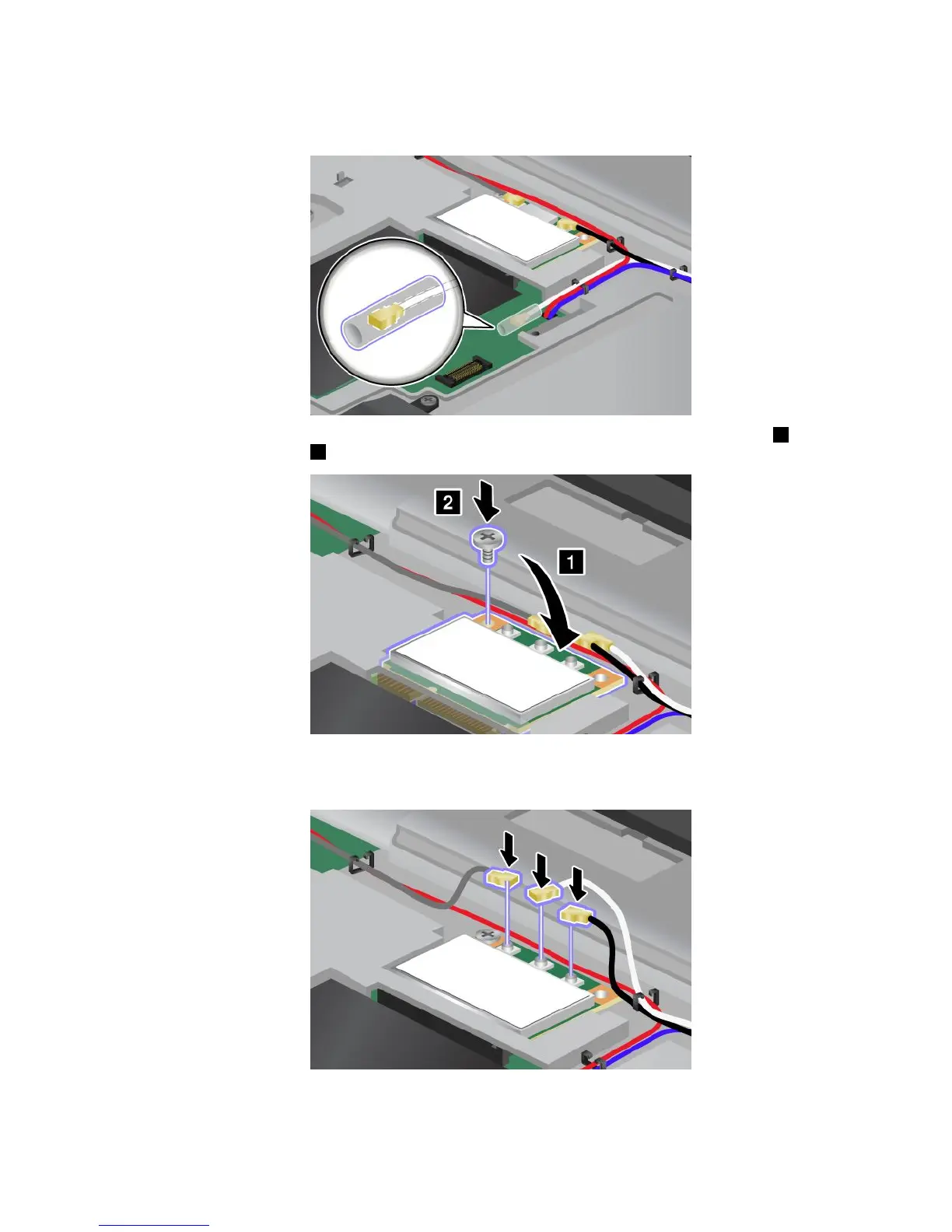
Note:IfthenewPCIExpressMiniCardhastwoconnectors,asinthenextdrawing,putthewhitecable
inthecableprotectiontube.
9.Pivotthecarduntilyoucansnapitintoplacebypressingtheuppersideoftheconnectors1.Secure
thecardwiththescrew2.
10.ConnectthecablestothenewPCIExpressMiniCard.Besuretoattachthegraycabletotheconnector
marked“TR1”onthecard,thewhitecabletotheconnectormarked“RO”or“TR3”(center),andthe
blackcabletotheconnectormarked“TR2”.
11.Reinstallthekeyboard.See“Replacingthekeyboard”onpage76.
12.Reinstallthebattery.See“Replacingthebattery”onpage69.
Chapter6.Replacingdevices89



 To Next Page