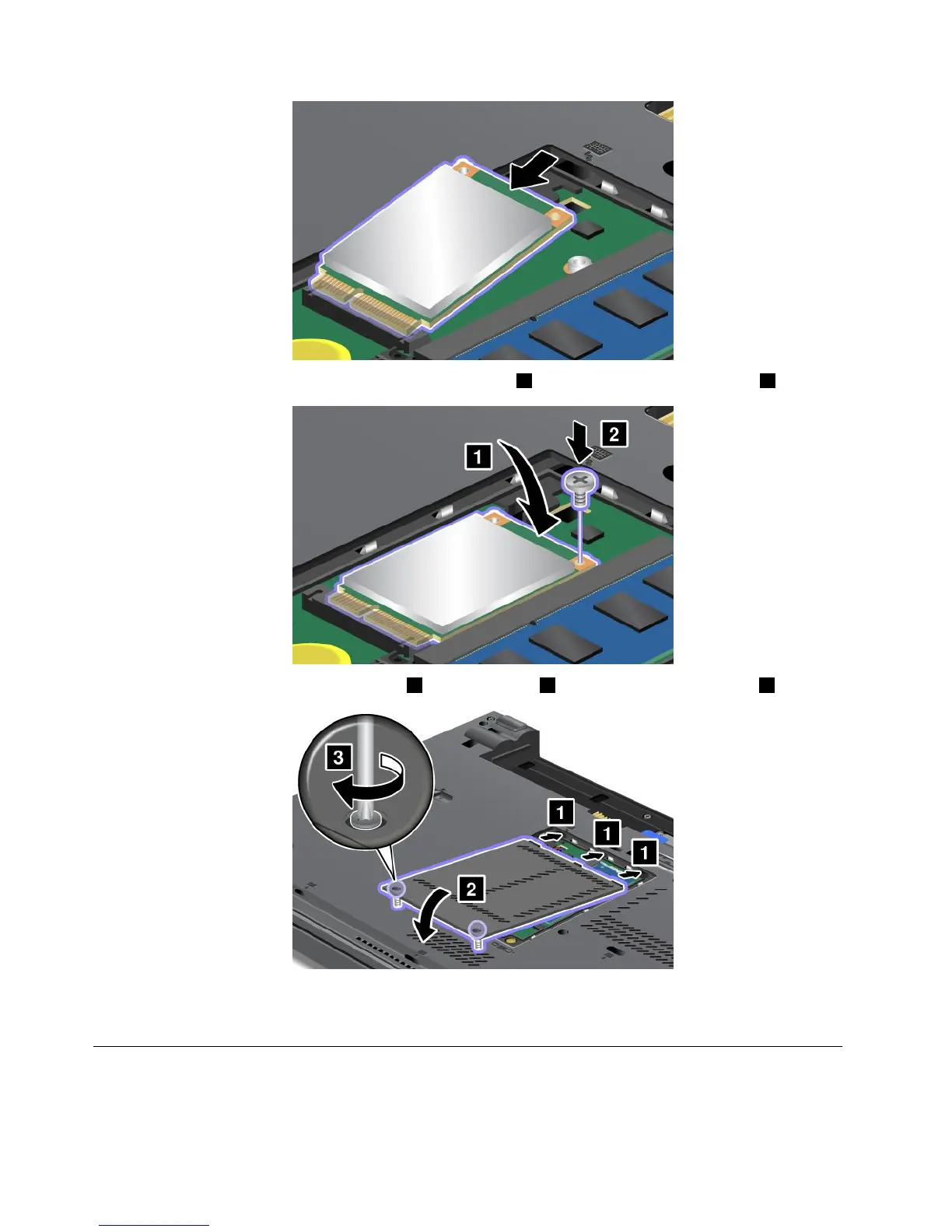
8.Pivotthecarddownwarduntilyoucansnapitintoplace1.Securethecardwiththescrew2.
9.Putthememoryslotcoverbackinplace1,closethecover2,andthentightenthescrews3.
10.Reinstallthebattery.See“Replacingthebattery”onpage69.
11.Turnthecomputeroveragain.Reconnecttheacpoweradapterandallcables.
ReplacingtheSIMcard
Beforeyoustart,printtheseinstructions.
96UserGuide



 To Next Page