6.Putthebatterybackinplace,turnthecomputeroveragain,andreconnectthecables.Formore
informationabouthowtoreinstallthebattery,referto“Replacingthebattery”onpage69.
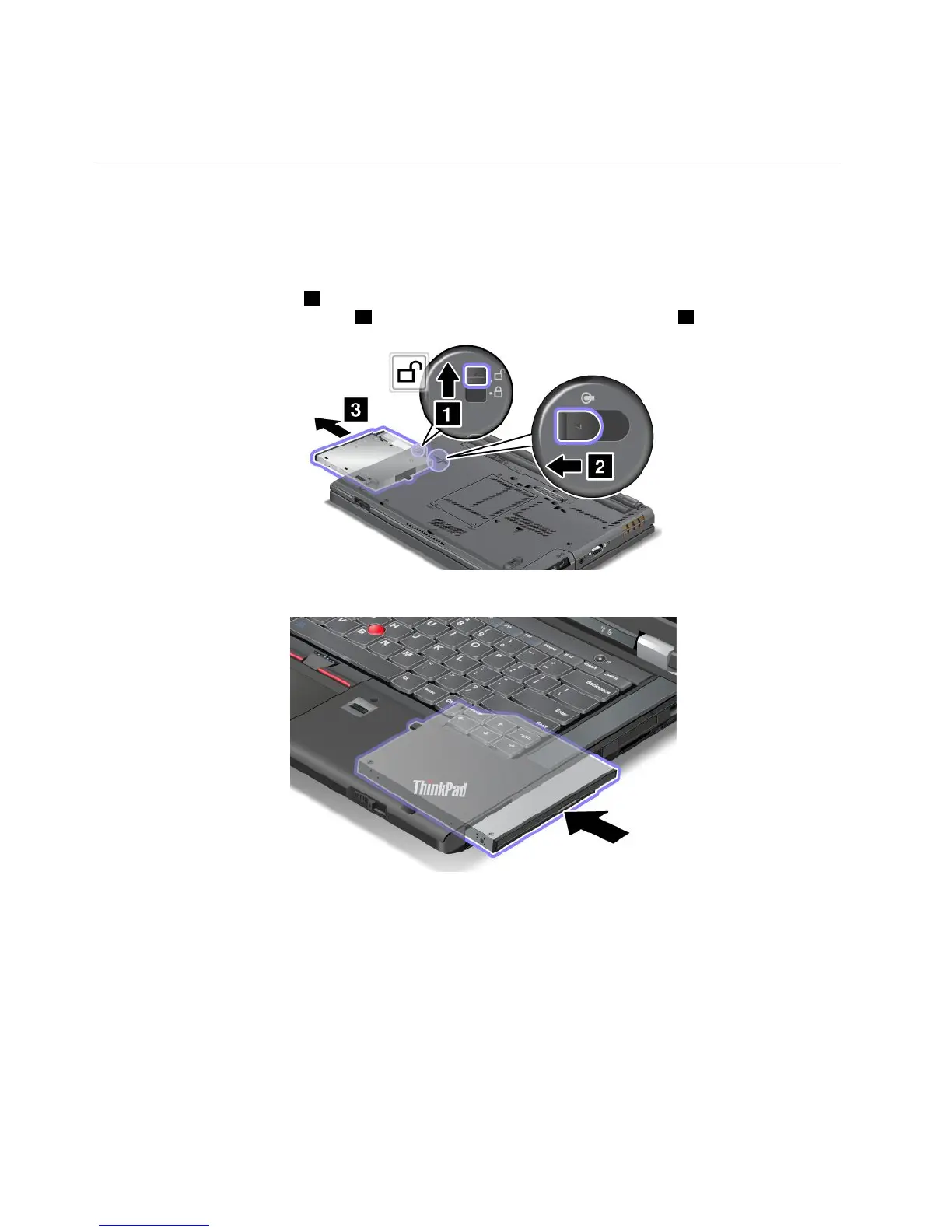
ReplacingtheUltrabaydevice
Beforeyoustart,printtheseinstructions.
ToreplacetheUltrabaydevice,dothefollowing:
1.Turnoffthecomputer;thendisconnecttheacpoweradapterandallcablesfromthecomputer.
2.Unlockthebaylocklatch1byslidingittothetop.Whileholdingthebaylocklatchintheunlocked
position,slidethebayejectlatch
2totheleft,thenpullouttheUltrabaydevice3.
3.Insertthereplaceabledeviceintothebay;thenpressthedevicermlyintotheconnector.
98UserGuide



 To Next Page