•CongureyourcomputerorstartThinkPadSetup.
AllthiscanbeachievedfromtheRescueandRecoveryworkspace.ToopentheRescueandRecovery
workspace,dothefollowing:
1.Turnonthecomputer.
2.WhentheThinkPadlogoisdisplayedonthescreen,presstheThinkVantagebutton.TheRescue
andRecoveryscreenopens.
Functionkeycombinations
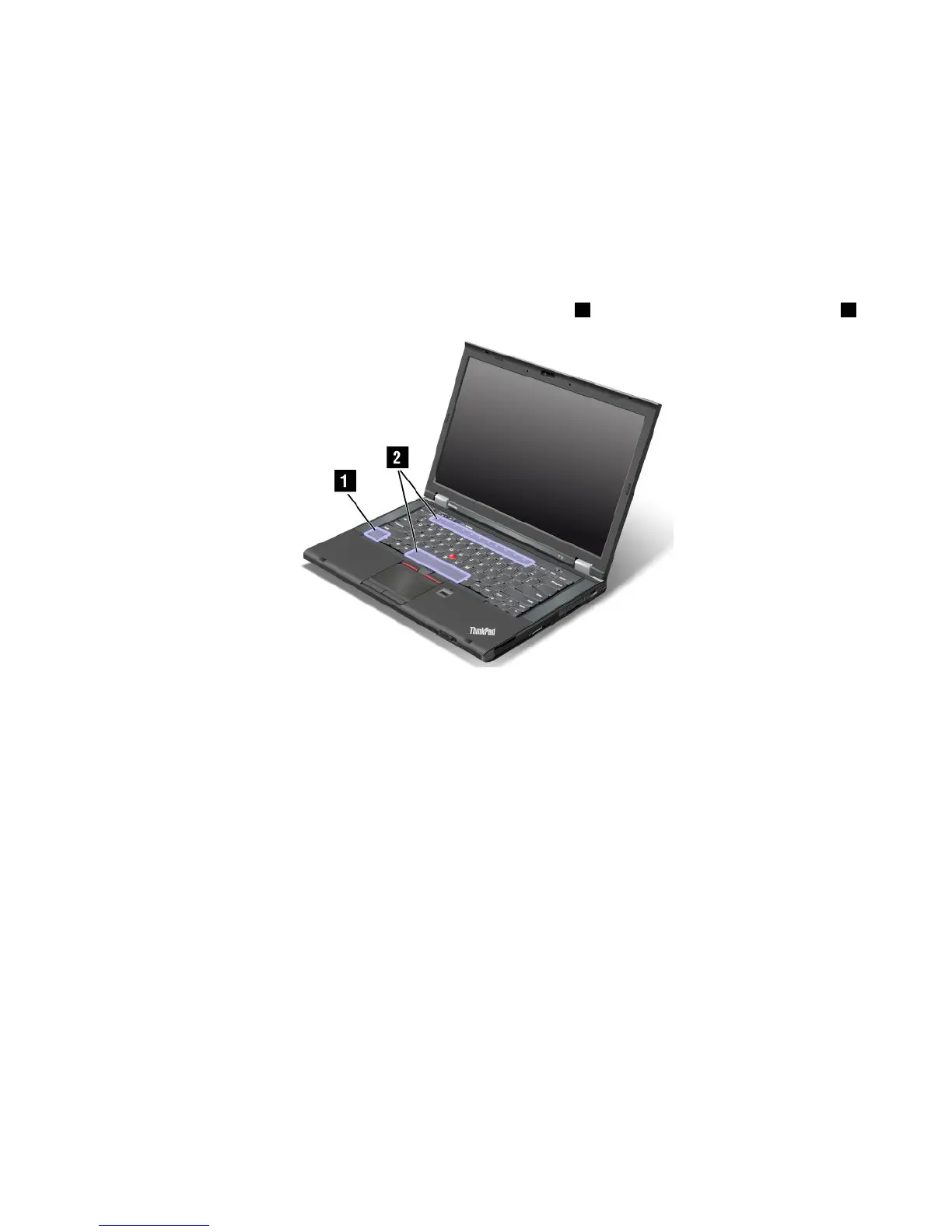
TousetheFnfunctionkeycombinations,pressandholdtheFnkey1,thenpressoneofthefunctionkeys2.
Powerconservation
•Fn+F3
SelectapowerplanthathasbeencreatedthroughPowerManager.
•Fn+F4
Putyourcomputerintosleepmode.Toreturntonormaloperation,presstheFnkeyonly.
Ifyouwanttousethecombinationtoputthecomputerintohibernationmodeordo-nothingmode,
changethesettingsinthePowerManagerprogram.
Switchingadisplayoutputlocation
•Fn+F7
Switchbetweenthecomputerdisplayandanexternalmonitor.DependingontheWindowsoperating
systemyouareusing,thefollowingdisplayoptionsmightbedisplayed:
–Computerdisplayonly
–Computerdisplayandexternalmonitor(sameimage)
–Computerdisplayandexternalmonitor(theExtendeddesktopfunction)
–Externalmonitoronly
Note:FortheWindows7operatingsystem,theWindows+Pkeycombinationhasthesamefunctionality
asFn+F7.
Chapter2.Usingyourcomputer21



 To Next Page