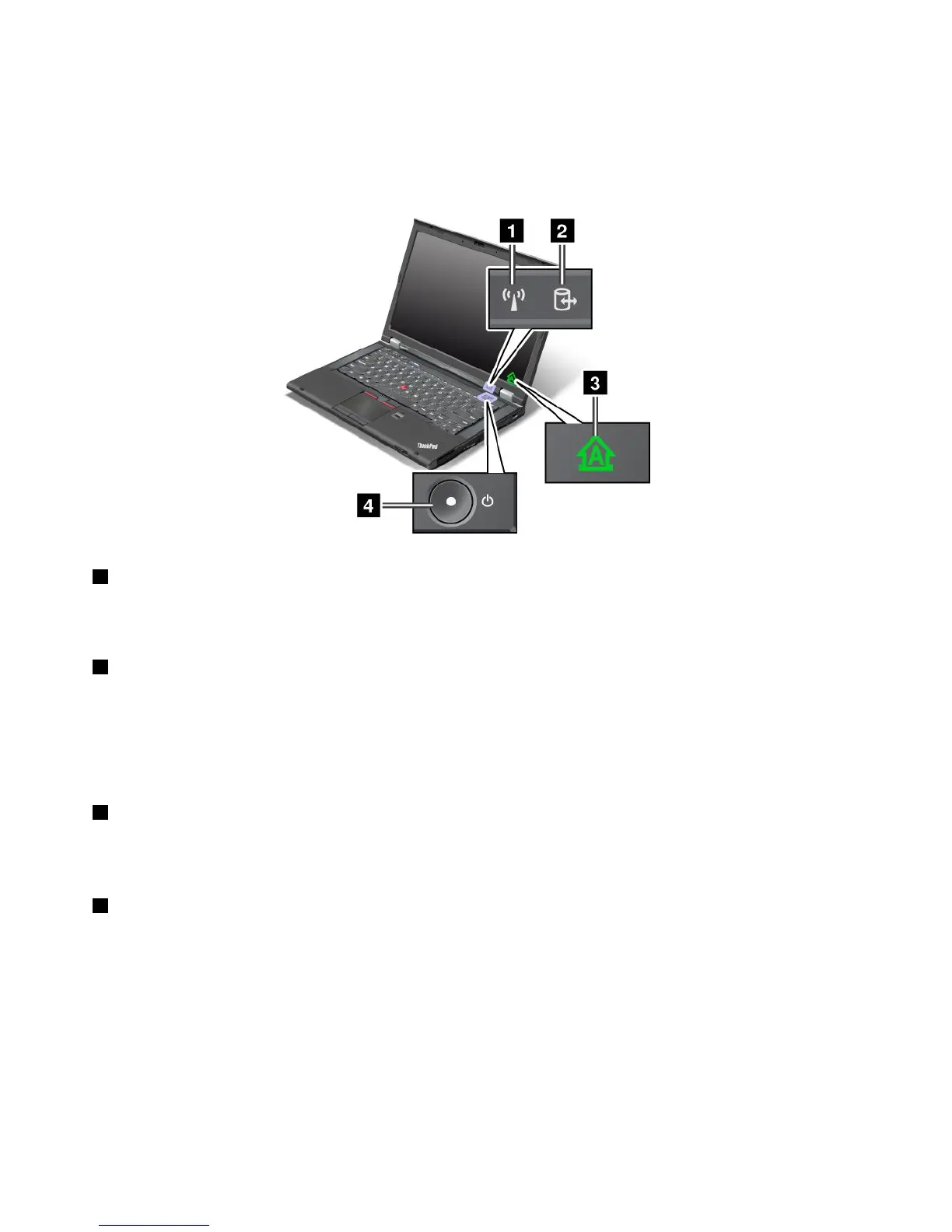
Statusindicators
Yourcomputerhassystem-statusindicatorsandpower-statusindicators.Thestatusindicatorsshowthe
currentstatusofyourcomputer.
System-statusindicators
1WirelessLAN/WAN/WiMAX/Bluetoothstatusindicator
•Green:ThewirelessLAN,WAN,Bluetooth,orWiMAXfeatureison.
•Off:Wirelessnetworkdevicesaredisabledorthewirelessradioisturnedoff.
2Deviceaccessstatusindicator
Theharddiskdrive,solidstatedrive,mSATAsolidstatedrive,orthesecondharddiskdriveintheSerial
UltrabayEnhancedbayisreadingorwritingdata.
Note:Whenthisindicatorisblinking,donotputthecomputerintosleepmode,removethesecondhard
diskdrive,orturnoffthecomputer.
3CapsLockindicator
Whentheindicatorison,theCapsLockmodeisenabled.Youcantypeallalphabeticcharacters(A-Z)in
uppercasewithoutpressingtheShiftkey.
4Poweronstatusindicator
Thepowerbuttonstayslitwheneverthecomputerison,blinkswhenthecomputerisinsleepmode,and
isoffwhenthecomputeristurnedoff.
Powerstatusindicators
Thecomputerhaspowerstatusindicatorsthatshowpowermode(sleep,hibernation,ornormal),acpower
status,andbatterystatus.Thefollowingshowsthelocationandthemeaningoftheindicators.
8UserGuide



 To Next Page