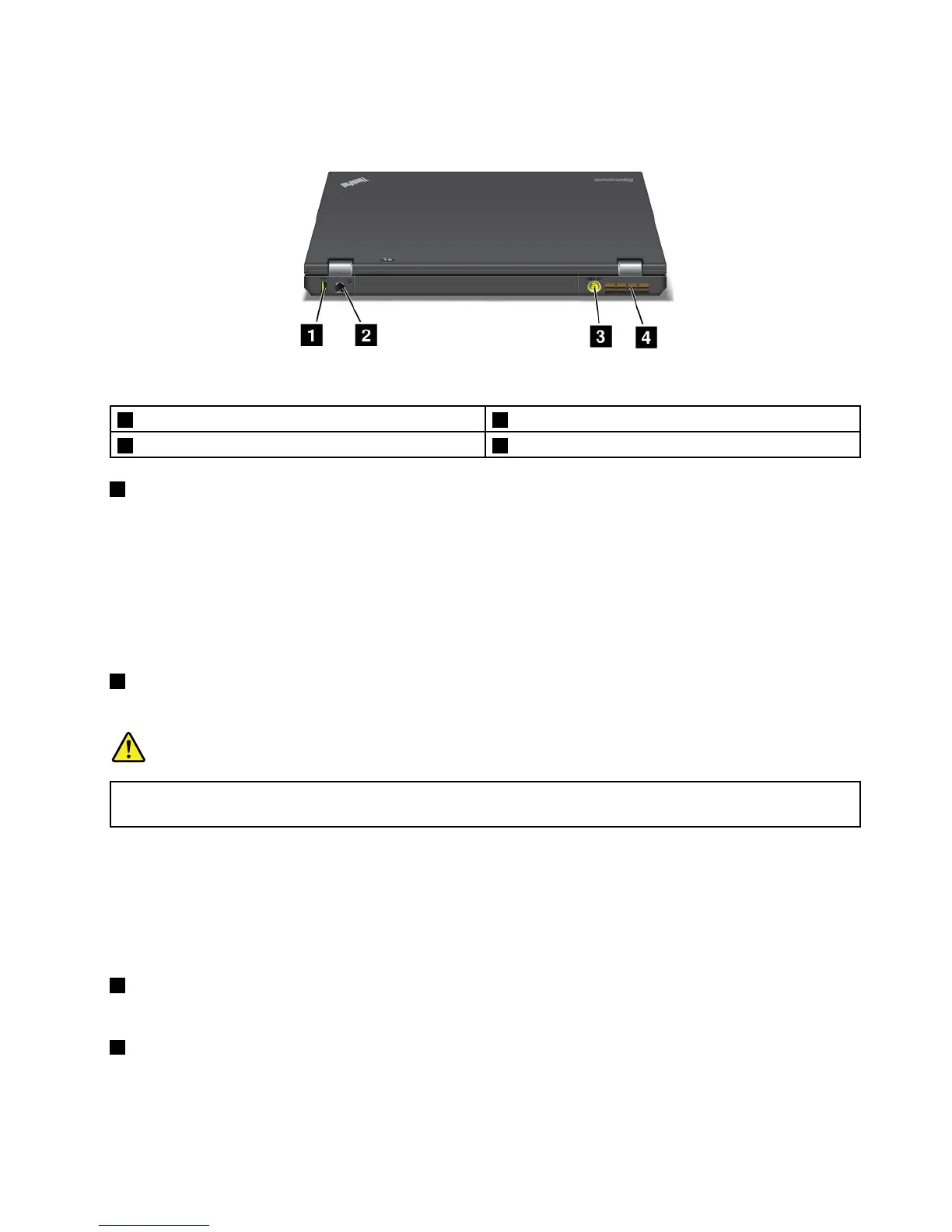
Rearview
Figure5.ThinkPadT430andT430irearview.
1AlwaysOnUSBconnector
2Ethernetconnector
3Powerjack
4Fanlouvers(rear)
1AlwaysOnUSBconnector
Bydefault,theAlwaysOnUSB2.0connectorenablesyoutochargesomedevices,suchasiPod
®
,iPhone,
andBlackBerry
®
smartphones,evenwhenyourcomputerisinsleep(standby)mode.
However,withtheacpoweradapterattached,ifyouwanttochargethesedeviceswhenyourcomputeris
inhibernationmodeorpoweredoff,youneedtoconnectthecomputertoacpowersupplyandusethe
PowerManagerprogramtocongurecorrespondingsettingstoenabletheAlwaysOnUSBconnector.
FordetailsabouthowtoenabletheAlwaysOnUSBconnector,refertothehelpinformationsystemof
thePowerManagerprogram.
2Ethernetconnector
ConnectyourcomputertoaLANwiththeEthernetconnector.
DANGER
Toavoidtheriskofelectricalshock,donotconnectthetelephonecabletotheEthernetconnector.
YoucanonlyconnectanEthernetcabletothisconnector.
Twoindicators,totheupperrightandleftoftheconnector,showthestatusofthenetworkconnection.
WhenyourcomputerconnectstoaLANandasessionwiththenetworkisavailable,theupperleftindicator
issteadygreen.Whiledataisbeingtransmitted,theupperrightindicatorblinksyellow.
Note:Ifyouattachyourcomputertoaportreplicatorordockingstation,usetheEthernetconnectoronthe
portreplicatorordockingstationtoconnecttoaLAN,nottheoneonthecomputer.
3Powerjack
Connecttheacpoweradaptertothepowerjacktoprovideacpowertothecomputerandchargethebattery.
4Fanlouvers(rear)
Theinternalfanandlouversenableairtocirculateinthecomputerandcoolthecentralprocessor.
Note:Toavoidimpedingairow,donotplaceanyobstacleinfrontofthefan.
Chapter1.Productoverview7



 To Next Page