11Volumecontrolbuttons
Thevolumecontrolbuttonsenableyoutoquicklyadjustthesoundvolume,mutethespeakers,ormutethe
microphonesofyourcomputer.
12ThinkVantagebutton
YoucanusetheThinkVantagebuttontolaunchtheSimpleTapprogram
YoualsocanusetheThinkVantagebuttontointerruptthestartupsequenceofyourcomputertostart
theRescueandRecovery
®
workspace.
14Integratedcamera
Somemodelshaveanintegratedcamera.Usethecameratotakepicturesorholdavideoconference.
15ThinkLightlight
TheThinkLightlightenablesyoutouseyourcomputerwhenthelightingconditionisnotideal.Toturnonthe
ThinkLightlight,presstheFnkeyandthespacekeytogether.Toturnitoff,pressthecombinationagain.
CAUTION:
Avoidusingyourcomputerindarkconditionsforprolongedperiods.Itisbadforyoureyes.
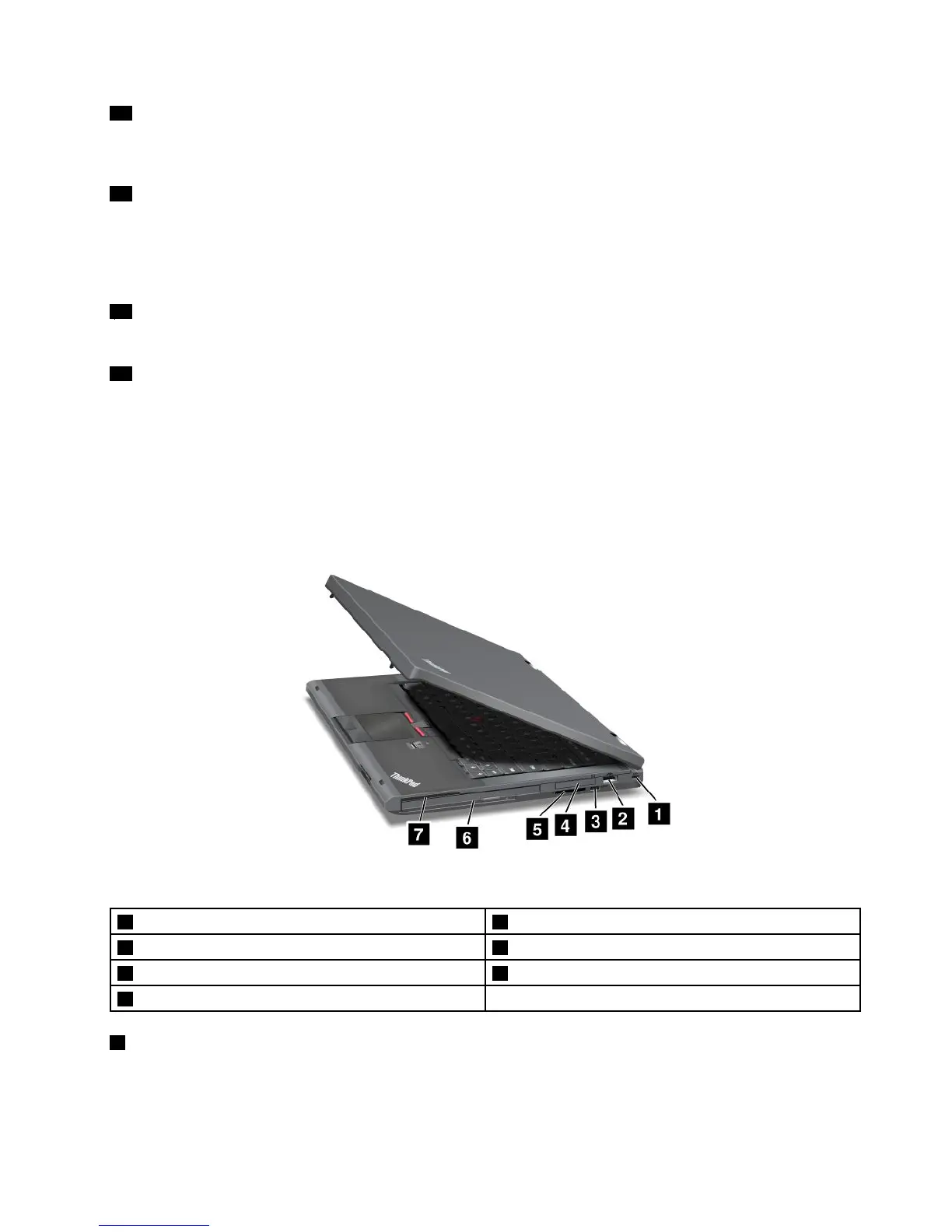
Right-sideview
Figure2.ThinkPadT430andT430iright-sideview
1Securitykeyhole2USB2.0connector
3Wirelessradioswitch
4ExpressCardslot
5Mediacardreaderslot
6SerialUltrabay™enhancedbay
7Smartcardslot
1Securitykeyhole
Purchaseasecuritycablelockthattsthiskeyholetolockyourcomputertoastationaryobjecttoprotect
yourcomputerfromtheft.
Chapter1.Productoverview3



 To Next Page