Notes:Ifyouinstallthesecondaryharddiskdriveusinghotswaporwarmswap,andtheharddisk
driveisprotectedbyapassword,youcannotgetaccesstothedriverightafterinsertingtheadapterinto
thebay.Togetaccesstoit,dothefollowing:
a.Putyourcomputerintohibernationmode.Youmighthavetowaitforawhiletillthecomputer
entershibernationmode.
b.Pressthepowerbuttontoreturntonormaloperation.Theharddiskpasswordiconisdisplayed
onthescreen.
c.Typethepassword.Nowyoucangetaccesstotheharddiskdrive.
ThinkPadportreplicatorsanddockingstations
Dependingonthemodel,yourcomputermightsupportthefollowingportreplicatorsordockingstations:
•ThinkPadPortReplicatorSeries3
•ThinkPadPortReplicatorSeries3withUSB3.0
•ThinkPadMiniDockSeries3
•ThinkPadMiniDockSeries3withUSB3.0
•ThinkPadMiniDockPlusSeries3
•ThinkPadMiniDockPlusSeries3withUSB3.0
Attachyourcomputertooneoftheportreplicatorsordockingstationstoexpandtheworkingcapability.
Whenthecomputerisattachedtoaportreplicatorordockingstation,neverpickuptheassemblybytaking
holdofthecomputeralone.Alwaysholdthewholeassembly.
Frontview
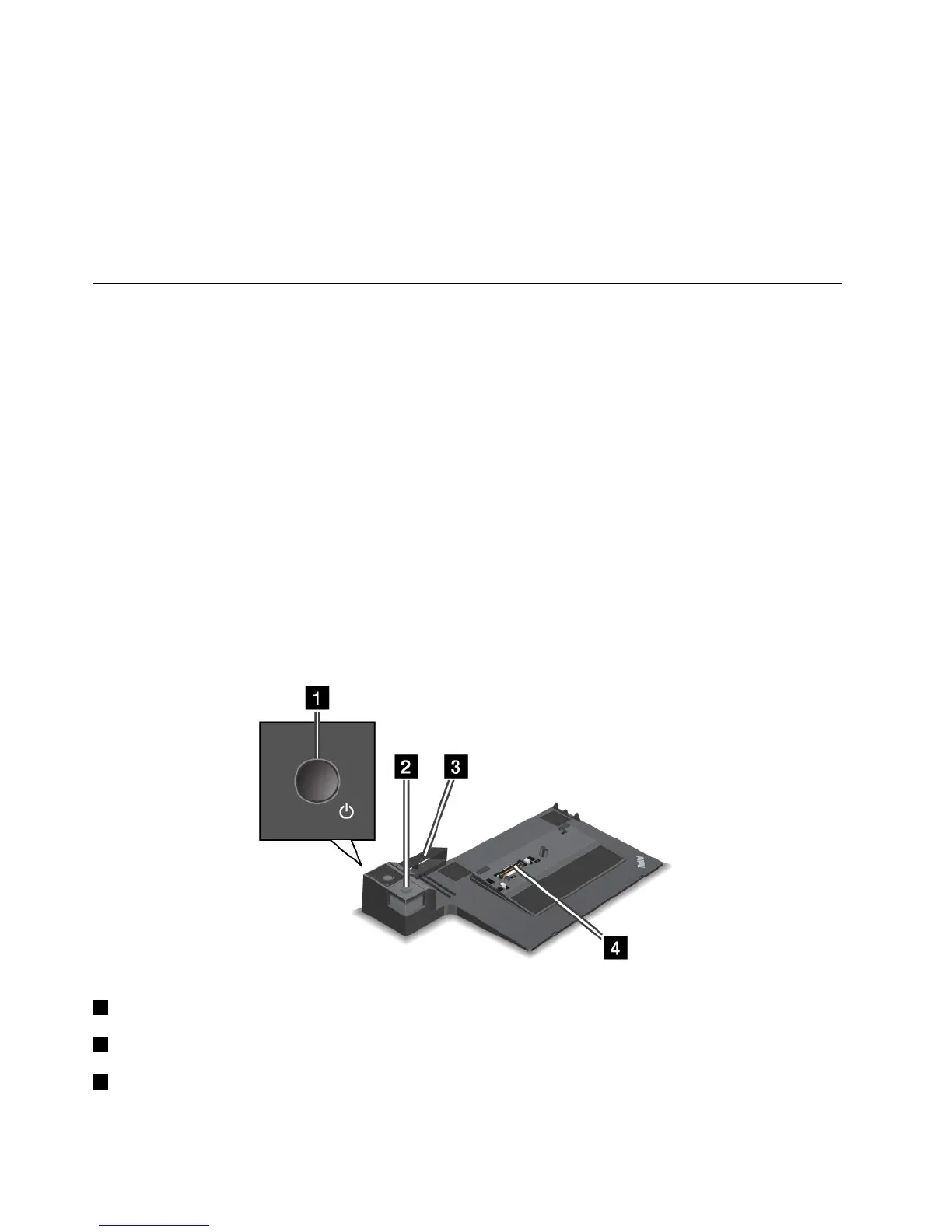
ThinkPadPortReplicatorSeries3andThinkPadPortReplicatorSeries3withUSB3.0
1Powerbutton:Pressthepowerbuttontoturnthecomputeronoroff.
2Ejectbutton:Presstheejectbuttontoreleasethecomputerfromtheportreplicator.
3Slidingadjuster:Usetheslidingadjusterasaguidetoalignthedockingstationconnectoronyour
computerasyouattachtheportreplicator.
102UserGuide



 To Next Page