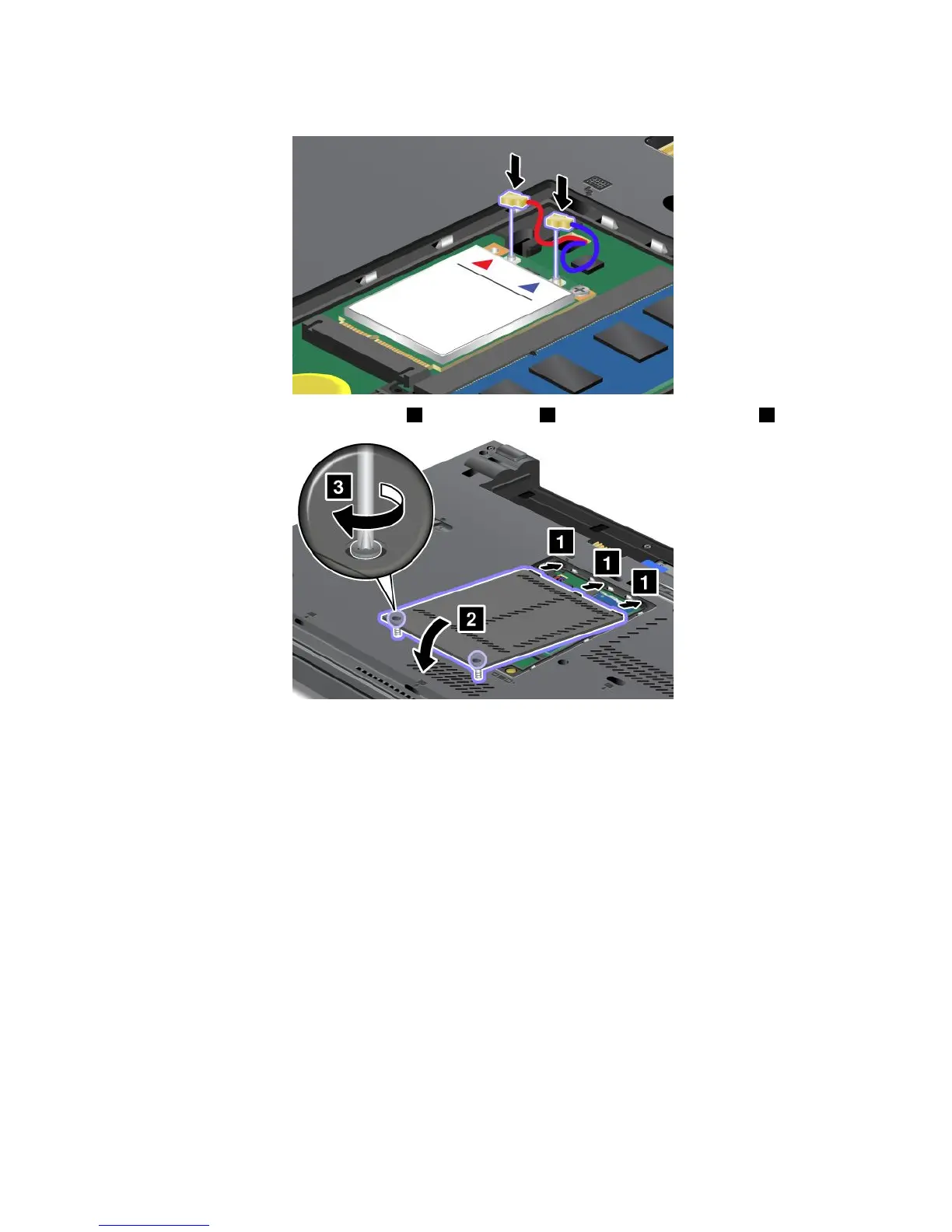
10.ConnectthecablestothenewwirelessWANcard.
11.Putthememoryslotcoverbackinplace1,closethecover2,andthentightenthescrews3.
12.Reinstallthebattery.See“Replacingthebattery”onpage69.
13.Turnthecomputeroveragain.Reconnecttheacpoweradapterandallcables.
PrerequisitesforreplacingorinstallingthemSATAsolidstatedrive
Attention:ThemSATAsolidstatedriveisverysensitive.Incorrecthandlingcancausedamageand
permanentlossofdata.Observethefollowingguidelines:
•BeforeremovingthemSATAsolidstatedrive,makeabackupcopyofalltheinformationonit,and
thenturnthecomputeroff.
•DonotdropthemSATAsolidstatedriveorsubjectittophysicalshocks.PutthemSATAsolidstatedrive
onamaterial,suchassoftcloth,thatabsorbsanyphysicalshocks.
•DonotapplypressuretothecoverofthemSATAsolidstatedrive.
•NeverremovethemSATAsolidstatedrivewhilethecomputerisoperating,insleepmode,orin
hibernationmode.
ToreplaceorinstallthemSATAsolidstatedrive,dothefollowing:
1.Turnoffthecomputer;thendisconnecttheacpoweradapterandallcablesfromthecomputer.Waitfor
afewminutes,tilltheinsideofthecomputercools,beforeyoustartthefollowingprocedures.
2.Closethecomputerdisplay,andturnthecomputerover.
3.Removethebattery.See“Replacingthebattery”onpage69.
94UserGuide



 To Next Page