12
01 Before you start
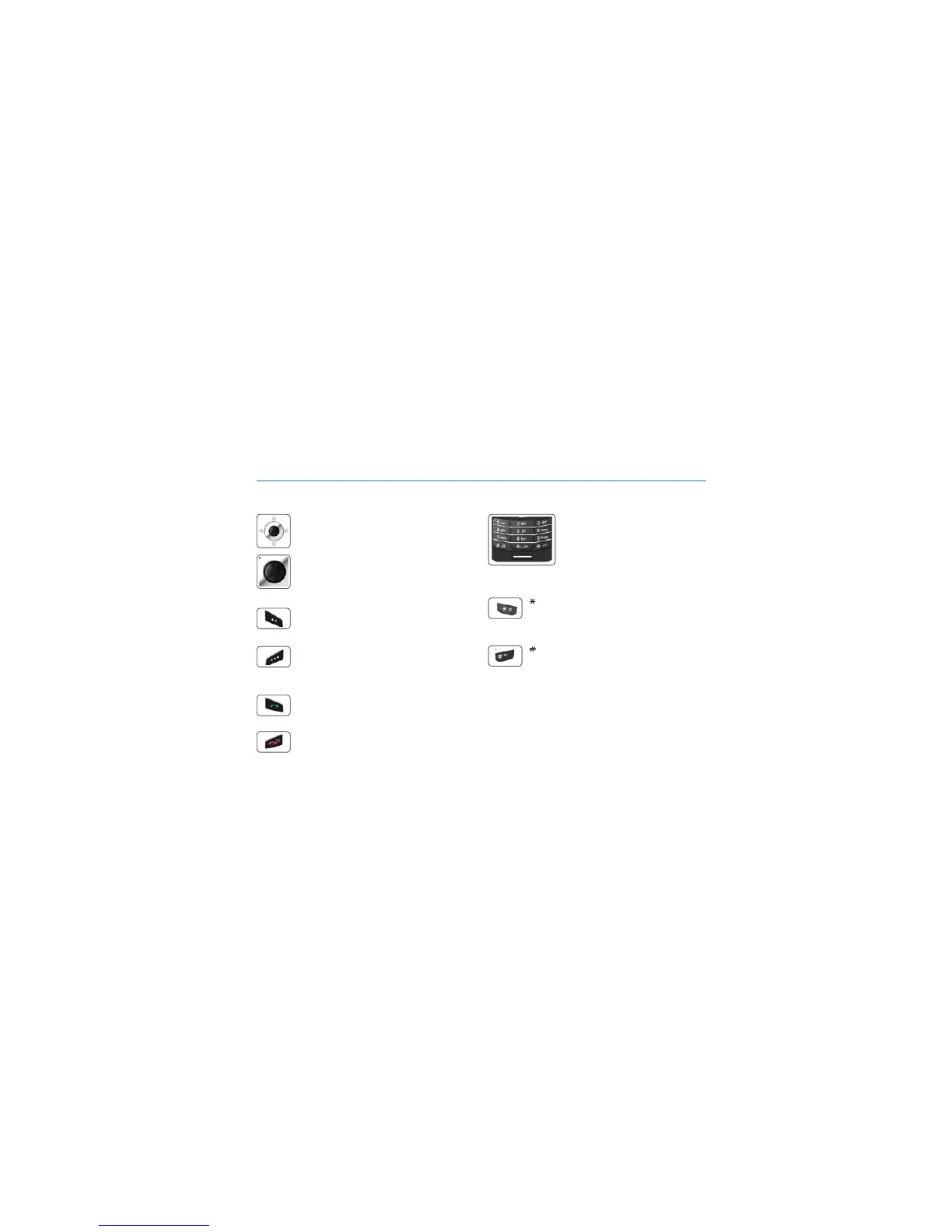
7KHIXQFWLRQRIWKHNH\V
1DYLJDWLRQ.H\V
4-way direction key for menu navigation.
&HQWHU.H\
7KLVNH\LVXVHGWRVHOHFWXQVHOHFWDQGFRQ¿UPPHQX
options.
5LJKW6RIW.H\
The function of the key correlates with the text shown
on the screen above the key.
/HIW6RIW.H\
The function of the key correlates with the text shown
on the screen above the key.
6HQG.H\
Accept or initiate a call, access the call history.
(QG.H\
(QGWKHFXUUHQWFRQQHFWLRQRUUHMHFWDQLQFRPLQJFDOO
.H\SDG
Long press on 0 key will display the ‘+’
symbol (to enter country calling codes,
e.g. +971…)
.H\
Long press will switch between Silent & Normal
mode. Opens the list of symbols (special characters)
when writing messages like SMS or E-Mails.
.H\
Press and hold to lock the keypad.
Switch between numbers and characters when
writing messages.



 To Next Page