01
02
03
04
17
02 Getting started
Connect the charger and charge the battery
You should charge the battery supplied with your Thuraya XT as
soon as possible to obtain full battery charge.
To charge the battery:
)LWWKHFRUUHFWFRXQWU\VSHFL¿FDGDSWHULQWRWKHFKDUJHU
2SHQWKHFRYHURQWKHERWWRPRI\RXUSKRQH
3OXJWKHFKDUJHULQWRWKHFKDUJHUMDFN
&RQQHFWWKHFKDUJHUWRDQ$&VRXUFH
Initial steps
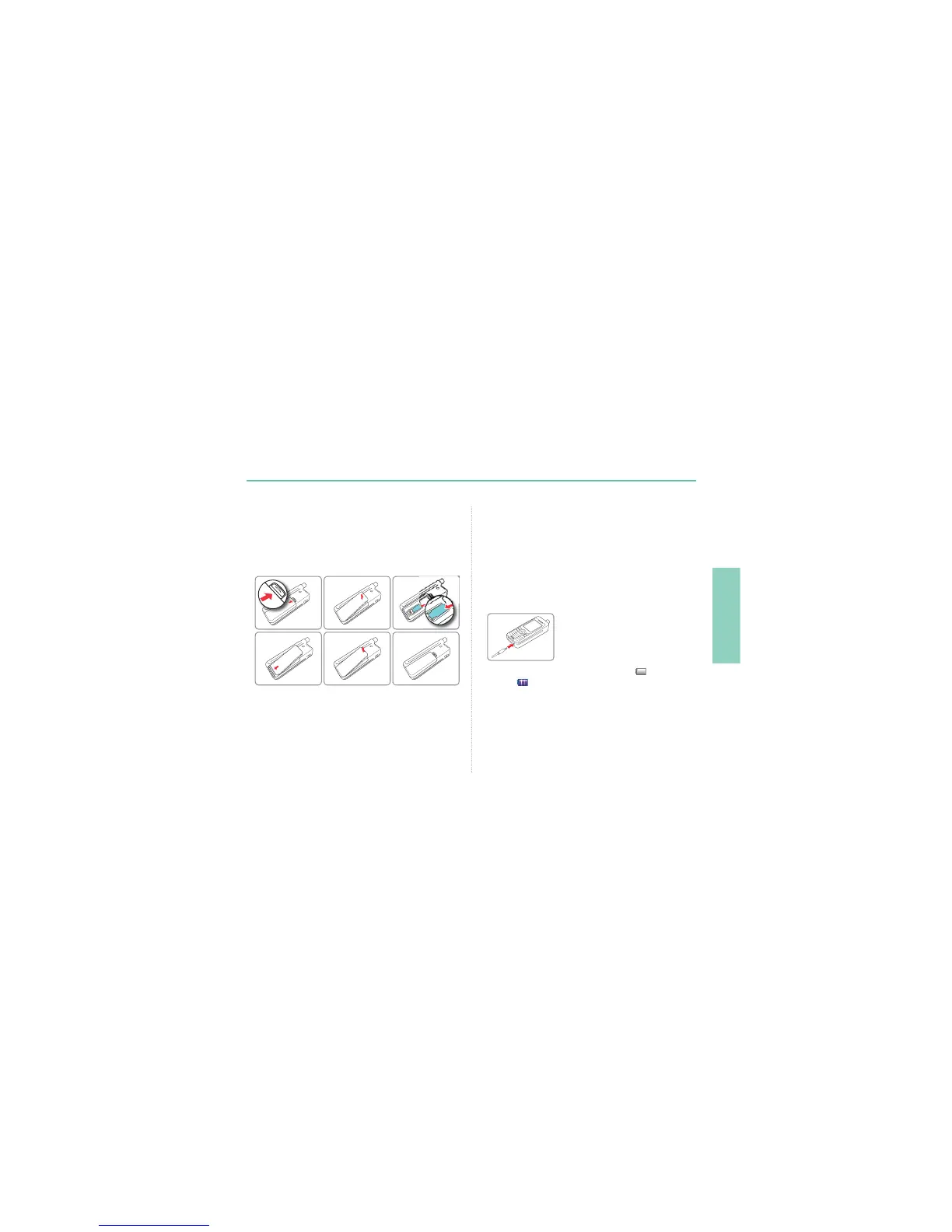
Inserting SIM card
To insert the SIM card:
6ZLWFKRIIWKH7KXUD\D;7DQGUHPRYHWKHEDWWHU\
,QVHUWWKH6,0FDUGDVVKRZQEHORZ
While the battery is charging you can observe the symbol
changing to
cyclically. The battery is fully charged after
approximately 2 hours and 30 minutes. The charger stops charging
DXWRPDWLFDOO\ZKHQWKHEDWWHU\LVIXOO$VORQJDVWKHFKDUJHULVQRW
disconnected it restarts charging after a while to keep the battery fully
charged.
You may still use the Thuraya XT while charging the battery.
7KHLQWHUQDOFORFNIRUWLPHGDWHVHHSDJHDQGDODUPVVHHSDJH
46) will still keep running for about two hours if neither the battery nor
WKHFKDUJHULVFRQQHFWHGEXWQRDODUPZLOOVRXQGXQOHVVDFKDUJHG
battery is connected.



 To Next Page