16
All connections must be made before sealing the TileVision
®
into the back box.
The HDMI and S-VIDEO Connectors
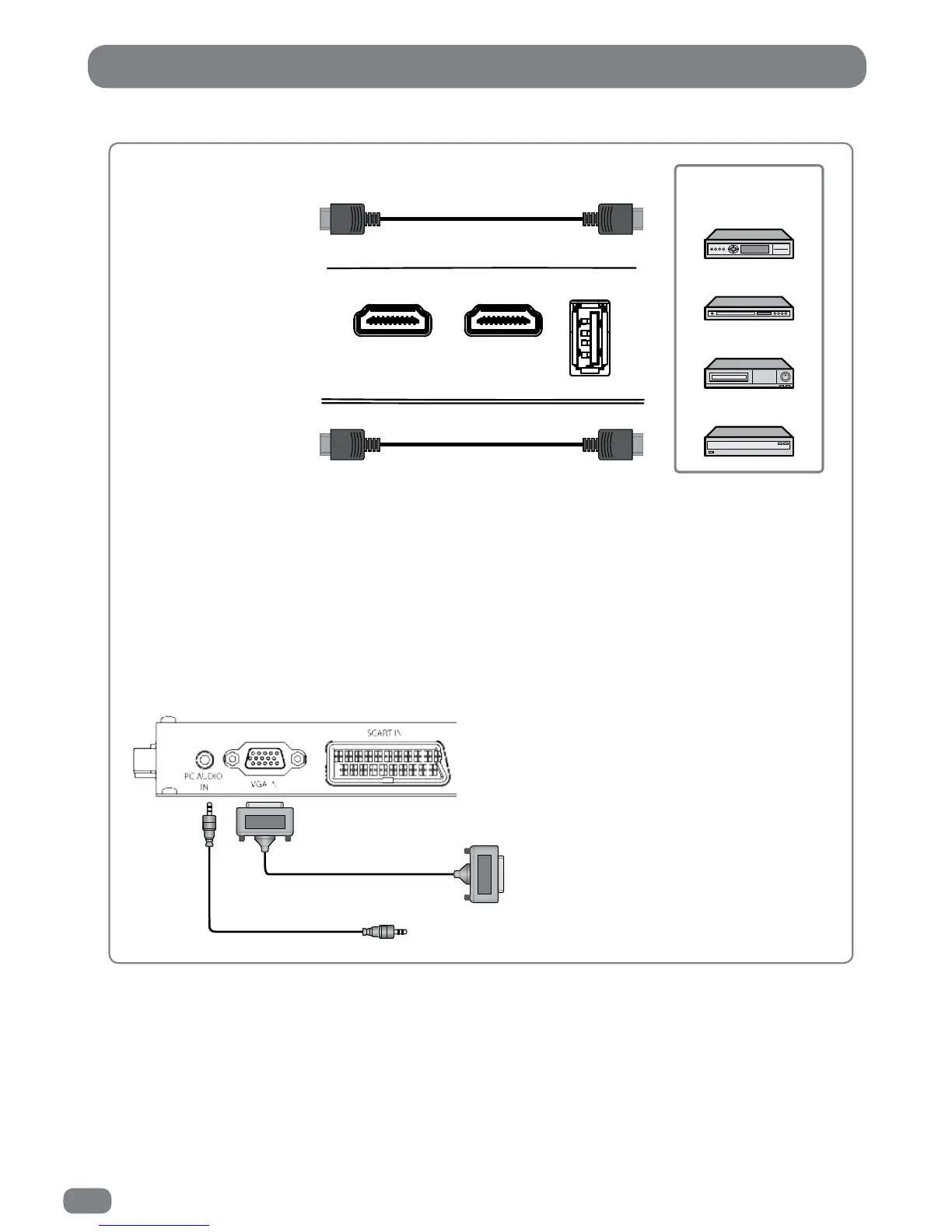
HDMI Connections
Connect the HDMI cable to the HDMI connection on the TileVision
®
and the HDMI connection on the
external equipment such as a satellite receiver or DVD/Blue-ray player.
PC Connections
To use PC RGB, connect the PC RGB connector of the TileVision
®
to the PC’s RGB connector and
connect the PCAudio In connector on the TileVision
®
to the PC’s audio out connector.
HDMI 1 IN
HDMI 2 IN
USB 1 IN
Video Game Console
VCR
DVD Player/Recorder
Satellite Receiver,
Cable Box or Hard Disk
Recorder
PC RGB Video
PC Audio



 To Next Page