10
Factory pre-set (answer mode off)/outgoing message
In the factory pre-set the device displays the time. The LED indicator is off or blinks at short inter-
vals (when the LED indicator blinks at short intervals in the factory pre-set this means that new
or not yet played back incoming messages exist). No calls are answered in the factory pre-set
mode.
Remark:
If the complete display
blinks in the factory pre-set mode, the time has to be set.
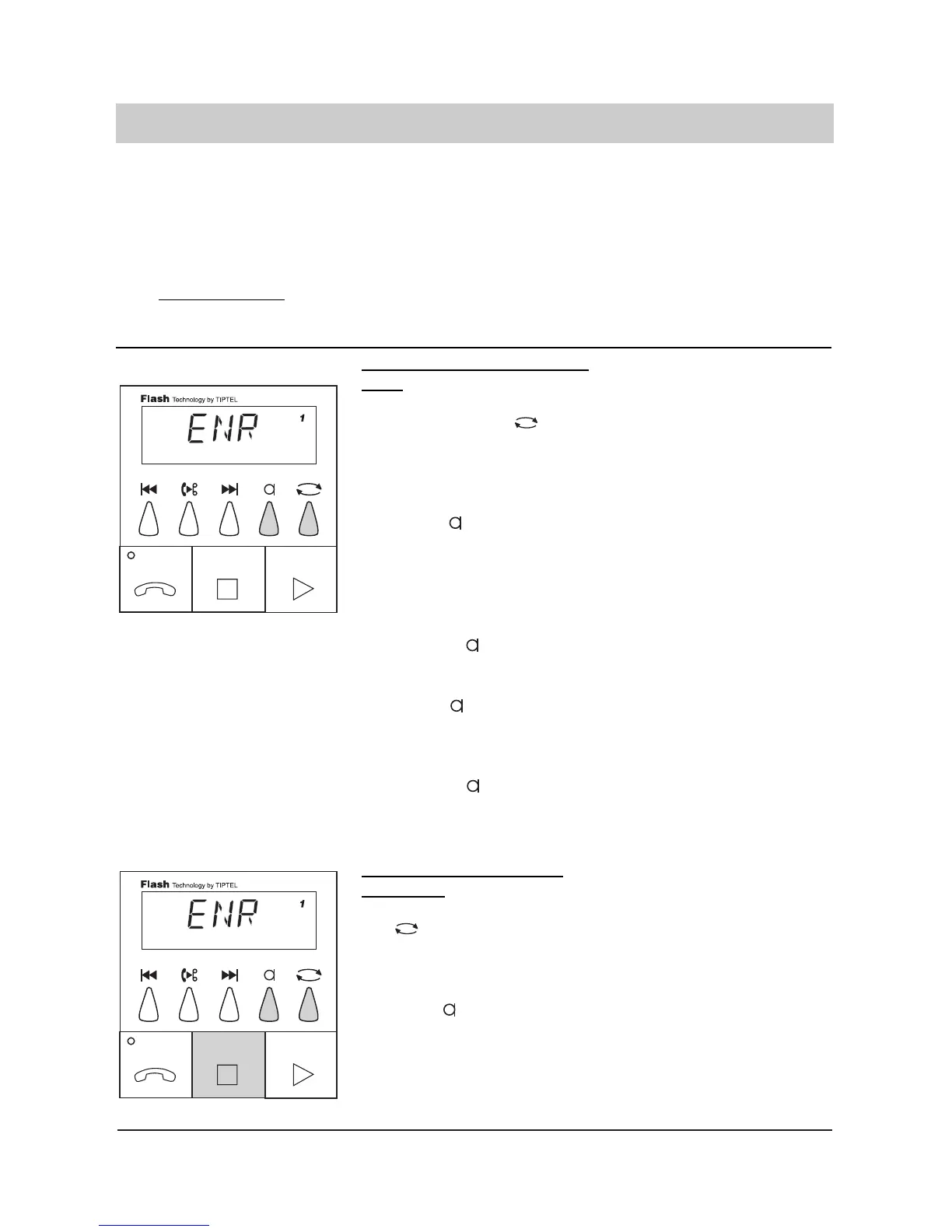
Recording the outgoing message
OGM "with" incoming recor-
ding:
1. Select outgoing messa
ge 1, 2 or 3 by .
2. Press and hold.
3. Release after having
spoken the message.
4. Press and hold.
5. Release after
having spoken the final
announcement.
OGM "without" incoming
recording:
1. Select OGM 1, 2 or 3 by
.
2. Press and hold.
The display shows a number for
the desired OGM. If there is no
number displayed this stands for
pre-recorded OGM which cannot
be changed.
Wait until a tone is heard and the
display shows "REC". Speak
from a distance of about 25 cm
into the microphone. The display
shows how many seconds you
have already spoken.
The display shows "FIN" for the
final message.
Wait until a tone is heard and the
display shows "REC". Record
your final announcement.
The recording is finished. Your
OGM is played back for control
purposes.
The display shows a number for
the desired OGM. If there is no
number displayed this stands for
pre-recorded OGM which cannot
be changed.
Wait until a tone is heard and the
display shows "REC". Speak
from a distance of about 25 cm
into the microphone. The display
shows how many seconds you
have already spoken.



 To Next Page