14
1. Press .
2. Press and
simultaneously and
hold for 2 seconds.
The telephone answering
machine goes back to the
factory pre-set (answer
mode off).
All incoming messages are
deleted. During the erasing
procedure the display shows
"- - - -".
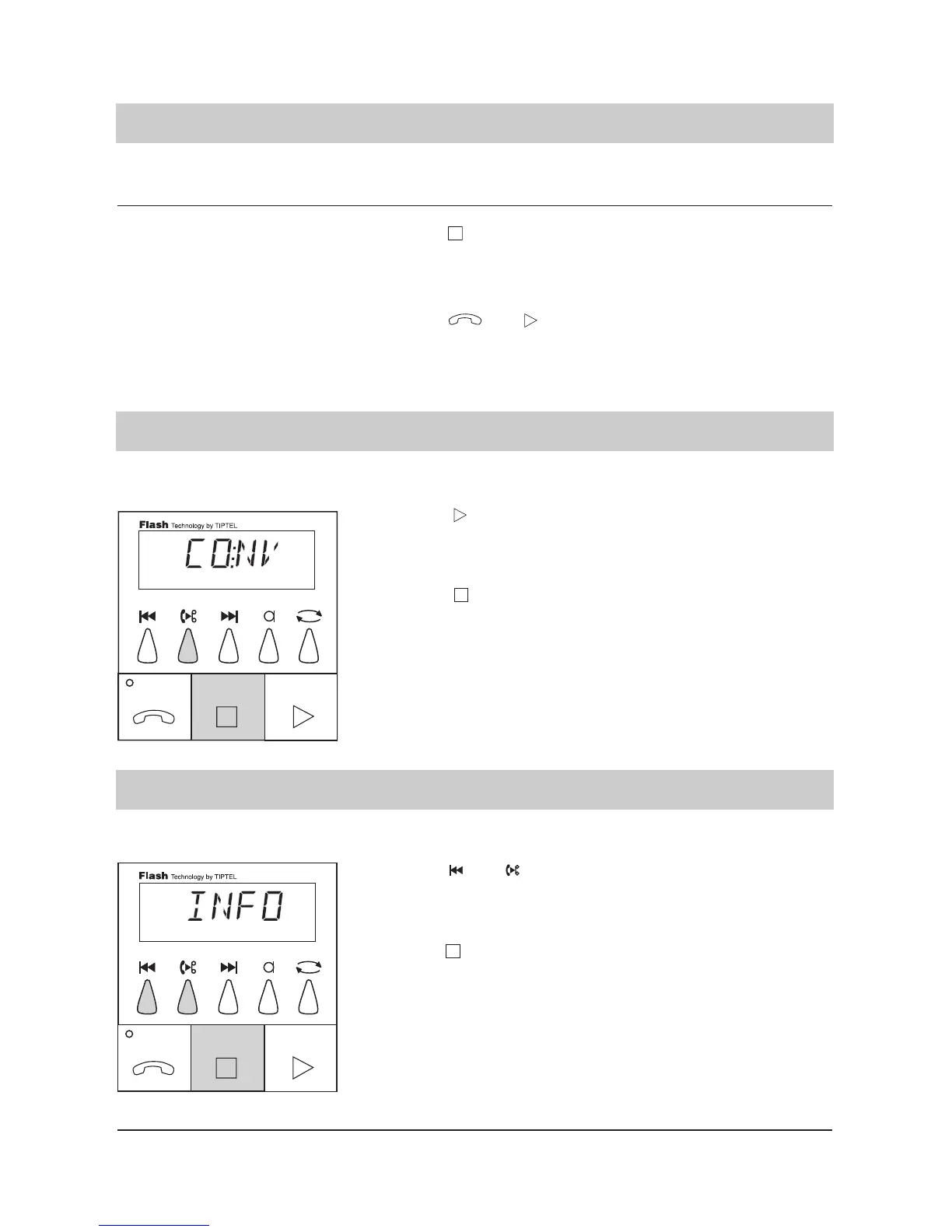
1. Press .
2. Press .
The answering machine
starts the recording. "CONV."
blinks in the display.
The answering machine
ends the recording. The fac-
tory pre-set is resumed and
the display shows the time.
The LED indicator blinks.
1. Press and
simultaneously.
2. Press .
The device starts the recor-
ding. "INFO" blinks in the
display.
The answering machine
ends the recording. The fac-
tory pre-set is resumed. The
LED indicator blinks.
Erasing all incoming messages
The content of important telephone conversations can be recorded.
Personal information can be recorded by the built-in microphone.
Factory pre-set (answering mode off)/playback
Factory pre-set / telephone conversation recording
Factory pre-set / personal info/dictate (mailbox)



 To Next Page