16
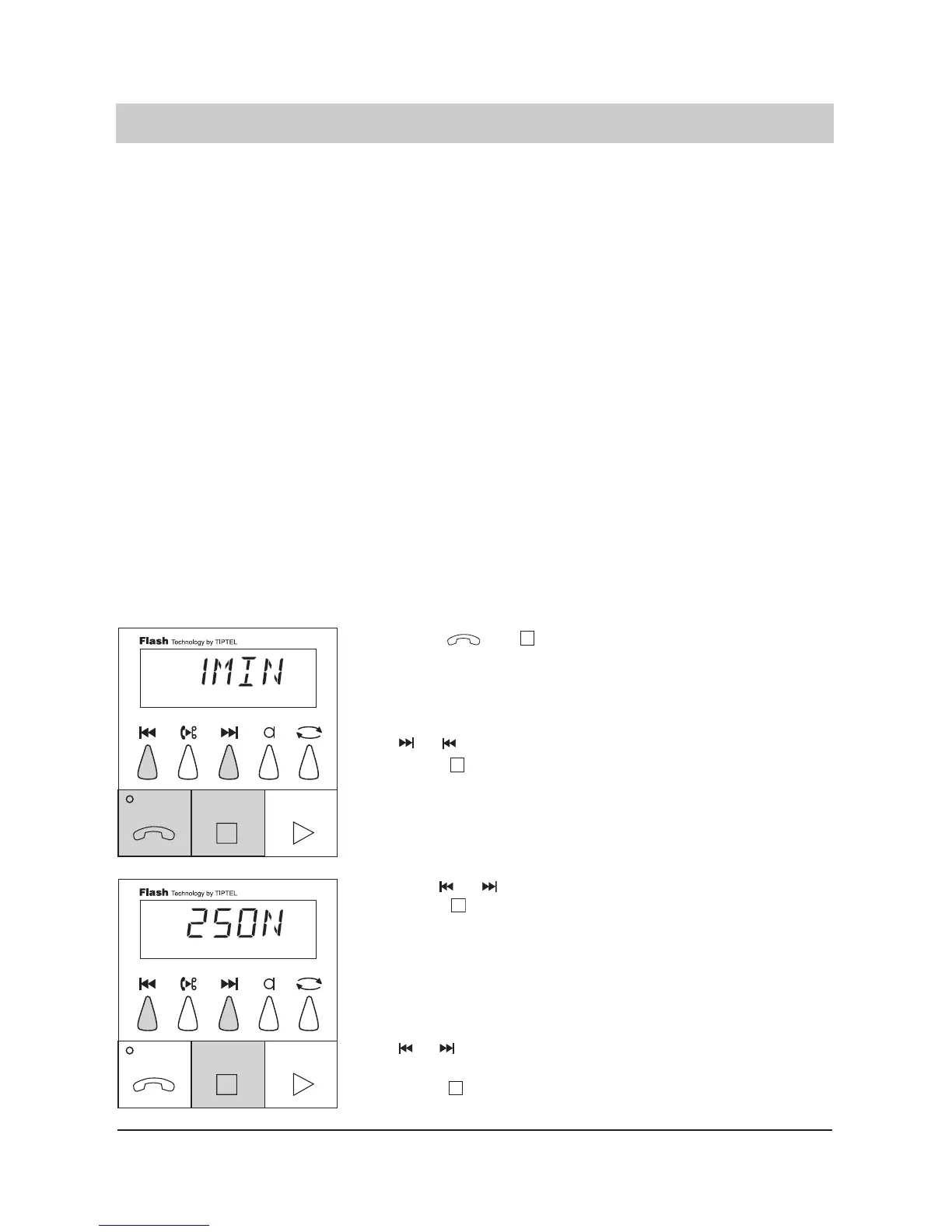
Factory pre-set / programmable parameters
1. Press and
simultaneously
and hold for 2 seconds.
2. Set desired recording
time by the buttons
or .
3. Press .
4. Select number of rin-
ging tones by the but
tons or .
5. Press .
6. Select remote control
code by the buttons
or .
Press .
The display blinks and the cur-
rent recording time is
displayed.
The display shows "1, 2, 3, 4,
5 min" or "ENDL".
The last entry is programmed.
The display shows the pro-
grammed number of ringing
tones.
The display shows "1 ton", "8
ton" as well as "1_ _ 4" and
"1_ _6".
The last displayed number of
ringing tones is programmed.
The display shows the pro-
grammed remote control code,
e. g. "1234".
The display counts up or down
from 0000 to 9999. With 0000
the remote control operation is
off.
The last displayed remote con-
trol code is programmed.
You can determine the following programmable parameters:
Maximum recording time: Here you can program the maximum recording time
placed at disposal for the recording of the caller’s inco-
ming message: 1, 2, 3, 4, 5 minutes or endless.
Number of ringing tones: Indicates after how many ringing tones the answering
machine will pick up: 1 – 8 ringing tones as well as 1 –
4 and 1 – 6 ringing tones. Only when 1 – 4 or 1 – 6 rin
ging tones are programmed, a remote incoming mes
sage interrogation is possible. This means that the
answering machine picks up only after 4 or 6 ringing
tones if no new incoming messages have been recor-
ded. If new messages exist the device picks up after
just one ringing tone.
Remote control code: The remote control code is a 4-digit number between
0001 and 9999.
The remote control operation is switched off if code
number 0000 is programmed.
Remote erase: Yes/no (see remote operation)
Room monitoring: Yes/no (see remote operation)
Date
Weekday
Time
Before switching on, the device must be in the factory pre-set mode (answer mode off).
If required, press the STOP button.



 To Next Page