21
Message and VIP function
Time control
The time control offers you the option to switch 4 outgoing messages, the telephone answering
mode and the message transfer (only tiptel 331) on or off at a programmed day and time. 20 pro-
gramming stations are at disposal for this function.
Time control/settings
Start: Weekday and time the desired operating mode shall start
(instead of a weekday you can also enter - - which erases an
existing setting).
Outgoing message: An outgoing message which shall be announced as of the
desired start time. If no OGM is selected the telephone answe-
ring mode is switched off during this time.
Message transfer
(only tiptel 331): Here you can program whether the message transfer shall be
switched on or off during the desired period of time.
Stop: Weekday and time the desired operating mode shall stop.
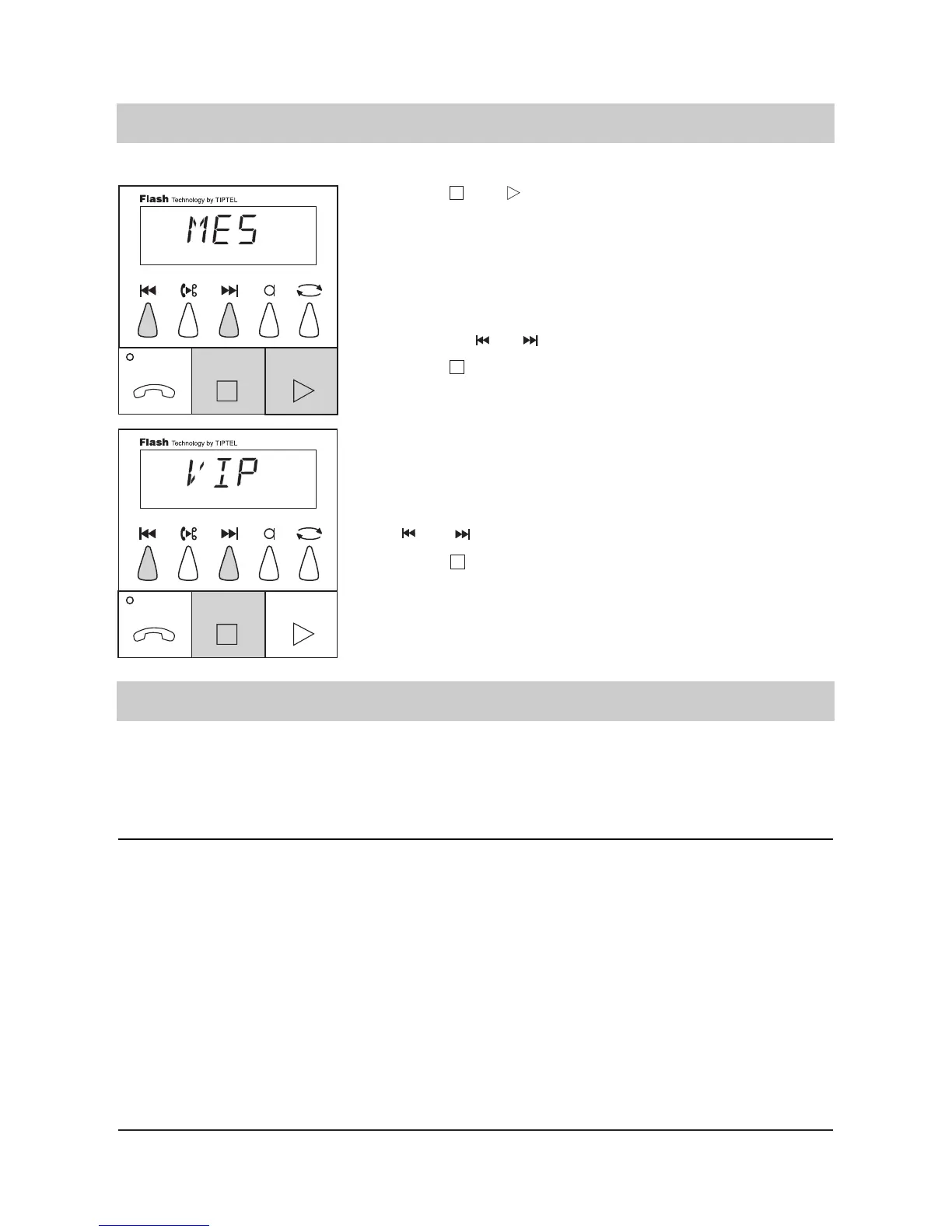
1. Press and
simultaneously and
hold for 2 seconds.
2. Program the desired
message code by
pressing or .
3. Press .
4. Program the desired
VIP code by pressing
or .
5. Press .
The display blinks and shows
"MES" for message code.
The programmed message
code is displayed after 0.5
seconds.
The display counts up or
down.
The selected message code
is programmed. The display
now shows "VIP" for VIP
code. The programmed VIP
code is displayed after 0.5
seconds.
The display counts up or
down.
The selected VIP code is pro-
grammed. the programming
ends.



 To Next Page