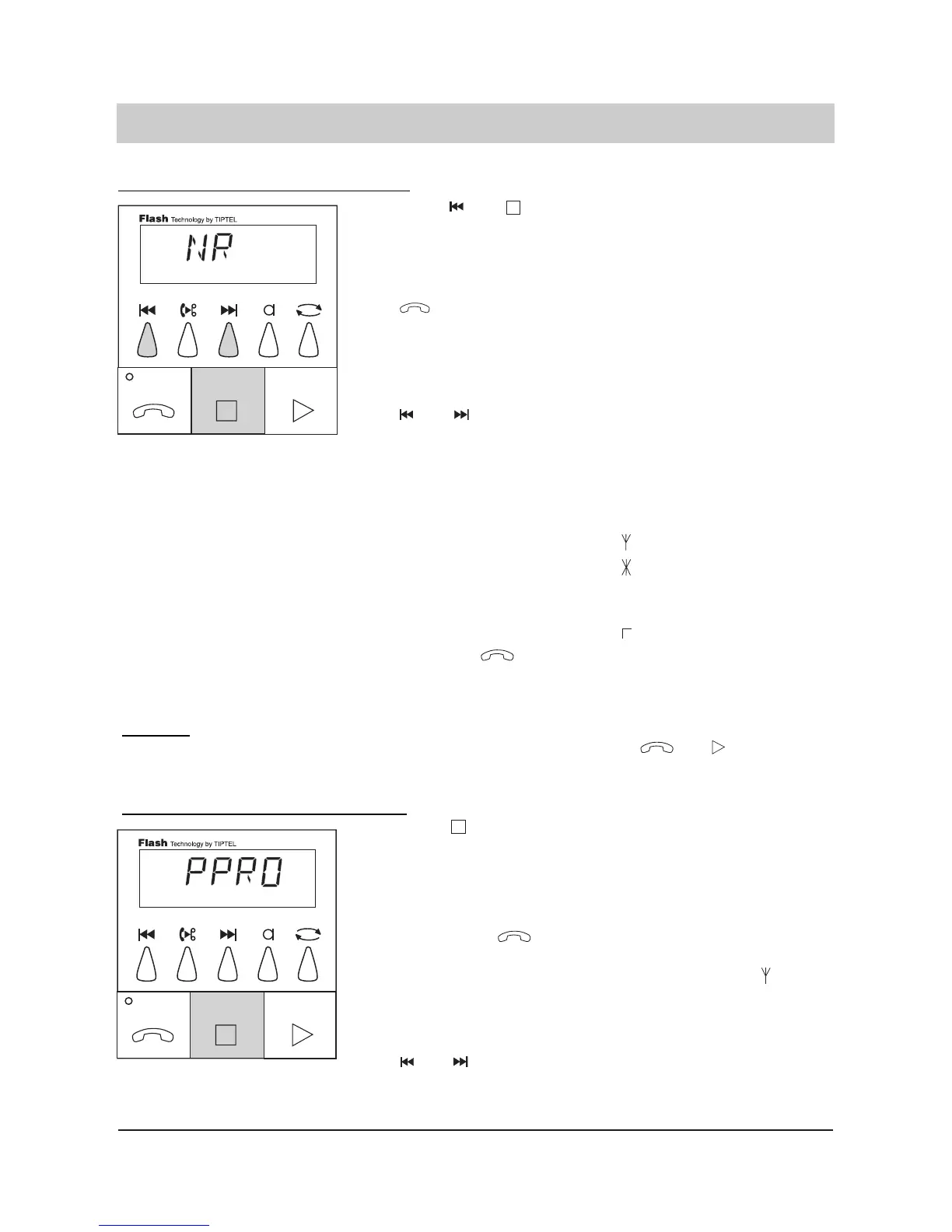
1. Press and
simultaneously and
hold 2 seconds. An exi-
sting number can be
verified by pressing the
button several
times.
2. Select the desired num
bers and special cha-
racters by pressing
and .
3. Press the button.
The display blinks and
shows "NR".
Numbers and special cha-
racters are shown in the dis-
play. The special character
are as follows:
"P" = 3 seconds pause
"W" = wait for dialling tone
(PABX)
"F" = flash
"E" = earth
" " = paging service
" " = Q(for paging
services only)
" " = # (for paging
services only)
The last entry is program-
med. The cursor jumps to
the second position.
27
Message transfer parameters (only tiptel 331)
4. Press to finish the
entry of the telephone
number.
5. An existing pager pro
cedure can be verified
by pressing
several times.
Select the numbers
and special characters
of the desired pager
procedure by pressing
and .
The display blinks and
shows "PPRO".
The display shows numbers
and special characters. An
entry is only required if you
intend to use your own
pager procedure (" 0").
Programming the telephone number
Remark:
If you wish to erase the entire target telephone number please press and
and hold for 2 seconds.
Programming the pager procedure:



 To Next Page