Model: CD-36D 5. Calibration
-
17
-
5. Calibration
(a) When starting the operation of the Transmitter, it is necessary to execute the calibration in order to
adjust the characteristics between the detector and the Transmitter. Additionally, make sure to
execute the calibration on a regular basis during operation in order to maintain accurate
measurement.
(b) If the position of the “ZERO” knob seems to have moved from the original position set at the time
of starting the operation, execute both of the zero and span calibrations. In other cases, only the
span calibration will be sufficient.
(1) Zero Calibration
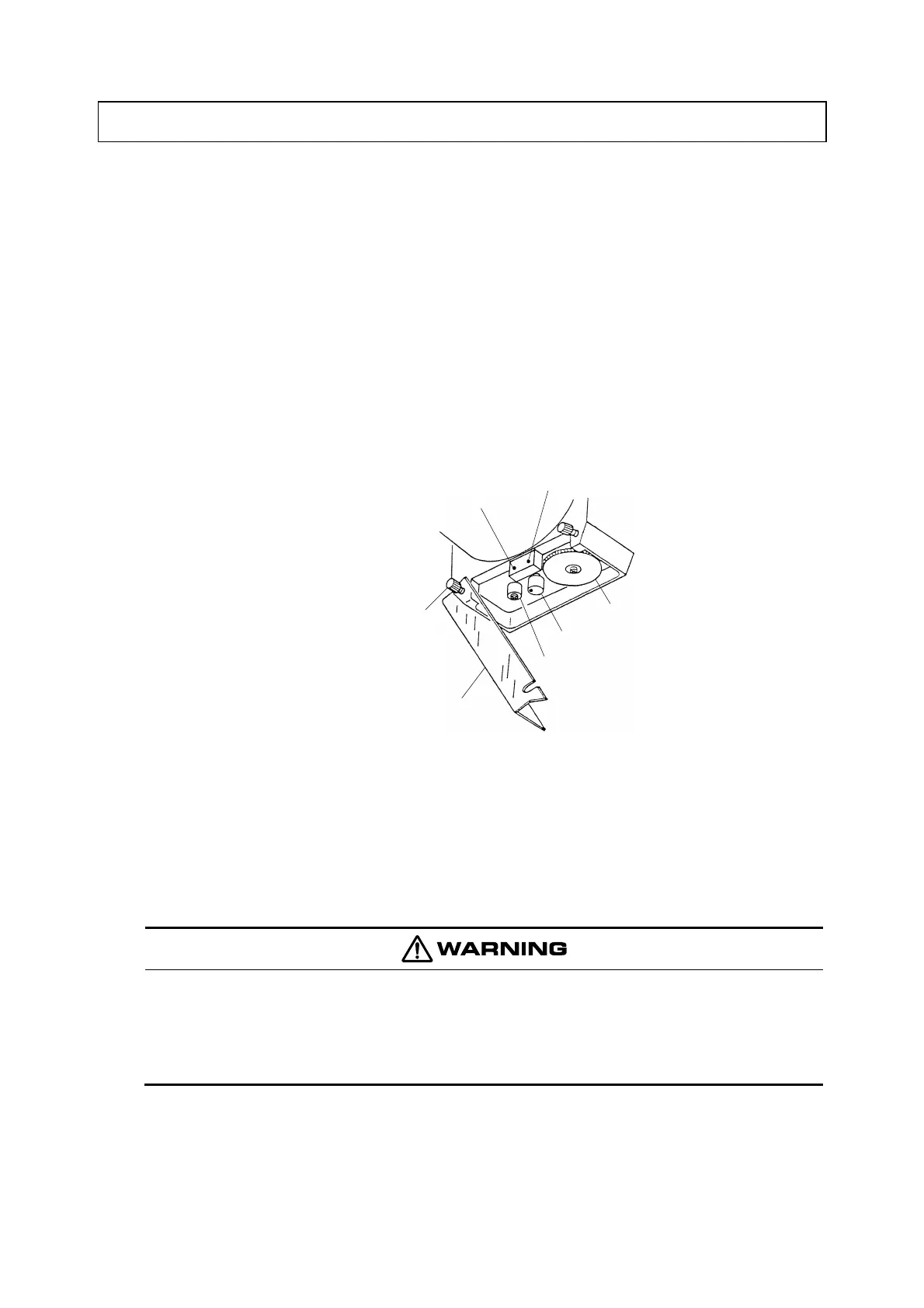
① Change to “Maintenance” mode. ⋅⋅⋅⋅⋅⋅ Loosen a little 2 fixing screws for cover and open its right
hand side. Then, turn the mode switch to “Maintenance” (TEST).
“Maintenance mode”
(TEST)
“Measurement mode”
(MEAS)
Mode Switch
Fixing Screw for Cover
Knob Cover
“SPAN” Knob
“ZERO” Knob
Position of the mode switch
〔NOTE〕 • The calibration can also be executed in “Measurement” mode (MEAS). However, in this
case, the related controlling system will be disturbed since the output signal changes up
and down during the said calibration.
② Disconnect the lead wire “1”. ⋅⋅⋅⋅⋅⋅ Open the rear cap and disconnect the lead wire “1” from its
terminal.
Electric Shock
● Since AC power supply is connected to terminals “90, 91”, make sure to turn off the
power supply to the Transmitter on the power supply side in case some work is
needed near the terminal board.
〔NOTE〕 • By disconnecting the lead wire “1” from its terminal, the output signal of the detector to
the Transmitter or the input signal to the Transmitter becomes equal to 0mg/L.


 To Next Page