Model: CD-36D 6.2 Setting of Output Signal in “Maintenance” mode
-
21
-
〔NOTE〕 • Function of the striker-1 and r-2:
Striker-1·······To control the function of “ZERO” knob on and off. It is used mainly
during adjustment. If it is set to “OFF”, the “ZERO” knob becomes not
functional.
Striker-2·······To switch the response speed.
“ON”: Slow
“OFF”: Fast
Usually, please set to “ON” for normal operation.
③ Record the new measuring range. ⋅⋅⋅⋅⋅⋅ Update the measuring range shown on the lower side of
the digital display to the new one. (Write down the new measuring range on a small sheet of paper
and attach it there on the lower side of the digital display, for example.) At the same time, change
the measuring range and related items shown on the recorder, receiver, etc.
④ Turn on the power switch. ⋅⋅⋅⋅⋅⋅ Turn on the power switch, and close the front and the rear caps.
6.2 Setting of Output Signal in “Maintenance” mode
If the mode is changed to “Maintenance” mode (TEST), the output signal automatically changes to a
constant value near the median of the measuring range which is preset by DKK-TOA before shipping.
However, this output signal can be changes as follows if necessary.
〔NOTE〕 • The purpose of fixing the output signal to an arbitrary value is to protect the related
controlling system from disturbances since the indicated value other than the measured
value is directly delivered during the calibration and inspection of the sensor.
① Change to “Maintenance” mode. ⋅⋅⋅⋅⋅⋅ Loosen a little 2 fixing screws for cover and open its right
hand side. Then, turn the mode switch to “Maintenance” (TEST), and the pilot lamp begins to
blink.
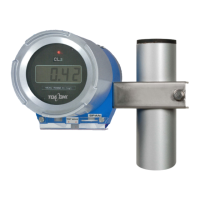
② Connect an ammeter. ⋅⋅⋅⋅⋅⋅ Open the rear cap and disconnect lead wires from terminals “70(+),
71(-)”h. Then, connect an ammeter (or a voltmeter in case of the voltage output signal depending
on the specifications of the Transmitter) to those terminals as shown in the following figure.


 To Next Page