Model: CD-36D 7.6 Adjustment of Output Signal of the Transmitter
-
29
-
④ Clean the flow cell. ⋅⋅⋅⋅⋅⋅ Clean the inside of the flow cell with neutral detergent. If it is difficult to
clean the flow cell with the neutral detergent, use ca. 5 to 10% hydrochloric acid solution.
⑤ Return the detector to the original state. ⋅⋅⋅⋅⋅⋅ Confirming that the O-ring is set in the right
position, insert the detector vertically into the flow cell until the detector cap touches the bottom of
the flow cell.
【IMPORTANT】 • Pay attention to the O-ring so that it may not get deformed when inserting
the detector.
⑥ Connect the lead wires. ⋅⋅⋅⋅⋅⋅ Connect the connector for the lead wires to the upper part of the
detector like before.
⑦ Turn on the power switch. ⋅⋅⋅⋅⋅⋅ Turn on the power switch and close the rear cap.
7.6 Adjustment of Output Signal of the Transmitter
If any deviation is observed between the displayed value on the digital display and the output signal
from the Transmitter, adjust the output signal as follows.
In this section the procedure for the adjustment is described as a part of the procedure for the
calibration explained in “5. Calibration”.
① Disconnect the lead wire“1”. ⋅⋅⋅⋅⋅⋅ (
“② Disconnect the lead wire “1” in “5.(1) Zero
Calibration”
Electric Shock
Do not touch the terminals 90 and 91. Touching any of these components can cause
electric shock.
② Adjust the zero point. ⋅⋅⋅⋅⋅⋅ (
“③ Adjust the zero point.” in “5.(1) Zero Calibration”)
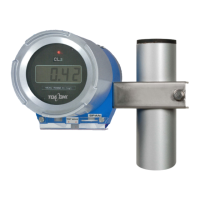
③ Connect an ammeter. ⋅⋅⋅⋅⋅⋅ Disconnect lead wires connected to terminals “70(+), 71(-)”. Then,
connect an ammeter (or a voltmeter in case of the voltage output signal depending on the
specifications of the Transmitter) to those terminals as shown in the following figure.


 To Next Page