Model: CD-36D 7.5 Cleaning of Flow Cell
-
28
-
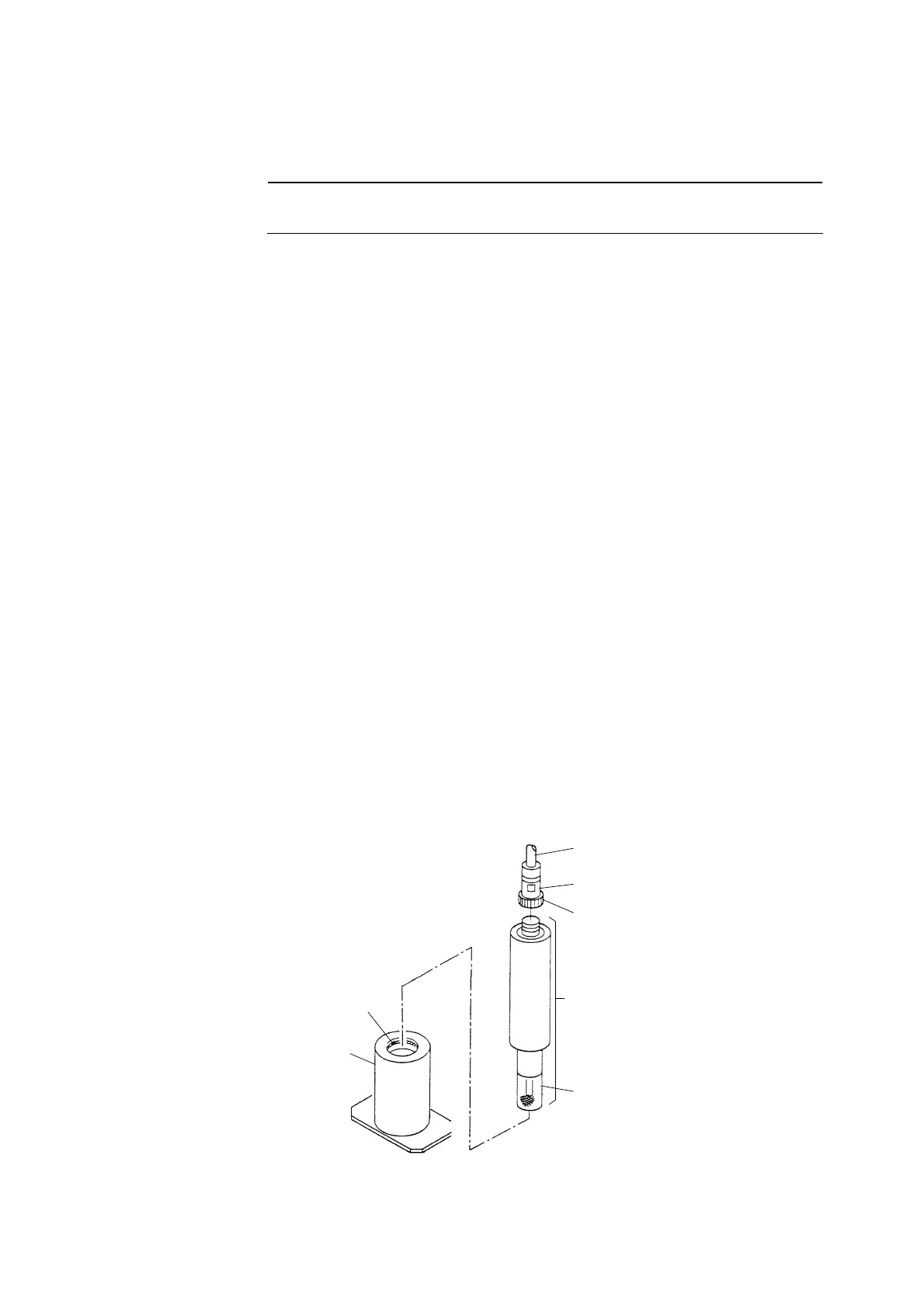
⑦ Return the detector to the original state. ⋅⋅⋅⋅⋅⋅ Confirming that the O-ring is correctly set in the
groove in the flow cell, insert the detector slowly and vertically into the flow cell until the cap
touches the bottom of the flow cell.
【IMPORTANT】 • Pay attention to the O-ring so that it may not get deformed when inserting
the detector.
⑧ Connect the lead wires. ⋅⋅⋅⋅⋅⋅ Connect the connector for the lead wires to the upper part of the
detector like before.
⑨ Turn on the power switch. ⋅⋅⋅⋅⋅⋅ Turn on the power switch and close the rear cap.
7.5 Cleaning of Flow Cell
① Turn off the power switch. ⋅⋅⋅⋅⋅⋅ Open the rear cap of the Transmitter and turn off the power switch
located on the upper part of the terminal board.(Power: OFF)
② Disconnect the lead wires. ⋅⋅⋅⋅⋅⋅ Turn the closing ring for the connector on the upper part of the
detector counterclockwise and disconnect the connector for the lead wires.
③ Remove the detector from the flow cell. ⋅⋅⋅⋅⋅⋅ Withdraw the detector vertically from the flow cell
to remove the detector form the flow cell.
O-ring
Flow Cell
Lead Wires
Connector
Detector
Cap
Closing Ring
Cleaning of Flow Cell


 To Next Page