Model: CD-36D 7.4 Replacement of Beads
-
27
-
Lead Wires
Connector
Detector
Rotate to
remove.
Cap
O-ring
Flow Cell
<In case of CLV series>
Beads
Wire Mesh.
Ceramic
Beads
Cap
Counter
electrode
Sensing
Electrode
Beads Level
Notch
Beads to
be filled
<In case of Model: CLR-21-A>
Beads
Cap
Level Line
O-ring
Flow Cell
Connector
Closing Ring
Detector
Counter Electrode
Sensing Electrode
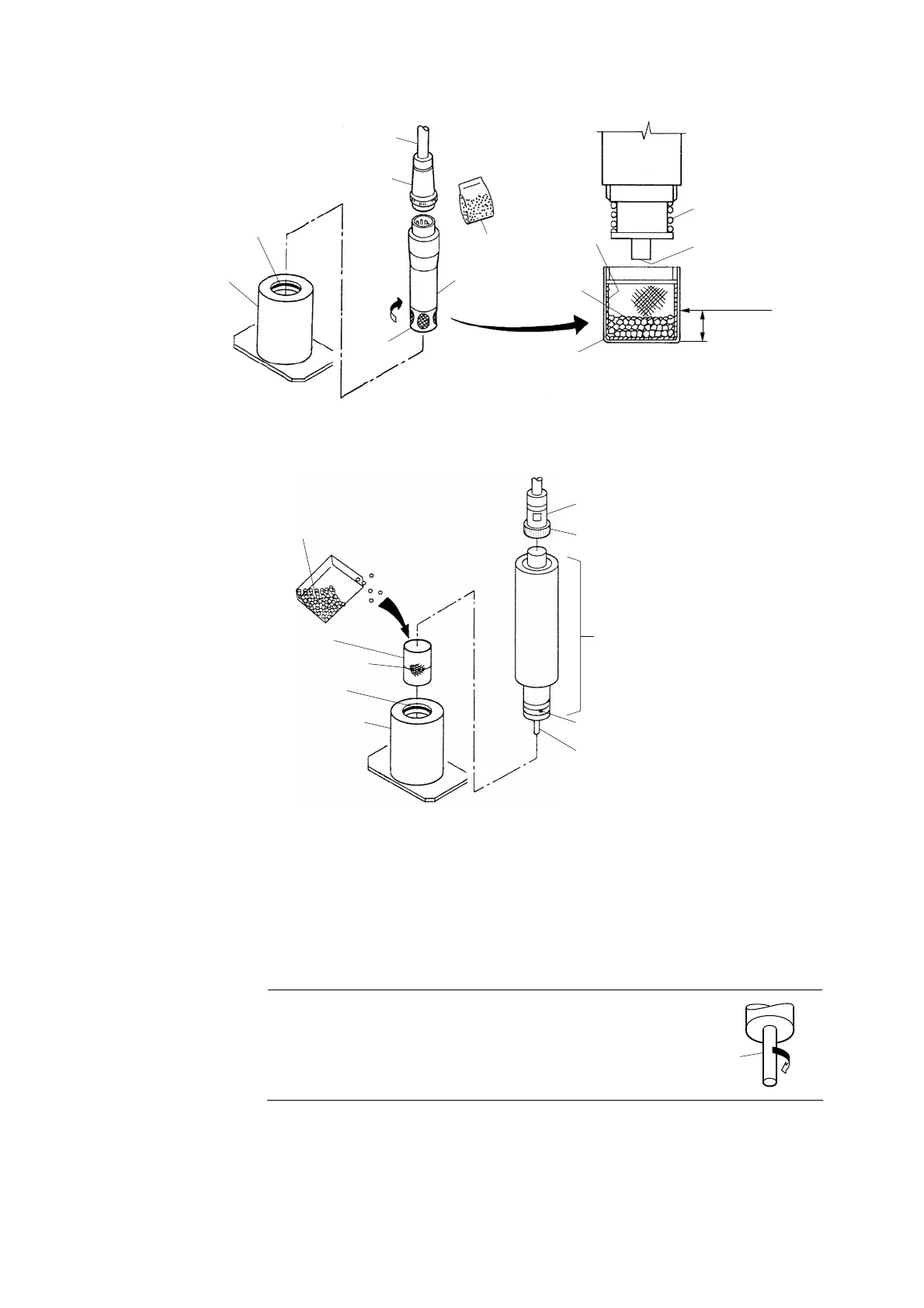
Removal of Detector and Filling of Beads
④ Remove the cap on the tip of the detector. ⋅⋅⋅⋅⋅⋅ Holding the detector vertically, loosen the
detector cap on the tip of the detector and remove it.
⑤ Replace the beads with new ones. ⋅⋅⋅⋅⋅⋅ Discard the dirty beads in the cap and fill the cap with
new beads to the level notch as shown in the figure above.
【IMPORTANT】 • Turn the sensing electrode clockwise and make sure
the electrode is fixed firmly. Loosening of the
electrode may cause a failure of the product.
Sensing
electrode
Fix
⑥ Put the cap back. ⋅⋅⋅⋅⋅⋅ Reinstall the cap on the top of the detector paying attention not to spill
beads from the cap.


 To Next Page