Model: CD-36D 5. Calibration
-
19
-
“Maintenance mode”
(TEST)
“Measurement mode”
(MEAS)
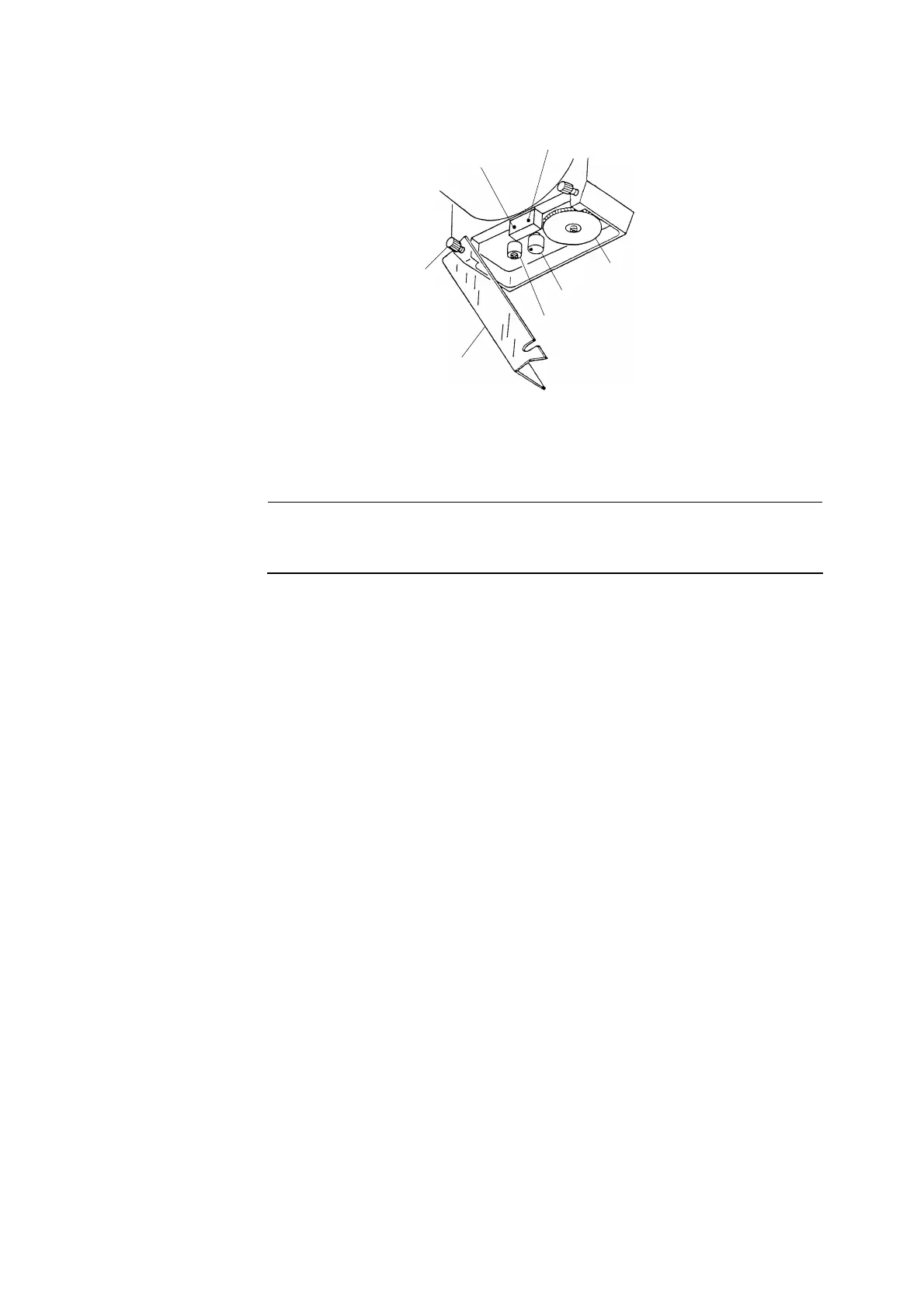
Mode Switch
Fixing Screw for Cover
Knob Cover
“SPAN” Knob
“ZERO” Knob
Position of the “SPAN” Knob
④ Fix the knob cover in place. ⋅⋅⋅⋅⋅⋅ Put the knob cover back in place and tighten 2 fixing screws for
the knob cover.
【IMPORTANT】 • When the calibration is finished, do not touch the “ZERO” and “SPAN”
knobs. If it seems to have been touched and moved inadvertently, repeat
the calibration from the beginning.


 To Next Page