Use a Phillips screwdriver provided to unscrew the
four screws on the front cover.
Open the cover to the front to remove it.
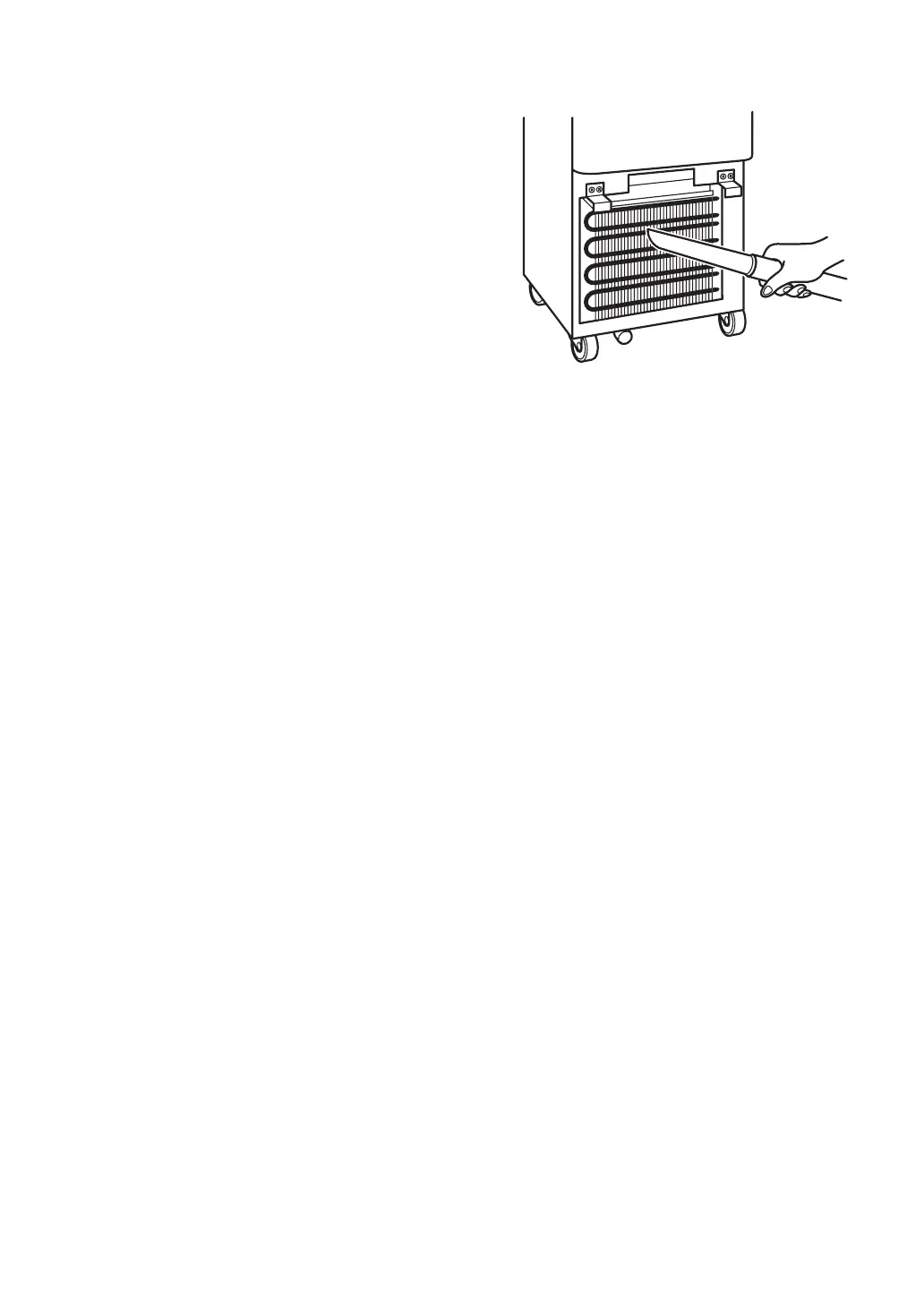
Remove dust of the heat exchanger using a vacuum
cleaner.
①
②
After cleaning out dust, install the front cover onto
the unit and x it with screws.
③
4.Heat exchanger
※
Do not touch sharp edges on the heat exchanger.
It may cut your ngers.
※
Do not bend the heat exchanger n.
It may reduce the cooling capacity.
Wipe the exterior of the unit with a soft cloth moistened with a neutral detergent.
Wipe away any detergent residue using a cloth dipped in clear water and squeezed almost dry.
①
②
5.Main unit exterior
※
The control panel is very fragile. Be careful not to push it hard or hit while cleaning. It may cause
damage to the panel.


 To Next Page