TH2523 Series Operation Manual Ver1.2
21
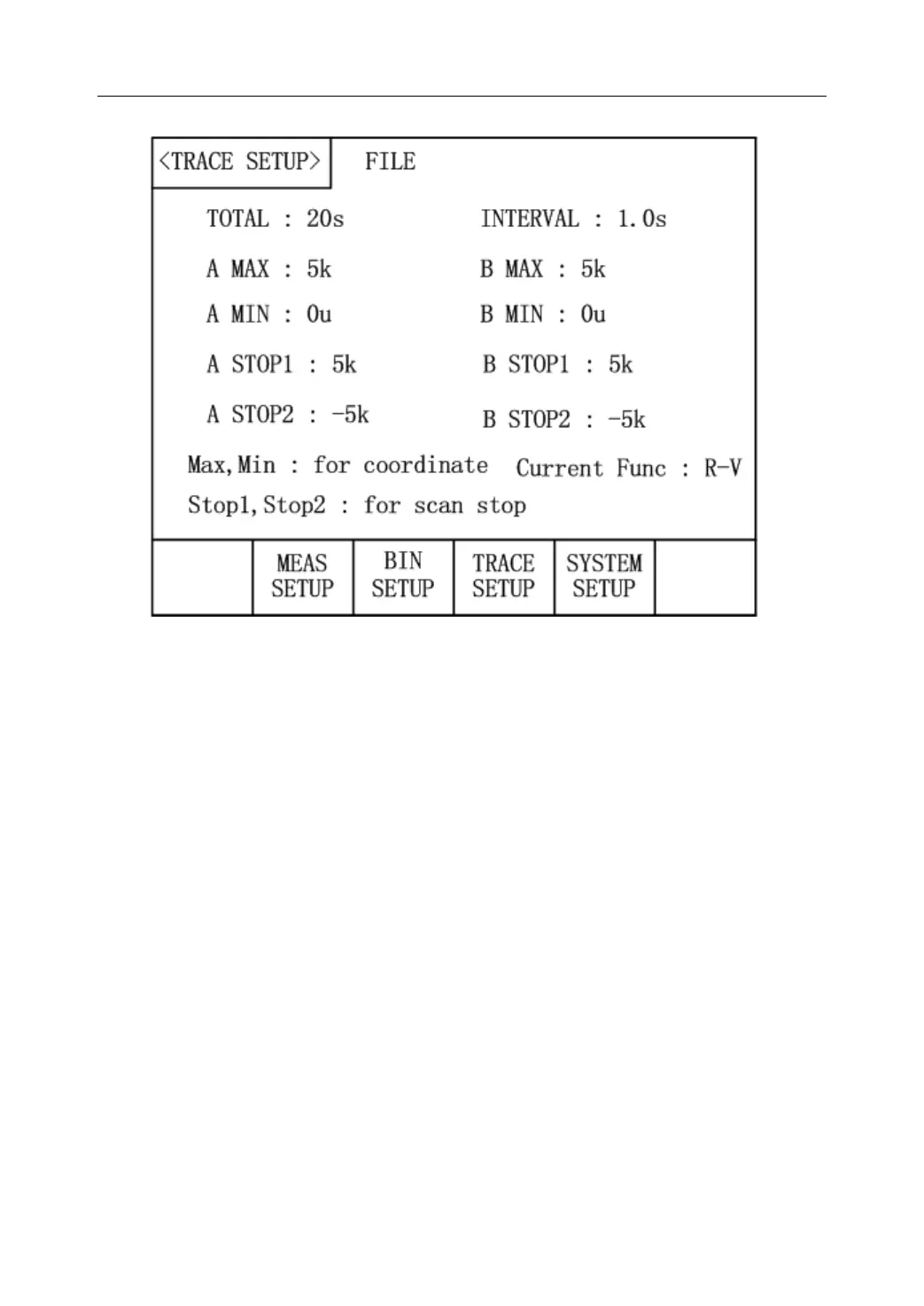
Figure 3-7 Trace Setup Page
This page indicates the information about the discharge trace test of battery. It shows the
discharging process of battery and displays measurement results of each time period in the
trace form. This function can set the total time of monitoring, time interval between
measurements and test point of auto stop. It can run with no personnel monitoring and further
improve your working efficiency.
The following parameters can be set in the <TRACE SETUP> page.
Total:Move the cursor to it and input the total time of measurement through the
numerical keyboard and press the corresponding soft key to confirm.
Interval:Move the cursor to it and input the time interval between measurements
through the numerical keyboard and press the corresponding soft key to confirm.
A Max/A Min:Move the cursor to it and input the maximum and minimum
coordinates that are used to draw the primary trace through the numerical keyboard
and press the corresponding soft key to confirm.
B Max/B Min:Move the cursor to it and input the maximum and minimum
coordinates that are used to draw the secondary trace through the numerical
keyboard and press the corresponding soft key to confirm.
A Stop1/A Stop2:Move the cursor to it and input the maximum and minimum ranges
of the primary parameter through the numerical keyboard and press the



 To Next Page