100
6 CHECK AND ADJUSTMENT
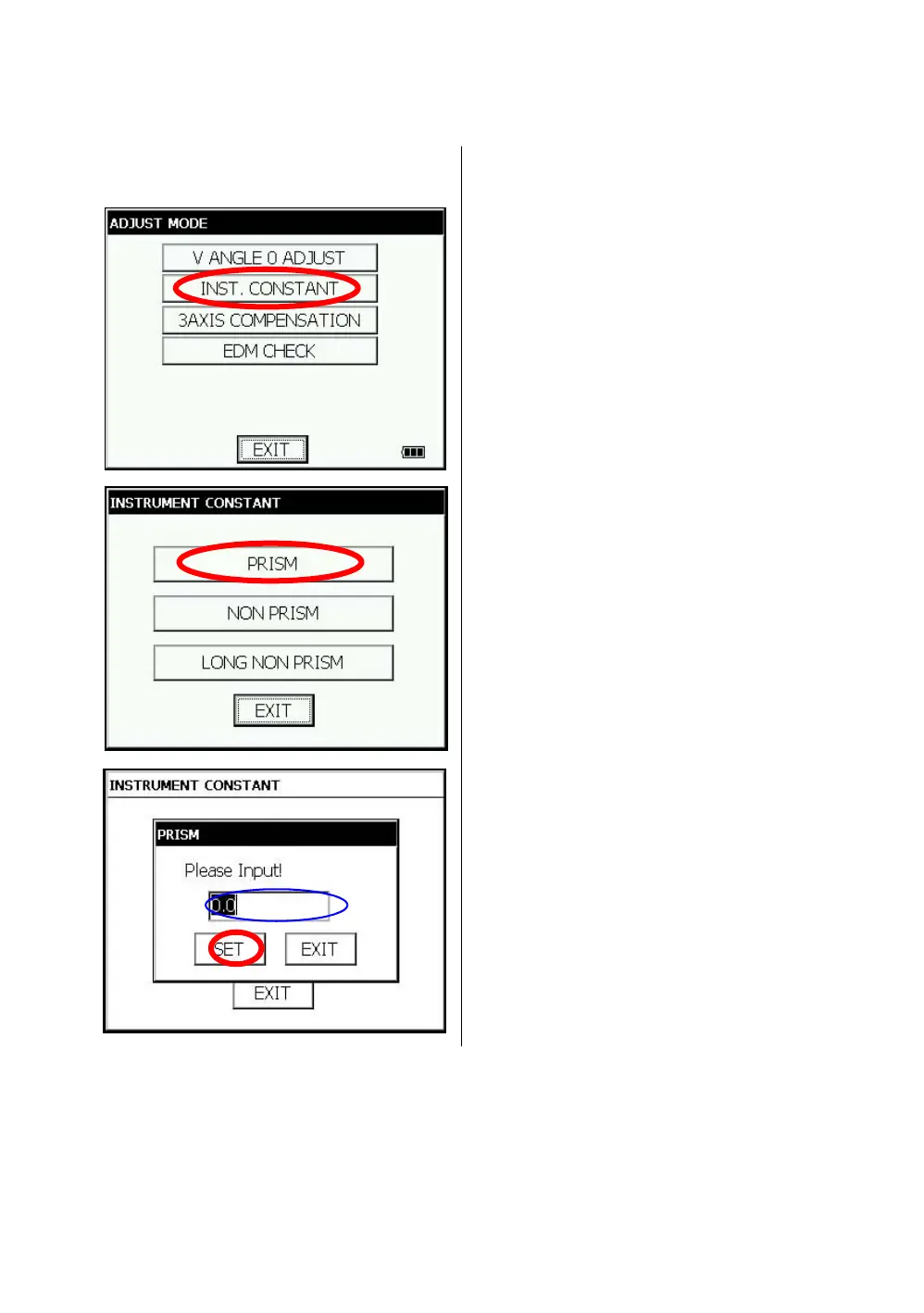
6.4 How to Set the Instrument Constant Value
To set the Instrument constant which is obtained in section 6.1“Checking and Adjusting of Instrument
Constant” , follow as below.
1 Press the [ADJUST] icon from the main menu.
\
2 Press the [INST. CONSTANT] key.
3 Press the [PRISM] key.
4 Input value. * 1)
5 Press the [SET] key.
The display returns to previous menu.
*1) To cancel the setting, press the [EXIT] key.



 To Next Page
 Loading...
